UGC Video Production Workflow: From Brief to Final Delivery
A step-by-step UGC production workflow for brands: brief and spec sheet, creator match, contract and rights, shipping, concept approval, filming, raw delivery, editing, review, compliance checks, final delivery, rights logging, payment and performance feedback.
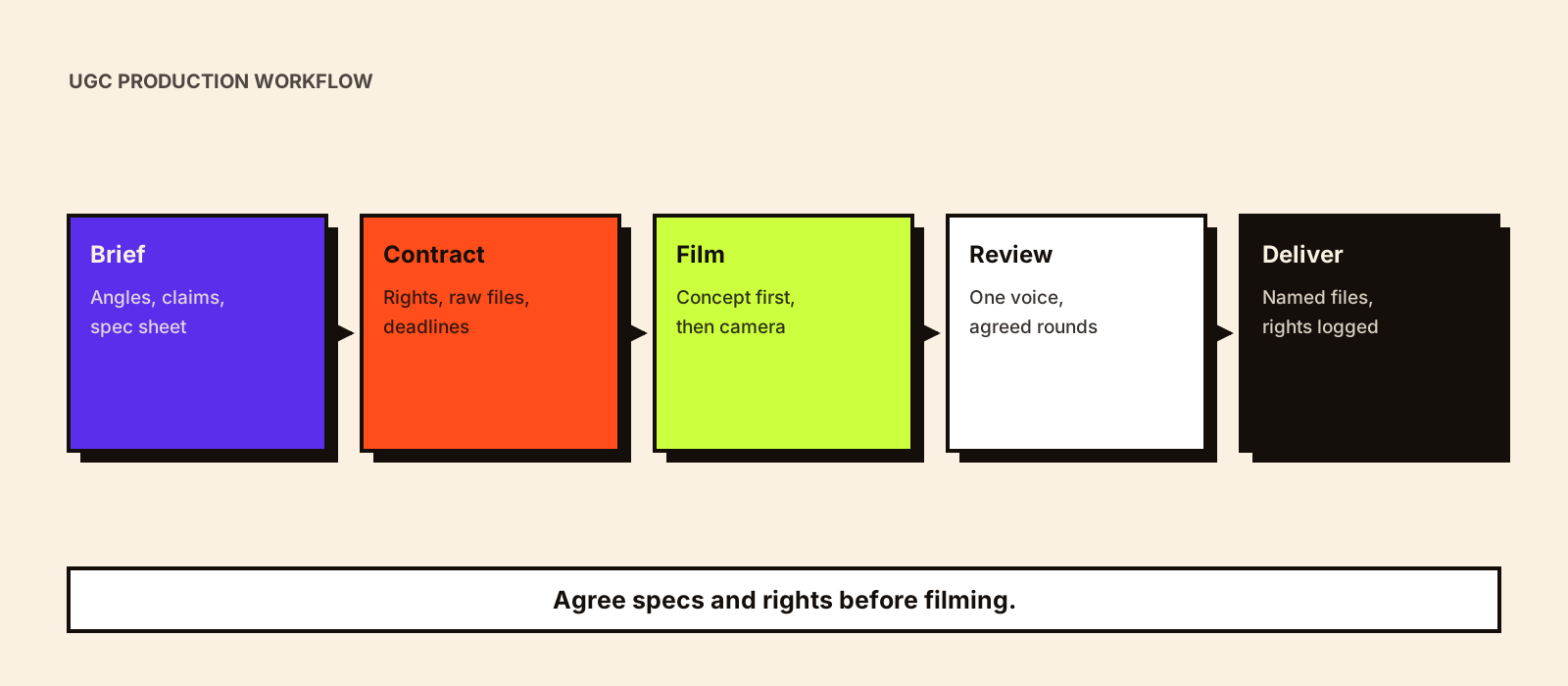
Most UGC problems show up at delivery: a horizontal video when you needed vertical, music you can't use in ads, no raw clips to re-edit, files named 'final_final2', and nobody sure whether paid use was agreed. Each traces back to a step nobody owned. A clear workflow fixes them before the camera is switched on.
Quick answer
A UGC production workflow runs from brief to delivery in about a dozen steps: brief and delivery spec sheet, creator match and offer, contract and usage rights, product shipping, concept or script approval, filming, raw footage delivery, editing, review and revisions, claims and compliance check, final delivery to agreed file specs and naming, rights logging and payment, then handover to ads or product pages and performance feedback into the next brief. Each step has one owner and a date, and the delivery specs are agreed before filming, not after.
The workflow, step by step
| Step | What happens | Output | Usually owned by |
|---|---|---|---|
| 1. Brief and specs | Objective, angles, talking points, claims, deliverables and file specs agreed | Brief and delivery spec sheet | Brand or agency strategist |
| 2. Creator match | Creators matched to angles and audience; offers sent | Confirmed creators | Campaign manager |
| 3. Contract and rights | Fees, deliverables, revision rounds, usage rights, raw files, deadlines | Signed agreements | Campaign manager, legal |
| 4. Shipping | Product sent with time to use it before filming | Delivery confirmed | Operations |
| 5. Concept approval | Creator shares hook options and outline | Approved concept | Brand reviewer |
| 6. Filming | Creator films, including alternative hooks and B-roll | Raw clips | Creator |
| 7. Raw delivery | Raw clips uploaded to a shared folder | Selects available | Creator |
| 8. Editing | Edits made by the creator or the brand's editor, per spec | Draft edits | Creator or editor |
| 9. Review and revisions | Feedback consolidated; agreed rounds | Approved edits | One brand reviewer |
| 10. Compliance check | Claims, disclosure (if posting), music, people and locations | Cleared files | Reviewer, legal for claims |
| 11. Final delivery | Files to spec, named and organised | Delivery folder | Creator or editor |
| 12. Rights log and payment | Rights and expiry recorded; creator paid | Rights register entry | Campaign manager, finance |
| 13. Handover and feedback | Assets to ads, product pages, email; results fed back | Next brief inputs | Performance team |
Agree delivery specs before filming
ASPECT RATIOS: 9:16 master; 4:5 and 1:1 cut-downs if needed
RESOLUTION AND FRAME RATE: e.g. 1080x1920, the creator's native frame rate
LENGTH: master length and any short versions (e.g. 15s, 30s)
SAFE ZONES: keep faces and on-screen text clear of platform interface areas
CAPTIONS: burned-in for social, plus a separate caption file if available
MUSIC: none, or only tracks licensed for paid use; deliver a no-music version
HOOK VARIANTS: number of alternative openings requested
RAW FILES: all usable raw clips and B-roll included, yes or no
PHOTOS: number of stills and orientation, if any
DELIVERY: shared folder link; no compressed messenger files
FILE NAMING: see convention below
Platform music libraries are generally licensed for organic posts on that platform, not for ads, so ask for a version without music or with commercially licensed tracks. Check each platform's current ad specs when you brief, as they change.
A file-naming convention
BRAND_PRODUCT_CREATOR_ANGLE_HOOK#_LENGTH_RATIO_VERSION
Example: KDZ_SERUM_PRIYA_ROUTINE_H2_30s_9x16_v1.mp4
Raw clips: BRAND_PRODUCT_CREATOR_RAW_###.mp4
Consistent names make the library searchable later and let ad results be traced back to the creator, angle and hook. The example name is illustrative.
Who edits: creator or brand?
| Creator edits | Brand or agency edits | |
|---|---|---|
| Pros | Keeps the creator's natural style; less work for you | Consistent ad-ready versions; easy to make hook and length variants |
| Cons | Variable quality; harder to make many variants | Needs editing capacity; risk of over-polishing |
| Ask for | Edited master plus raw files | Raw clips and B-roll, delivered quickly |
If the brand will cut new versions, the usage agreement should allow editing and derivative versions. UGC usage rights covers what to agree.
Review without slowing everything down
- One person consolidates feedback; creators shouldn't receive conflicting notes.
- Check concept and hooks before filming, so revisions are about edits, not reshoots.
- Separate must-fix items (claims, product misuse, audio) from suggestions.
- Agree the number of revision rounds and turnaround times in the contract.
- Check claims against the approved list before anything goes into ads.
A hypothetical timeline
Hypothetical: a home-care brand commissions twelve videos from four creators. Briefs and specs are agreed in week one, contracts signed and product shipped in week two, creators use the product and submit concepts in week three, film and deliver raw clips and first edits in week four, and revisions and final delivery finish in week five, with rights logged and creators paid on delivery. A first batch with new creators usually takes longer than repeat batches with creators who already know the brand.
Common mistakes
- No spec sheet, so files arrive in the wrong ratio or with unusable music.
- No raw files, so new hooks or lengths can't be cut later.
- Feedback from several people sent separately.
- Rights and expiry not logged at delivery.
- Paying late, which loses good creators before the next batch.
- Performance results never shared back into the next brief.
Running this across many creators and batches is covered in how to scale UGC content production, and where the finished assets go in UGC on product pages and UGC in paid social ads.
Conclusion
A reliable UGC workflow agrees specs and rights before filming, approves concepts before the camera rolls, keeps feedback to one voice, delivers files that are named and ready for every channel, and closes with rights logged, creators paid and results fed into the next brief.