How to Track Influencer Marketing Conversions Using UTM Parameters
A practical UTM setup for creator campaigns: which parameters to use, a naming convention you can copy, how GA4 groups creator traffic, where links go on each platform, and why tagged numbers always come in lower than creator clicks.
Most creator campaigns lose their tracking before a single post goes live: links get made the night before, every creator gets the same URL, and the medium is spelled three different ways. A UTM setup takes an hour to do properly, and it decides whether you can compare creators afterwards or only guess.
Quick answer
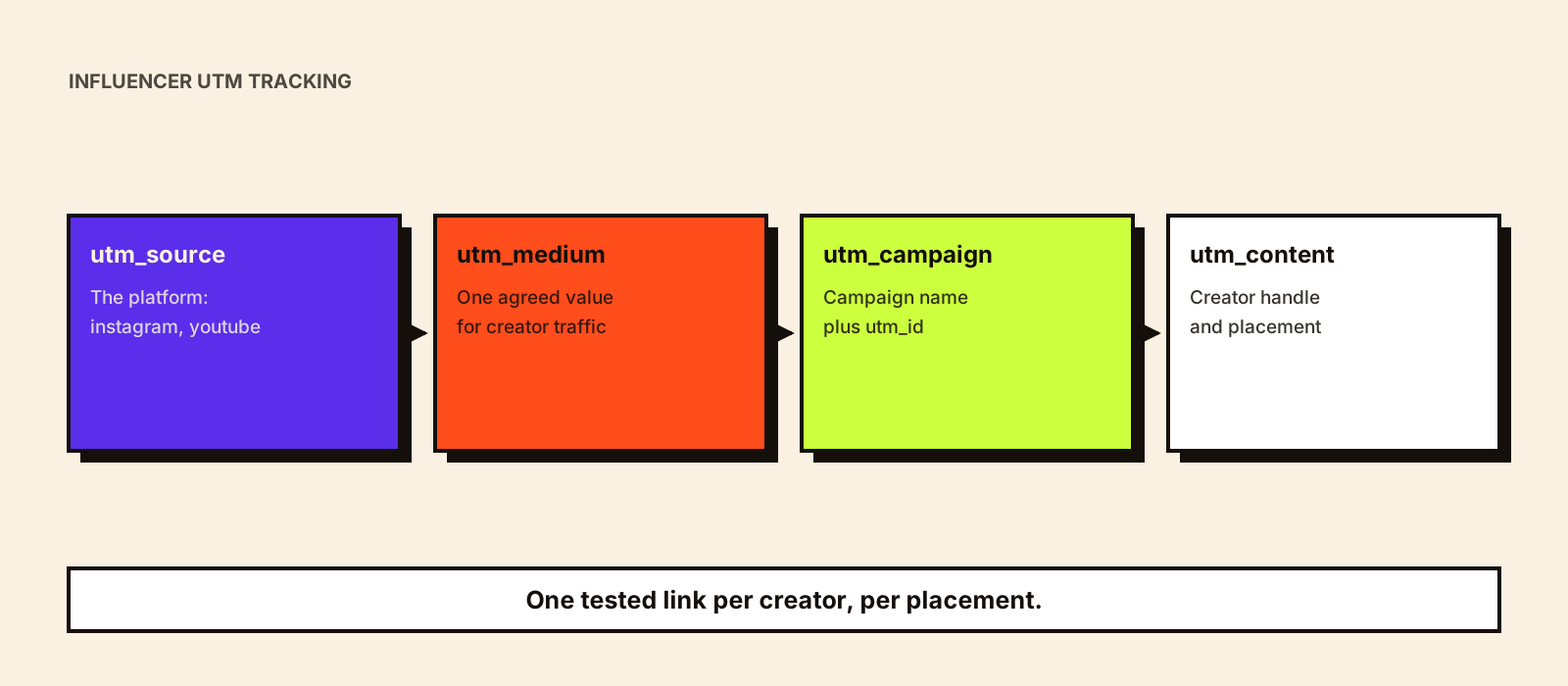
Give every creator, and every placement they use, its own tagged link. Set utm_source to the platform, utm_medium to one agreed value for creator traffic, utm_campaign and utm_id to the campaign, and utm_content to the creator and placement. Write values in lowercase with one separator, record every link in a sheet, test each one on a phone, and put the links in the brief before content is made. In GA4, read results in the Traffic acquisition report and against your key events. Treat tagged conversions as the minimum the creator drove, because people who watch and buy later without clicking never carry the tag.
What each parameter is for
Google Analytics recognizes a fixed set of URL parameters. Google's own guidance recommends setting utm_source, utm_medium, utm_campaign, utm_id and utm_source_platform where relevant, and warns that missing parameters show up as '(not set)' in reports. Values are case sensitive, so 'Instagram' and 'instagram' become two different sources.
| Parameter | What GA4 uses it for | Suggested use for creators | Example |
|---|---|---|---|
| utm_source | Where the traffic came from | The platform the creator posted on | instagram, youtube, podcast |
| utm_medium | The marketing medium | One fixed value for all creator traffic (see the next section) | social, influencer or affiliate |
| utm_campaign | Campaign name | The campaign, matching your plan and budget sheet | diwali_2026_serum |
| utm_id | Campaign ID | A short ID that matches your budget or finance records | c2611 |
| utm_content | Differentiates creatives or links | Creator handle plus placement | priya_k_story, priya_k_bio |
| utm_term | Paid keyword | Usually leave empty for organic creator posts |
Two newer parameters, utm_creative_format and utm_marketing_tactic, are accepted in URLs, but Google's documentation says they aren't currently reported in Google Analytics properties. Don't build your creator reporting on them.
Choose a medium that lands in the right channel
GA4 sorts traffic into default channel groups using fixed rules, and the medium you pick decides where creator traffic ends up. Organic Social matches when the source is a recognized social site or the medium is a social value such as 'social'. Paid Social needs a social source plus a paid-style medium such as 'paid_social' or 'cpc'. Affiliates needs the medium 'affiliate'. A medium GA4 doesn't recognize, combined with a source it doesn't recognize, falls into Unassigned.
| Your setup | Likely default channel | When it fits |
|---|---|---|
| source=instagram, medium=social | Organic Social | Organic creator posts, reported alongside your own social |
| source=instagram, medium=influencer | Organic Social (the social source matches) | Organic creator posts where you want to filter creators by medium |
| source=creatorname, medium=influencer | Unassigned | Avoid: neither value matches a channel rule |
| source=instagram, medium=paid_social | Paid Social | Creator content run as ads, such as partnership ads |
| source=creatorname, medium=affiliate | Affiliates | Commission-based creator programs |
A common approach is to keep the platform as the source, use one dedicated medium value for organic creator posts, and set up a custom channel group in GA4 if you want 'Creators' to appear as its own channel. Whatever you choose, write it down and use it for every campaign, or year-on-year comparisons break.
A naming convention you can copy
Rules: lowercase only; underscores between words; no spaces, emojis or personal data

utm_source   = platform        (instagram | youtube | podcast | whatsapp)
utm_medium   = influencer      (or the value your team agreed; never change it mid-year)
utm_campaign = name_period     (diwali_2026_serum)
utm_id       = budget code     (c2611)
utm_content  = handle_placement (priya_k_story | priya_k_bio | priya_k_ytdesc)

Example:
https://example.com/serum?utm_source=instagram&utm_medium=influencer&utm_campaign=diwali_2026_serum&utm_id=c2611&utm_content=priya_k_story
Keep a link sheet with one row per link: creator, platform, placement, full URL, short URL if any, the date it was tested and the date it went live. That sheet becomes the key you use to join analytics data to creator costs later.
One link per creator, per placement
| Placement | Link format | Tracking note |
|---|---|---|
| Instagram Story | Link sticker | Give Stories their own utm_content; they expire after 24 hours unless highlighted |
| Instagram bio | Bio link or link page | Agree how long the link stays up; bio links collect clicks long after the post |
| Instagram Reel or post caption | Not clickable | Point viewers to the bio or Story link, or use a code |
| YouTube description or pinned comment | Clickable link | Separate tags for description and pinned comment if both are used |
| Podcast or spoken mention | Short vanity URL | Use a memorable path that redirects to the tagged URL |
| WhatsApp channel or broadcast | Clickable link | Use source=whatsapp so forwarded traffic isn't lost in Direct |
Short links and vanity URLs are useful, but a redirect that drops the query string silently destroys your tracking. Click every short link on a phone, through the app it will be posted in, and check that the tags survive to the landing page.
Reading creator conversions in GA4
- Traffic acquisition report: filter by session medium (your creator value) and break down by session campaign and session manual ad content to compare creators and placements.
- Key events: mark purchases, sign-ups or leads as key events so they appear against each creator's traffic.
- Explorations: build a free-form table of utm_content against key events and revenue for a creator-level view.
- Attribution: GA4 credits key events to channels using your reporting attribution model, so a creator click followed by a later Google search may be credited partly or wholly to search. Influencer marketing attribution models explains the options.
Export the creator-level table once the measurement window closes, join it to your link sheet and costs, and you have cost per session, cost per key event and conversion rate by creator. Influencer CPM, CPE, CPC and CPA covers the formulas.
Why tagged numbers come in lower than creator clicks
- Platform link taps aren't the same as sessions: some taps never load the page, especially on slow connections.
- In-app browsers and cookie consent choices can stop analytics recording a visit.
- People who watch, then search your brand or type your URL later, arrive without the tag.
- Purchases on marketplaces, by phone, on WhatsApp or in stores never touch your site.
- Cross-device journeys break the link between a phone click and a laptop purchase.
None of this means UTMs are wrong. It means they measure the clicking customers, not everyone the creator influenced. Why creator reports and GA4 don't match covers reconciling the two, and how to track influencer sales covers codes and other methods that catch people who don't click.
Privacy and consent
- Never put names, emails, phone numbers or customer IDs in UTM values; Google Analytics policies don't allow personal information to be sent to it.
- Analytics depends on your consent setup: visitors who decline analytics cookies may not be counted at all, which lowers every tagged number.
- UK: the ICO finalized its guidance on storage and access technologies in April 2026, including when statistical analytics can rely on an exception to consent. Check its conditions before changing your banner.
- India: the Digital Personal Data Protection Rules were notified in November 2025, with most obligations phased in over the following 18 months. Review consent notices for analytics and marketing data with counsel.
- UAE, Australia and Singapore have their own data protection laws; take local advice on consent for analytics and advertising cookies.
These notes are general information, not legal advice. The ICO's storage and access guidance and MeitY's data protection framework page are the starting points for the UK and India. For UK campaigns, tracking influencer campaigns under the UK's cookie rules applies the ICO's guidance to creator links, affiliate tracking and codes.
Common mistakes
- One link shared by every creator, so results can't be split.
- Mixed case or spelling ('Influencer', 'influencers', 'IG') splitting one source into several rows.
- A medium that sends creator traffic to Unassigned.
- Short links whose redirects strip the tags.
- Links created after content is filmed, so creators read out the wrong URL.
- Treating tagged conversions as the creator's total effect.
Conclusion
Good UTM tracking is mostly discipline: one convention, one link per creator and placement, tested before launch and recorded in a sheet. It gives you a clean, comparable floor for each creator's results. Pair it with codes for people who don't click, and with incrementality tests for the effect neither can see.