LinkedIn Company Page Management: How B2B Brands Can Build a Consistent Presence
How to run a LinkedIn company page for a B2B brand: page optimisation, admin roles, content pillars, document posts, video and newsletters, the role of founders and employees, and what to report.
Your founder's LinkedIn posts get comments from customers and investors. The company page, meanwhile, shares a press release every few weeks and the occasional 'we're hiring' graphic. Prospects who click through from a founder post land on a page that says very little about what you do or why anyone should care.
Quick answer
LinkedIn company page management means keeping the page complete and current, publishing a planned mix of industry insight, product education, proof and culture, and connecting it to the people who post from personal profiles. Set clear admin roles, plan three to five content pillars, use formats like document posts, video and a Page newsletter where they fit, reply to comments, and report on what moves buyers, not on follower counts alone.
What a company page is for
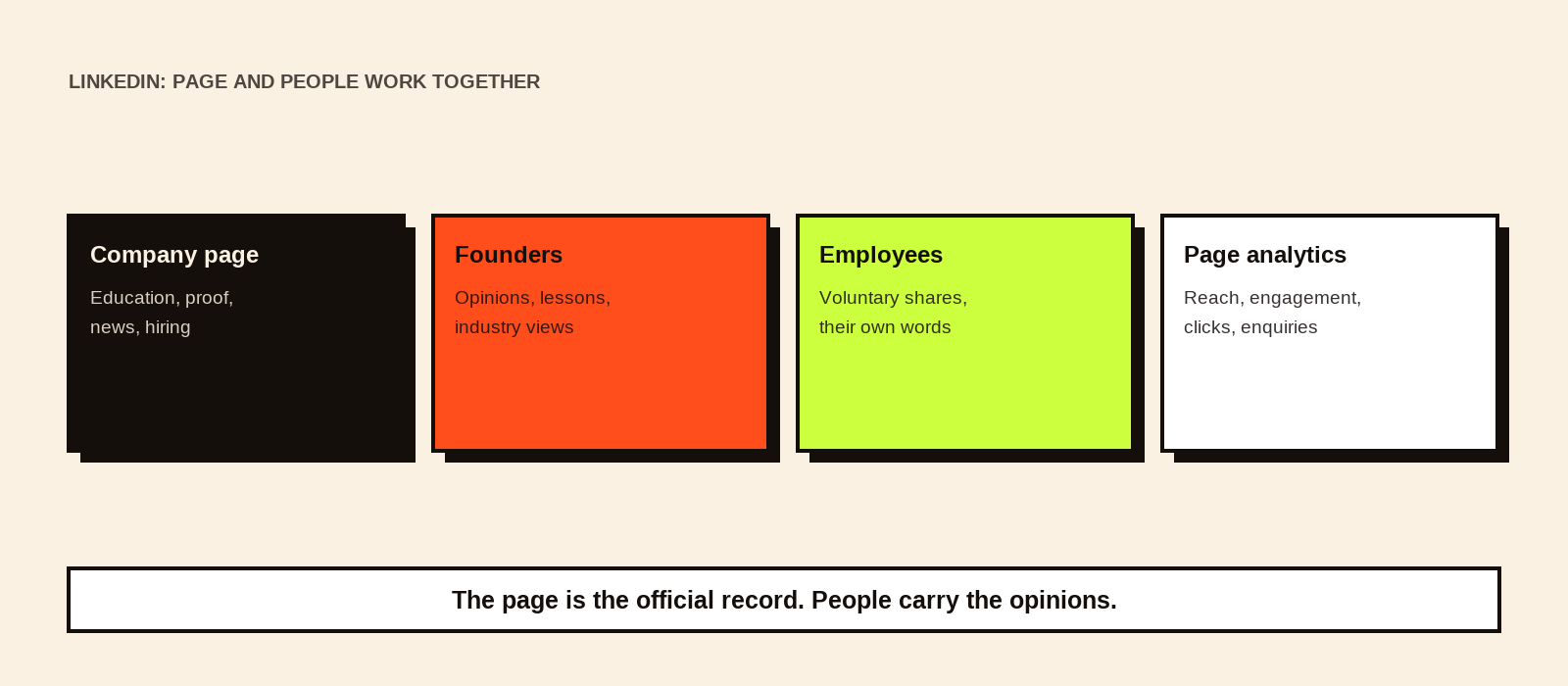
A company page and a founder's profile do different jobs. Personal posts usually travel further because people respond to people. The company page is where prospects, candidates, partners and investors go to check what the business does, how it talks, and whether it's active. It's the brand's official record on LinkedIn.
| Company page | Founder and employee profiles | |
|---|---|---|
| Voice | The brand: 'we' | The person: 'I' |
| Best for | Product education, proof, announcements, hiring, culture | Opinions, lessons, stories, industry commentary |
| Who controls it | Page admins under agreed roles | Each individual |
| Trust signal | Shows the business is active and credible | Shows there are real experts behind it |
| Risk if neglected | Prospects find an empty or outdated page | The brand depends on one person's posting habits |
| Agency role | Plan, write, design, publish and report | Support with ideas or drafts only if the person wants it and approves every word |
The people side is covered in more depth in our guides to LinkedIn thought leadership marketing and employee influencer marketing. This article focuses on the page.
Optimise the page
Start with who can do what. At the time of writing (November 2026), LinkedIn Page admin roles include Super admin, Content admin and Analyst. Content admins can create and manage posts; only super admins can edit the page and add or remove admins. Give an agency content admin access and keep super admin with two people inside the company.
- Logo and cover image that match your current brand and say what you do.
- A tagline that names the customer and the problem, not a slogan.
- An 'About' section written for a buyer: what you sell, who it's for, where you operate.
- Website, industry, company size and locations filled in accurately.
- A custom button pointing to the one action that matters most.
- A pinned post that introduces the company or your most useful resource.
- Showcase Pages only for business units with a distinct audience.
- Career page features only if hiring is a real, ongoing goal.
On the custom button: LinkedIn's Page help lists options such as 'Visit website', and its help article on the custom button says that without a Premium Company Page subscription the button only appears when members click 'More'. It also notes the feature is still rolling out, so you may not see it yet.
Showcase Pages are extensions of the main page for a brand, business unit or initiative. LinkedIn's help says only a super admin of the parent page can create one, and a company can have up to 25. Most B2B brands don't need any; each one needs its own content plan. The Life tab, which shows culture, leaders and employee perspectives to candidates, is part of LinkedIn's paid Career Pages.
B2B content pillars
A B2B page works when every post helps a buyer understand the problem, the options or your company. Three to five pillars keep it focused.
| Pillar | What it covers | Formats that suit it |
|---|---|---|
| Industry insight | Trends, regulation changes, common mistakes in your buyers' world | Text posts, document posts, newsletter |
| Product and service education | How it works, use cases, implementation, FAQs | Short video, document walkthroughs |
| Proof | Customer stories with permission, results the customer has approved, certifications | Document case summaries, quote graphics |
| Culture and people | Team, hiring, values in practice, events | Photos, short video, employee spotlights |
| Company news | Launches, partnerships, office openings | Announcement posts, events |
Keep company news to a minority of posts. A page that only announces things gives followers little reason to read. For a SaaS-specific version of this plan, see social media management for SaaS companies.
Formats: documents, video, newsletters and events
LinkedIn's help confirms you can upload a document to a post from a LinkedIn Page. Supported files are PDF, PowerPoint and Word, up to 100MB and 300 pages at the time of writing. Document posts display as swipeable pages, which suits step-by-step explainers, checklists and short case summaries. Design them for a phone screen: large text, one idea per page.
Video works for product demos, customer interviews and short explainers from team members. Keep the first few seconds clear without sound, and add captions. LinkedIn also lets Page super admins and content admins create a Page newsletter if the page meets LinkedIn's access criteria, and Pages can host LinkedIn Events, including LinkedIn Live where the page is eligible.
A newsletter is a commitment. Only start one if you can publish on a regular schedule with something worth subscribing to, such as a monthly round-up of changes in your industry.
Founders, employees and community engagement
LinkedIn used to offer a 'My Company' tab and employee advocacy tools for Pages. Its help centre says these were gradually discontinued from November 2024. Page admins can still reshare employees' posts that mention the company from the page's activity feed, and LinkedIn points to external partners for advocacy tools.
- Share the content calendar with founders and key team members so their posts can echo the page's themes.
- Reshare strong employee posts from the page, with their agreement.
- Never write in an employee's name without their approval of every word.
- Keep personal accounts personal: the company doesn't log in to them.
- Make participation voluntary and say so.
Community engagement
Reply to comments on the page's posts within a day or two, as the page. Comment thoughtfully as the page on partners' and customers' posts where it adds something. Agree what gets escalated: pricing questions, complaints and anything about a contract go to the right person, not into a public thread.
Reporting on a LinkedIn page
LinkedIn Page analytics cover visitors, followers, content and competitors. For posts, LinkedIn's combined post analytics define impressions as the number of times a post was displayed on screen, members reached as distinct members and pages that saw it, and engagements as reactions, comments, saves, sends and reposts. Competitor analytics let you compare follower and content metrics with similar organisations, with more competitors available on Premium.
- Members reached and engagements per post, by pillar.
- Custom button clicks and website visits from LinkedIn, tracked with UTM tags.
- Follower growth from your target industries and job functions.
- Enquiries or demo requests where the person mentions LinkedIn.
- Which formats your audience saves and shares, not only reacts to.
For a fuller view of which metrics fit which goal, see social media KPIs by business goal.
Common mistakes
- Treating the page as a press release archive.
- Giving an agency super admin access when content admin is enough.
- Creating Showcase Pages that are never updated.
- Expecting the company page to match a founder's reach, then giving up.
- Pressuring employees to share company posts.
- Reporting follower counts with no link to enquiries or hiring.
Practical recommendations
- Rewrite the About section and tagline for a buyer before anything else.
- Plan pillars for a quarter and turn your best sales answers into document posts.
- Agree a light monthly sync between whoever runs the page and the founder.
- Use the custom button and UTM tags so clicks can be tracked.
- Review posts by pillar each month and drop the pillar that consistently underperforms.
LinkedIn is one of the platforms covered in Kudozz's social media management scope. If you also plan to work with B2B creators on LinkedIn, the planning for that sits under campaign strategy.
Where to start
Make the page a clear, current answer to 'what does this company do and for whom?'. Then publish a steady mix of education and proof, and let founder and employee posts carry the opinions. The page doesn't need to be loud. It needs to be consistent and useful when a buyer checks it.