Social Media Management for SaaS Companies: Building Trust Through Educational and Product-Led Content
How SaaS companies can run their own social accounts to build trust with buyers: product education, use cases, customer questions, industry insight, demos, customer stories with permission, and how the company page and founder profiles work together.
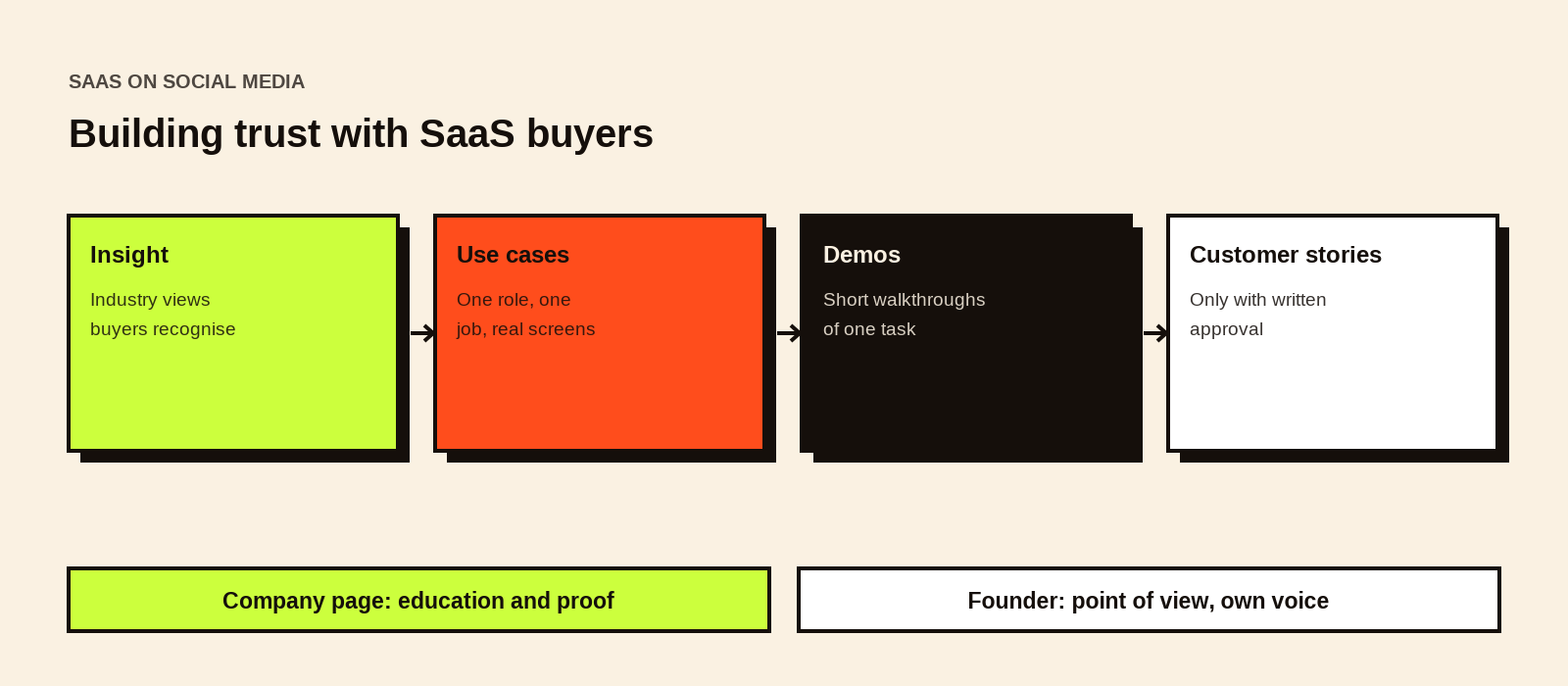
Your sales team says prospects keep asking the same three questions on demo calls. Your founder posts thoughtful takes on LinkedIn that get comments from potential buyers. The company page, meanwhile, shares release notes and hiring posts that almost nobody engages with. Many SaaS companies have the raw material for a strong social presence; it just isn't organised into one.
Quick answer
Social media management for SaaS companies works when it helps buyers understand a problem and see how your product solves it. Build around product education, feature explainers, use cases, answers to customer questions, industry insight and short demos, and share customer stories only with written permission. Run the company page and founder profiles as separate but coordinated channels, with LinkedIn usually central and YouTube for longer explainers.
Why SaaS social media is about trust
Software is hard to judge before you've used it, and B2B purchases usually involve several people: the user, their manager, finance and sometimes IT or security. Each of them may look you up on social media before or during an evaluation. What they're checking is whether you understand their problem, whether the product actually does what the website says, and whether the company seems credible and active.
That's why educational and product-led content tends to suit SaaS better than announcements. A clear two-minute walkthrough of a workflow tells a buyer more than a launch graphic. A post explaining a common mistake in your category shows expertise without a sales pitch.
Content pillars for a SaaS brand
| Pillar | Examples | Who usually supplies it |
|---|---|---|
| Product education | How a feature works, setup tips, 'did you know' shortcuts | Product and customer success teams |
| Feature explainers | What changed in a release and why it matters for the user | Product marketing |
| Use cases | How a type of team uses the product for a specific job | Sales, customer success, solutions |
| Customer questions | Answers to repeated questions from demos, tickets and comments | Sales and support logs |
| Industry insight | Trends, regulations, common mistakes, benchmarks you can source | Founders, domain experts |
| Demos | Short screen recordings of a workflow, start to finish | Product marketing, solutions engineers |
| Customer stories | How a named customer uses the product, in their words | Customer success, with the customer's written approval |
| Culture and team | Hiring, team rituals, behind the build | People team, founders |
Product education, demos and use cases
Start with the questions your sales and support teams answer every week. Each repeated question is a post, a carousel or a short demo. Show the product working in real screens rather than mock-ups, keep demos focused on one task, and say clearly what plan or setup the feature needs so no one is surprised later.
Use cases translate features into outcomes for a specific role: 'how a finance team closes month-end faster with automated reconciliation' is more useful than 'introducing automated reconciliation'. Avoid promising results you can't show. If you mention a time saving or performance improvement, it should come from data you can explain, not from a hopeful estimate.
- Collect the top questions from sales calls, support tickets and comments each month.
- Turn each into one format: a demo clip, a carousel or a short text post.
- Record demos on real product screens, with sensitive data removed.
- State which plan, integration or setup a feature requires.
- Check product claims with the product team before publishing.
- Link to documentation or a longer video for people who want detail.
Take extra care with security, compliance and integration claims. Statements such as 'certified', 'compliant' or 'works with' a named tool should match what your security and product teams can confirm today, not what is on the roadmap. Buyers in larger companies often check these claims during procurement, and a social post that overstates them can slow a deal down.
Customer stories, only with permission
Customer stories are persuasive, but they belong partly to the customer. Many B2B customers have strict rules about being named publicly, and using a logo or a quote without approval can damage a relationship your sales team worked hard to build. Get written approval for the exact wording, the logo, any numbers and where the story will appear. Never show customer data in screenshots, and never present a composite or invented customer as real.
If a customer can't be named, you can still describe a use case in general terms, clearly framed as an example rather than a case study.
LinkedIn, YouTube and community
For most B2B SaaS companies, LinkedIn is the centre of social activity because buyers and their colleagues are there in a professional context. Running the company page well, including roles, posting rhythm and formats, is covered in LinkedIn company page management. LinkedIn's Help Centre lists separate Page admin roles; at the time of writing (November 2026) super admins and content admins can post as the Page, while analysts only see analytics, so an agency or junior team member can publish without being able to change admins.
YouTube suits longer demos, onboarding walkthroughs, webinar recordings and explainers that buyers search for. Shorter clips from those videos can then feed LinkedIn and other platforms. YouTube channel management for brands covers how to plan and run a channel.
Community building in SaaS often happens off the main social platforms too, in user groups, forums or chat communities. Social media can point people to these spaces and share what's discussed there, with members' permission. Keep product support requests out of public threads and route them to your support team.
Company page vs founder-led personal branding
Founder and leadership profiles often get more engagement than company pages, because people respond to people. That doesn't make the company page unnecessary. The two do different jobs and need different rules.
| Company page | Founder-led personal profile | |
|---|---|---|
| Who owns it | The company, with admin roles held by employees | The founder personally; it stays with them if they leave |
| Main goals | Product education, credibility, launches, hiring, customer stories | Industry point of view, trust in leadership, relationships with buyers and partners |
| Tone | Clear, helpful, consistent brand voice | Personal, opinionated, first person, in the founder's own voice |
| Who writes | Marketing team or agency | The founder, sometimes with help drafting from their own ideas |
| Approval | Brand and product sign-off on claims | The founder approves everything; product claims still checked |
| What to avoid | Only release notes and announcements | Ghostwritten posts the founder hasn't read, or claims the company can't support |
Coordinate the two without making them repeat each other. The founder might share why a feature was built, while the company page shows how it works. If several employees post about the company, a light set of guidelines helps; employee influencer marketing covers that side, and LinkedIn thought leadership marketing explains how brands build authority with experts and creators.
Working with creators in SaaS
Practitioners and niche creators who already talk to your buyers can explain your product with credibility your own accounts lack. Their content can be reshared on your channels when the partnership allows it and the post carries a clear disclosure. How to plan these partnerships is covered in SaaS influencer marketing in India, and if you're shaping a wider programme, campaign strategy is where we start.
A sample 30-day SaaS content plan
Here's how a month might look for a hypothetical SaaS company selling invoice-automation software to finance teams in mid-sized Indian businesses. It assumes three or four company page posts a week, one or two founder posts and one longer YouTube video. Adjust the volume to what your team can realistically produce and review.
| Week | Theme | Company page | Founder profile | YouTube and other | Inputs needed |
|---|---|---|---|---|---|
| 1 | The problem | Carousel on signs that month-end close is stuck on manual invoice matching; a post answering the top sales question | Why the founder chose to work on this problem | A short clip from an earlier webinar, if one exists | Top ten questions from sales and support |
| 2 | How it works | Two short demos of single tasks on real screens; an explainer for the latest release | What the team learned while building the feature | A full walkthrough of the core workflow | Product marketing, a solutions engineer, test data |
| 3 | Use cases and proof | A use-case post for one role; a customer story only if written approval is in place | A lesson from customer conversations, without names | Short clips cut from week 2's walkthrough | Customer success team, approval register |
| 4 | Insight and recap | A sourced, dated post on a relevant reporting or compliance change; a recap carousel of the month's demos | The founder's view of where the category is heading, framed as opinion | Webinar or Q&A recording, if one ran | Founder interview, sales notes on what prospects mentioned |
Plan replies as well as posts: someone who can answer product questions should watch comments in the first hours after each post. At the end of the month, ask sales which posts prospects brought up, and carry the strongest themes into the next plan.
Content and metrics for awareness, consideration and pipeline
Different content does different jobs, so judge each stage on its own signals. The metric names below are as LinkedIn and YouTube describe them in their help centres at the time of writing (November 2026). Platforms rename and redefine metrics, so check their help pages when you set up reporting.
| Stage | Content that fits | Platform metrics to watch | Business signals |
|---|---|---|---|
| Awareness | Problem education, industry insight, founder point of view | LinkedIn: impressions, members reached. YouTube: impressions, impressions click-through rate | More people in your target roles following, commenting or sharing |
| Consideration | Demos, feature explainers, use cases, comparisons with how people work today | LinkedIn: clicks, click-through rate, engagements (including saves and sends). YouTube: watch time, average view duration | Visits to pricing, documentation or demo pages from social, tracked with tagged links |
| Pipeline | Approved customer stories, webinars, Q&A sessions, onboarding content | Clicks to trial, demo or webinar pages | Trials, demo requests and deals where social appears in self-reported attribution or sales notes |
LinkedIn's Help Centre defines members reached as distinct members and Pages who viewed a post, and lists saves and sends among engagements. YouTube Help describes impressions click-through rate as how often viewers watched a video after seeing a thumbnail, and watch time as the amount of time viewers have watched your video.
Be careful with attribution. A B2B buyer may see a post on their phone, mention it to a colleague and search for you by name a week later, so analytics will credit search or direct traffic. Tagged links, a 'how did you hear about us' field on demo and trial forms, and notes from sales calls together give a fairer picture than any single tool. Treat social as one contributor to pipeline, look at trends over quarters, and avoid comparing your numbers with other companies' benchmarks, since products, audiences and tracking all differ.
When outsourcing social media management makes sense for a SaaS team
Many SaaS companies start with a founder or product marketer posting when they find time. Outsourcing tends to make sense when the knowledge exists inside the company but the time to turn it into consistent content doesn't. Common signs:
- The company page goes quiet for weeks whenever a release, fundraise or hiring push takes over.
- Product marketing spends more time designing posts and editing clips than on positioning and launches.
- Webinar recordings, demo calls and sales questions pile up without becoming content.
- You want a steady calendar on LinkedIn and YouTube but can't yet justify a full in-house team.
- Reporting is ad hoc, so nobody can say which content helped sales conversations.
Some things should stay with you even when an agency runs the calendar: product accuracy and technical sign-off, founder opinions in the founder's own voice, customer approvals, and anything touching security or compliance. An agency without regular access to your product team will produce generic content, so plan a monthly input session and name one reviewer. If you're weighing the options, our comparison of in-house and outsourced social media management sets out the trade-offs.
Common mistakes
- Using the company page only for release notes, hiring and awards.
- Naming customers or showing logos without written approval.
- Mock-up demos that don't match the product people will actually use.
- Claiming time or cost savings without data you can explain.
- Ghostwriting founder posts the founder hasn't read or agreed with.
- Answering support requests in public comment threads.
Practical recommendations
- Set up a monthly input session with sales, support and product to collect questions and stories.
- Plan company page and founder content in the same calendar so they complement each other.
- Build a library of short demos that can be cut from longer YouTube videos.
- Keep a register of customer approvals, with what was approved and for which channels.
- Give the founder a simple drafting routine, such as a weekly ideas call and quick review.
If your team needs help turning product knowledge into a steady calendar, a social media management team can plan, design, edit and publish company page content, while founders keep their own voice on their own profiles.
Where to start
Collect the ten questions buyers ask most often and plan a month of company page content that answers them, with real product screens. Agree with your founder how their profile and the company page will work together. Trust in SaaS is built slowly, through content that is accurate, useful and consistent.