YouTube Channel Management for Brands: From Content Planning to Performance Reporting
How a brand should run its YouTube channel: positioning, branding, long-form and Shorts planning, titles, thumbnails, chapters, playlists, publishing and the analytics that guide improvement.
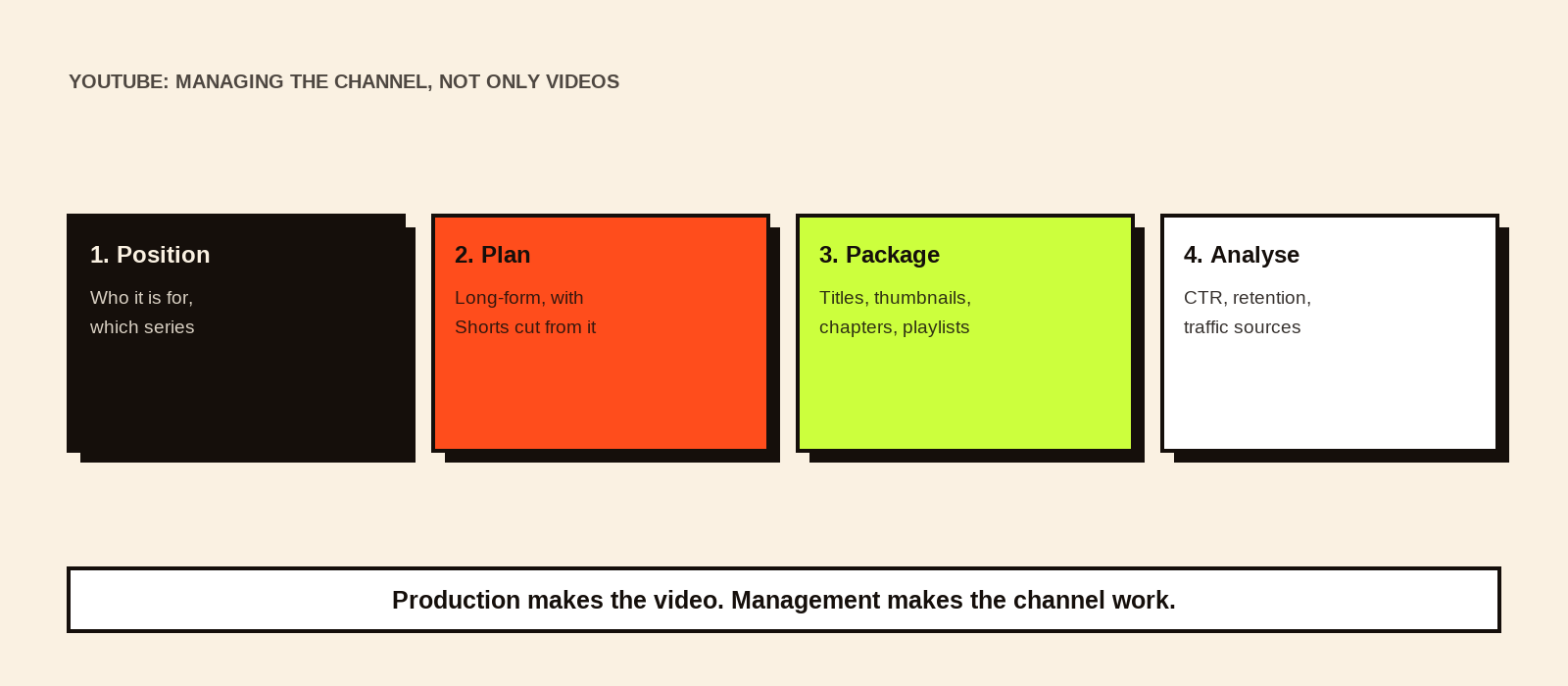
Your brand's YouTube channel has forty videos. Some are TV ads, a few are webinar recordings, and the newest is a product demo from eight months ago with an auto-generated thumbnail. There are no playlists, the banner still shows an old logo, and nobody has opened YouTube Analytics. The videos exist, but the channel isn't being managed.
Quick answer
YouTube channel management for businesses is the ongoing work around the videos: deciding what the channel is for, keeping branding and permissions in order, planning long-form videos and Shorts, writing titles and descriptions, designing thumbnails, adding chapters, organising playlists, scheduling uploads and reading analytics to improve the next video. It's different from video production, which makes the footage. A channel needs both, but they're separate jobs.
Channel management vs video production
Brands often hire a production house, get good videos, and assume the channel will take care of itself. Or they hire someone to 'manage YouTube' and expect them to shoot as well. Separate the two jobs before you brief anyone.
| Channel management | Video production | |
|---|---|---|
| Main question | What should the channel publish, and how will people find it? | How do we make this video well? |
| Typical tasks | Positioning, content calendar, titles, descriptions, thumbnails, chapters, playlists, scheduling, comments, analytics | Scripting, filming, lighting, sound, editing, motion graphics |
| Cadence | Ongoing, every week and month | Per video or per shoot |
| Inputs | Business goals, audience questions, analytics | Brief, script, location, talent, equipment |
| Outputs | A coherent channel that improves over time | Finished video files |
| Who usually does it | Social media manager or agency | Production team, editor or creators |
Many social media teams edit short videos from footage the brand supplies, but full shoots are usually scoped separately. Be clear which of these you're buying.
Position the channel
Write one sentence that says who the channel is for and what they get from it. 'Product videos' is not a position. 'Short, practical guides that help home bakers get better results with our ovens' is. That sentence decides what gets made and what doesn't.
- Who is the viewer, and what are they trying to do when they search?
- Which questions do customers ask your sales or support team every week?
- Which two or three recurring series could the channel be known for?
- What will you not publish here, such as TV ads with no context?
- How will a viewer move from the channel to your website or store?
Channel branding and access
YouTube's help article on managing channel branding says the profile picture, banner image and video watermark are edited in YouTube Studio under Customisation, then Profile. The profile picture shows on your channel, your videos and your public activity across YouTube; the banner sits at the top of the channel page; and the watermark can appear at the end of a video, from a custom start time, or throughout. The same area holds your channel name, handle, description and links.
Check the banner on a phone, a laptop and a TV preview, because it's cropped differently on each. Use a handle that matches your other social accounts where possible, and write a channel description that repeats the positioning sentence in plain words.
For access, YouTube's channel permissions let you invite people as Manager, Editor, Viewer and other roles instead of sharing a password. An Editor can upload and publish but can't manage permissions or delete the channel. How to set this up before handing work to an agency is covered in the outsourcing social media management checklist.
Plan long-form videos and Shorts
Long-form videos and Shorts do different jobs. Long-form suits tutorials, comparisons, demos, webinars and customer interviews: content people search for and watch with intent. Shorts suit quick tips, product moments, behind-the-scenes clips and teasers for longer videos. According to YouTube Help, square or vertical videos up to three minutes long, uploaded after 15 October 2024, can be categorised as Shorts.
| Format | Good for | Planning note |
|---|---|---|
| Tutorials and how-tos | Search, existing customers | Build from real support questions |
| Product demos and comparisons | Buyers close to deciding | Be honest about who the product isn't for |
| Customer stories | Trust and proof | Only with written permission |
| Webinars and talks | B2B depth | Cut into shorter chapters or clips |
| Shorts | Discovery, quick tips, teasers | Plan as series, not one-offs |
A brand doesn't need to publish weekly to run a good channel. A smaller number of well-planned long-form videos, supported by Shorts cut from the same material, is often more sustainable. The creator-side trade-offs are covered in YouTube Shorts vs long-form.
Titles, descriptions, thumbnails and chapters
YouTube's performance FAQ says search ranks videos on how well the title, description and video content match a search, and on engagement for that search. It asks for titles and thumbnails that accurately represent the content and warns against misleading or sensational ones. Write titles the way a customer would search, then make them specific.
- Title: the viewer's problem or question first, brand name only if people search for it.
- Description: a short summary in the first lines, then useful links and chapters.
- Thumbnail: one clear subject, few words, readable on a phone, consistent brand style.
- Chapters: timestamps for each section of longer videos.
- End screen and cards: point to the next most useful video or playlist.
YouTube Help says custom thumbnails need a verified account. For manual chapters, YouTube's help on video chapters says the first timestamp must start at 00:00, there must be at least three timestamps in ascending order, and each chapter must be at least 10 seconds long. For more depth on keywords and search, see YouTube SEO for creators.
Playlists, scheduling and premieres
Playlists turn a list of uploads into something a viewer can follow: 'Getting started', 'Recipes under 20 minutes', 'Customer stories'. Create them in YouTube Studio and feature the most useful ones on the channel home page. YouTube's playlist help notes a daily limit on how many public playlists a channel can create, so build them gradually.
Schedule uploads in YouTube Studio so they go live when your team can watch the first comments. For launches or big announcements, a Premiere lets viewers watch a video together with a countdown and live chat; YouTube Help explains how to set one instantly or for a scheduled date and time.
Read analytics and improve the next video
YouTube Analytics in Studio shows views, watch time, average view duration, audience retention and impressions click-through rate, among other metrics. YouTube defines impressions click-through rate as how often viewers watched a video after a registered impression, and notes that not every thumbnail sighting counts as an impression. Read these together, not alone.
| Metric | What it tells you | What to change if it's weak |
|---|---|---|
| Impressions click-through rate | Whether the title and thumbnail earn the click | Test a clearer thumbnail or more specific title |
| Audience retention | Where viewers leave | Tighten the opening, cut slow sections |
| Average view duration | How much of the video people watch | Shorter videos, or better structure with chapters |
| Watch time | Total attention the channel earns | More videos on topics that already hold viewers |
| Traffic sources | How people find you: search, suggested, external | Lean into what's working |
A simple improvement loop
Each month, pick the two best and two weakest videos. Look at retention graphs and traffic sources, write down one reason for each, and turn those into rules for the next month's videos. YouTube's key moments report, which shows how different moments held viewers' attention, is useful here. For presenting results to leadership, see social media reporting for founders.
Common mistakes
- Uploading TV ads with no context and calling it a channel.
- Sharing the channel login instead of using channel permissions.
- Clickbait titles that the video doesn't deliver on.
- Auto-generated thumbnails on every video.
- Long videos with no chapters or structure.
- Treating Shorts as unrelated to the long-form plan.
- Reporting views only, with no look at retention or traffic sources.
Practical recommendations
- Write the channel's one-sentence position and pin it to the calendar.
- Fix branding, handle, description and permissions in one session.
- Group existing videos into three to five playlists before making new ones.
- Plan each long-form video with two or three Shorts cut from it.
- Review two strong and two weak videos every month.
YouTube is one of the platforms in Kudozz's managed social media service, with editing done from footage you or creators supply. If you plan to add creator integrations on YouTube, those are planned through campaign strategy.
Where to start
Before you make another video, decide what the channel is for, tidy its branding and permissions, and organise what you already have into playlists. Then plan a small number of useful videos, package them well, and let analytics tell you what to make next.