How to Prepare Your Business Before Outsourcing Social Media Management
You've decided to hand social media to an agency. Before kickoff, get your brand assets, platform access, approvers, product information, claims and compliance inputs in order. A preparation checklist, including how to give access without sharing passwords.
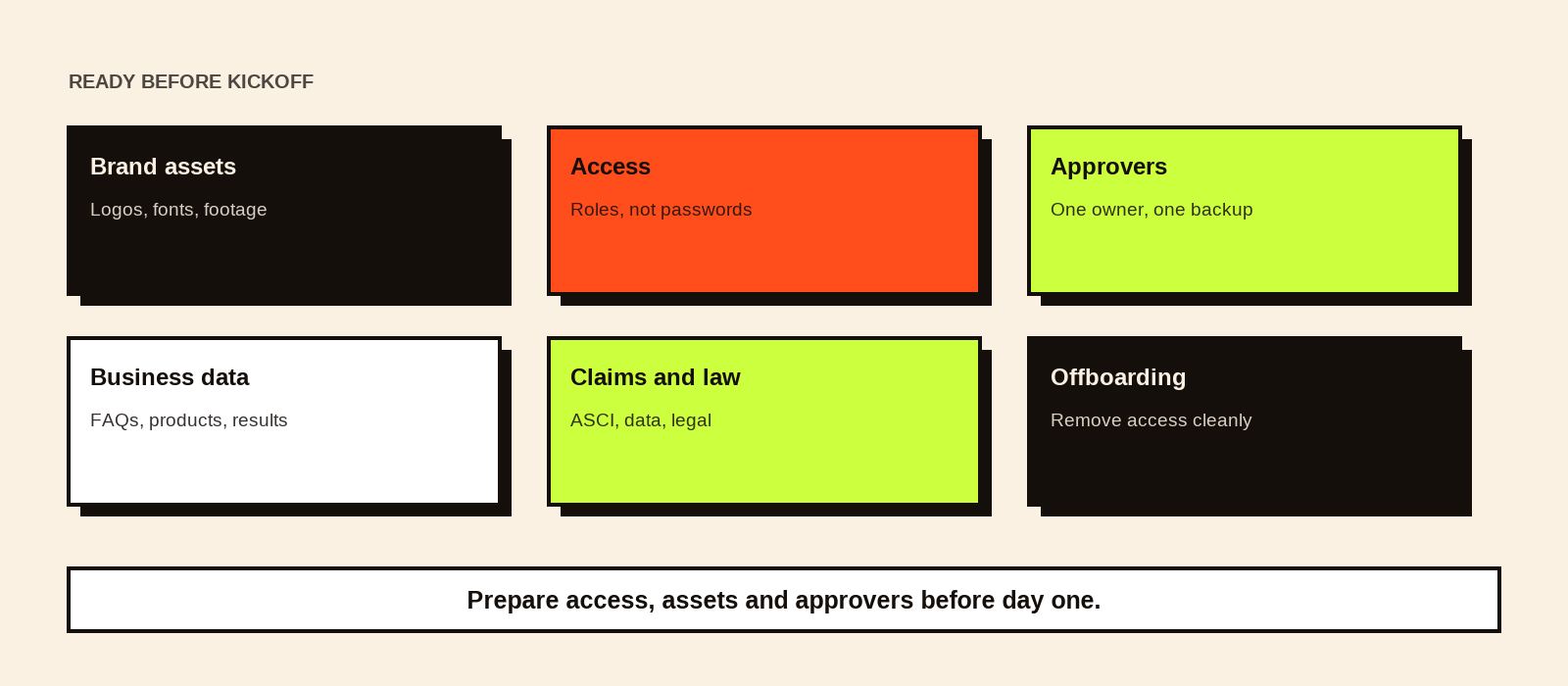
The agency asks for the brand guidelines and someone forwards a PDF from 2021 with the old logo. They ask for Instagram access and the only person who knows the login left last year. They ask which claims you can make about the product, and nobody is sure. None of this is unusual, and all of it can be sorted out before kickoff instead of during the first month of fees.
Quick answer
Before outsourcing social media management, gather current brand assets, confirm who owns each social account and set up role-based access rather than sharing passwords. Name one approver and a backup. Prepare product information, customer FAQs, past results and a list of claims you can and can't make. Involve legal or compliance for regulated categories. Finally, agree how access will be removed if the relationship ends.
Where this step fits
This guide assumes you've already decided to outsource and are about to start. Choosing an agency and writing the brief are separate steps: for those, see how to write a social media management agency brief. What happens after kickoff is covered in what to expect in the first 90 days with a social media agency.
The outsourcing preparation checklist
- List every social account the brand has, including old or inactive ones, and who owns each.
- Confirm the company, not an individual employee or former freelancer, controls each account.
- Decide which platforms are in scope for the agency and which stay in-house.
- Name the main contact, the approver and a backup approver.
- Gather brand assets (see the next section).
- Write down business goals for the next two quarters, in plain language.
- Share the launch, offer and festive calendar for the next three to six months.
- Prepare product information, customer FAQs and a claims list.
- Check with legal or compliance what needs their review.
- Decide where shared files will live and who can see them.
- Agree how community management will hand over complaints and support queries to your team.
Brand asset checklist
Agencies can create a lot, but they can't invent your brand. The more of this you can share in one organised folder, the faster the first content will look like you.
| Asset | What to share | If you don't have it |
|---|---|---|
| Logo | Vector files (SVG, AI or EPS) and PNGs in light and dark versions | Ask your designer or printer for source files |
| Colours and fonts | Hex codes, font names and licence details | Pull colours from your website; check font licences |
| Brand guidelines | Current version, even if informal | List five do's and don'ts for tone and visuals |
| Product images | High-resolution packshots and lifestyle images | Plan a shoot; this is usually scoped separately |
| Raw video footage | Behind-the-scenes, product use, team, store or factory clips | Start a shared folder and add phone footage weekly |
| Past creatives | Posts, ads and campaigns that worked or that you liked | Screenshot the best posts from your feed |
| Creator and customer content | Content you hold usage rights for, with the rights noted | Mark anything with unclear rights as off-limits |
Content made by creators or customers needs special care: being tagged in a post doesn't give you the right to reuse it. UGC content usage rights explains what to check.
Access and permissions without sharing passwords
The main platforms let you give an agency access through roles, so you never hand over a password and can remove access in a few clicks. The details below were checked against official help pages in November 2026; menu names change, so follow the current help article when you do it.
Facebook and Instagram (Meta Business Suite)
Meta's help centre explains how to give a partner access to business assets in your business portfolio. Your agency shares its business portfolio ID, and someone with full control of your portfolio assigns the Pages, Instagram accounts and other assets it needs. You can give full control or partial access, which covers specific tasks such as creating content or responding to messages. For most social media management, partial access is enough. Make sure your own company's business portfolio owns the assets first, not an employee's personal profile.
LinkedIn Pages
LinkedIn Page admin roles include super admin, content admin and analyst, according to LinkedIn Help. Content admins can create and manage Page content, while only super admins can add or remove other admins. Give the agency's team members content admin, and keep super admin with at least two people inside your company.
YouTube
YouTube Help describes channel permissions, set up in YouTube Studio under Settings and Permissions, as a safer alternative to sharing your password. Roles include Manager, Editor, Editor (limited), Subtitle editor, Viewer and Viewer (limited). Editors can upload and publish but can't manage permissions or delete the channel; the limited versions hide revenue data. An agency doing publishing usually needs Editor (limited) or Editor, not Manager. Invitations expire after 30 days, so accept them promptly.
For platforms without a role system, or scheduling tools that need a connection, connect the account yourself and give the agency a user seat in the tool rather than a password. Keep two-step verification on everything, linked to a company phone number or email, not a personal one.
Approvers and the information the agency needs
Approvals and decision-makers
Decide before kickoff who approves the monthly calendar, who approves individual creatives, who must see anything involving claims or legal risk, and who decides when two people disagree. One named approver with a backup is ideal. Three approvers with equal say is how calendars stall. The social media content approval process covers stages, roles and turnaround times in detail.
Business information to share
- Past results: platform insights for the last six to twelve months, or at least access to them, plus any campaign reports.
- Customer FAQs: the ten questions your sales or support team hears most, with approved answers.
- Product information: features, ingredients or specifications, prices, variants, where to buy and what's coming soon.
- Customers: who buys, why, what they compare you with and any review themes.
- Competitors: who you think you compete with on social, and brands you admire.
- Claims you can make: approved statements with their evidence, such as test reports or certifications.
- Claims you must avoid: anything legal, a regulator or your own policy has ruled out.
- Sensitive topics: subjects the brand doesn't comment on, and how to handle them in comments.
Legal and compliance inputs
Social posts are advertising when they promote your products, and the same standards apply. The ASCI Code says advertisements must be truthful and that claims about objectively ascertainable facts should be capable of substantiation, with advertisers expected to produce that evidence when asked. Practically, that means your agency should only use claims you've approved and can back up. Health, food, finance, education and similar categories also have sector-specific rules, so involve your legal or compliance team in setting the claims list.
Personal data is the other area to think about. If the agency will see customer names, messages or contest entries, the Digital Personal Data Protection Act, 2023 is relevant. The government notified the DPDP Rules in November 2025 with an 18-month phased compliance period, according to the Press Information Bureau. Ask your legal adviser what this means for your business, and agree in writing what customer data the agency can access, where it is stored and when it is deleted.
Offboarding hygiene: plan the exit at the start
Agreeing how the relationship ends is not pessimistic. It protects you and makes a clean handover possible whoever you work with next.
- Keep a written access register: platform, account, person or partner, role, date granted.
- On exit, remove the agency as a partner in Meta Business Suite; removing a partner revokes its access to the assets you shared.
- Remove agency members from LinkedIn Page admin roles and YouTube channel permissions.
- Remove agency users from scheduling and design tools, and change any shared tool passwords.
- Ask for source files, the content calendar archive and the asset library to be handed over.
- Check that no scheduled posts remain in tools you no longer control.
- Confirm customer data held by the agency is returned or deleted as agreed.
Common mistakes
- Sharing the main account password over WhatsApp because it's quicker.
- Letting an employee's personal profile be the only admin of the company Page.
- Sending a folder of 400 unsorted images and calling it brand assets.
- Assuming the agency knows which claims your legal team has signed off.
- Not telling customer support that comments and DMs will now be monitored by someone else.
- Expecting shoots, paid ads or extra platforms that weren't in the agreed scope.
Practical recommendations
- Spend one focused week on preparation before kickoff. It usually saves much more time later.
- Create one shared folder with subfolders for brand, products, footage, past content and compliance.
- Set up access the day the contract is signed, so the agency starts working on day one.
- Write a one-page claims list and get legal sign-off before the first calendar.
- Check what's included and what's scoped separately before kickoff, so nobody expects shoots, paid ads or extra platforms by default.
As a reference point for scope, what an agency like Kudozz includes in social media management lists the standard work alongside what is usually scoped separately, such as shoots, paid ads and customer support.
Where to start
Start with access and ownership, because everything else depends on it. Then gather assets, name your approvers, prepare product information and claims, and agree the exit process. A business that does this before kickoff gives the agency a first month of thinking instead of chasing.