How to Turn One Long Video Into 10 Pieces of Short-Form Content
A worked example of turning one long YouTube video or podcast episode into ten short-form assets, with how to find clip moments, edit for vertical, write new hooks and schedule them.
A 15-minute video usually contains several complete ideas, each of which could stand alone as a short. Clipping them isn't about chopping randomly; it's about finding moments that make sense without the rest of the video and giving each one its own hook.
This article is one specific workflow. For a full multi-platform repurposing system, see content repurposing for creators.
Quick answer
To turn one long video into ten short pieces: list every self-contained moment (a tip, a result, a strong opinion, a story, a surprising fact), pick the best six to eight for vertical clips, write a new hook for each, reframe and caption them, and use the rest for a carousel, a quote graphic, a newsletter section and a community post. Schedule them over two weeks and link back to the full video.
Worked example
Illustrative long video: "I tested 5 budget phones under ₹15,000 for a month" (18 minutes).
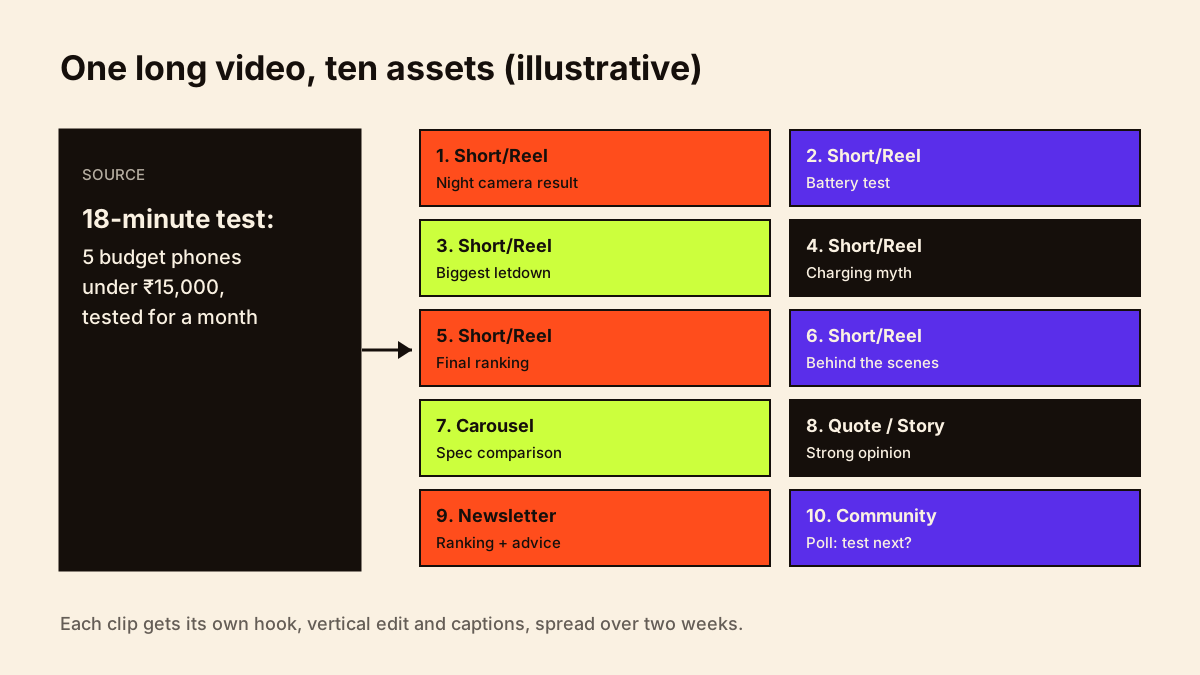
| # | Asset | Source moment | New hook |
|---|---|---|---|
| 1 | Short/Reel | Best camera result | "This ₹13,000 phone beat a ₹30,000 one at night" |
| 2 | Short/Reel | Battery test | "Which budget phone lasted 2 days?" |
| 3 | Short/Reel | Biggest disappointment | "Don't buy this phone for gaming" |
| 4 | Short/Reel | Surprising fact on charging | "Fast charging isn't always faster, here's why" |
| 5 | Short/Reel | Final ranking | "Budget phones ranked after 30 days" |
| 6 | Short/Reel | Bloopers / behind the scenes | "Testing 5 phones at once went like this" |
| 7 | Carousel | Spec comparison table | "Save this before you buy a budget phone" |
| 8 | Quote graphic / Story | Strong opinion | "Specs lie. Here's what matters." |
| 9 | Newsletter section | Full ranking + buying advice | "My honest budget phone pick this month" |
| 10 | Community / WhatsApp post | Poll | "Which should I test next?" |
How to find clip-worthy moments
- Check retention graphs for spikes: moments people rewatched.
- Look for self-contained answers that don't need earlier context.
- Mark strong opinions, results and reveals.
- Use transcripts to search for key phrases; AI tools can suggest timestamps, but you choose.
Editing for vertical
- Reframe to 9:16 so the subject stays centred.
- Cut the clip's own intro; start on the most interesting line.
- Add captions and a first-frame text hook.
- End with a pointer: "Full test on my channel".
- Export clean files without other apps' watermarks.
Two-week schedule
Day 0: Long video published
Day 1: Clip 1 (best hook) + Story linking to full video
Day 3: Clip 2 + Carousel
Day 5: Clip 3
Day 6: Newsletter section
Day 7: Clip 4 + community poll
Day 9: Clip 5
Day 11: Quote graphic / Story
Day 13: Clip 6
Day 14: Review which clips drove views to the long video
Which long videos are worth cutting?
Not every long video yields good clips. Prioritise videos with strong retention in specific sections, clear standalone moments (a tip, a reaction, a result), evergreen topics and search demand. Skip videos where every point depends on context from earlier. Short clips should lead viewers back: link the full video in the Short, pinned comment or caption. YouTube Shorts vs long-form covers how the two formats work together.
Common mistakes
- Clips that need context from elsewhere in the video.
- Reusing the long video's intro as every clip's hook.
- Posting all ten on the same day.
- Horizontal video with black bars.
- Not linking back to the full video.
Give each clip a strong opening with short-form video hooks, and schedule the pieces in your creator content calendar.
Conclusion
Every long video you make is a source of shorter content if you plan for it. Mark clip moments while editing, write fresh hooks, and spread the pieces over two weeks. Track which clips send viewers to the full video in your short-form analytics.