12 Ways to Combine Influencer Content With Email Marketing
Twelve ways to use creator content in email: welcome series, abandoned carts, post-purchase how-tos, launches, co-branded emails, win-backs and segmenting by creator, plus rights, consent, formatting and testing.
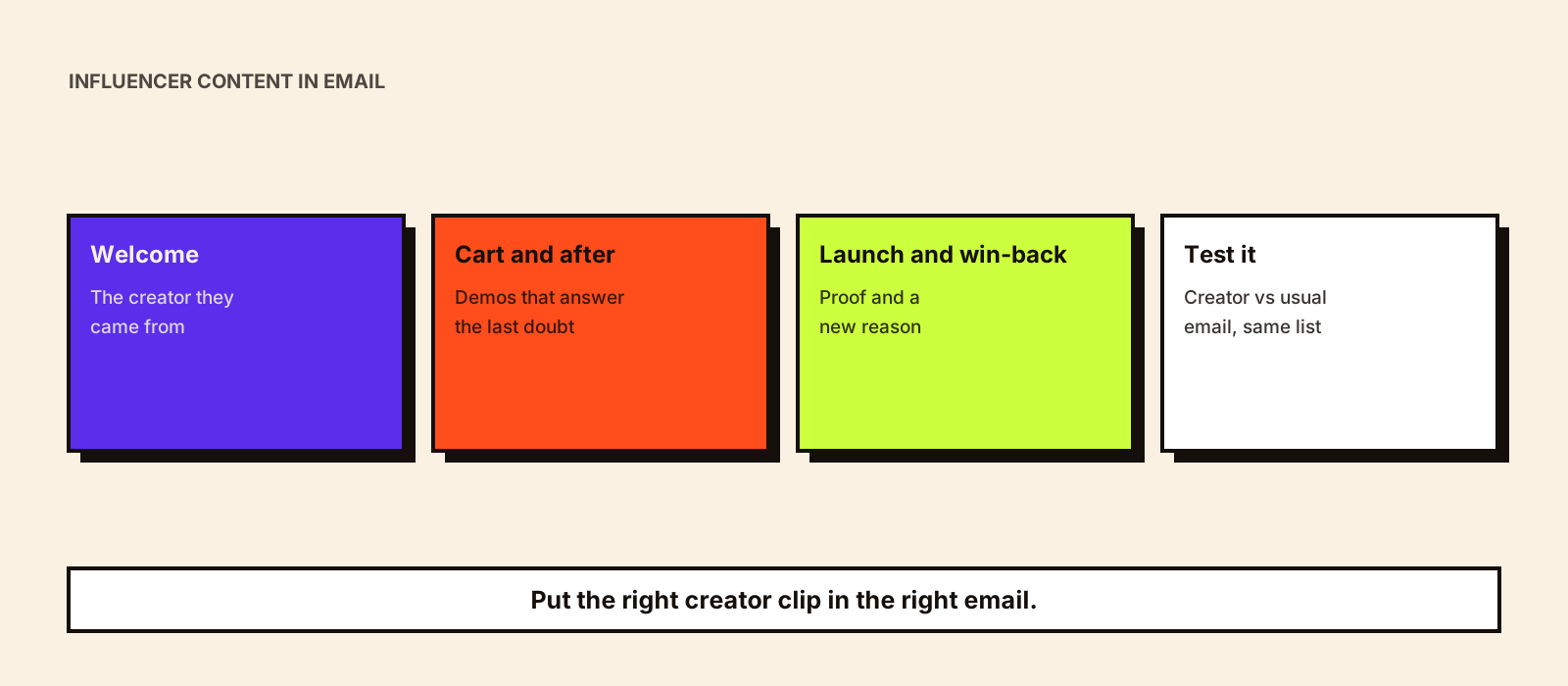
Most brands treat creator content and email as separate jobs: the social team runs creators, the CRM team runs email. Yet email is often where a creator campaign is converted, because the people who saw a creator's video and then signed up, abandoned a cart or bought once are all on your list. Putting the creator's content in front of them at the right moment is one of the cheapest ways to get more from a campaign you've already paid for.
Quick answer
Combine influencer content with email by using creator videos and quotes where an email has to persuade or explain: welcome series, abandoned-cart reminders, post-purchase how-tos, launch announcements and win-back emails. Use a still or GIF that links to the full video, since video often doesn't play inside email. Make sure the creator contract covers email use, send only to people who opted in, and measure clicks and revenue per email against a version without creator content.
1. A creator in the welcome series
New subscribers who came from a creator campaign already know that creator. Opening the welcome sequence with the same face continues the conversation they started on social.
- Use the creator's best explainer or first-impression clip in email one or two.
- If you can tag sign-ups by creator code or landing page, show each group the creator they came from.
- Measure: click rate and first-purchase rate compared with the standard welcome series.
2. Abandoned-cart reminders with a demo
A visitor who left at checkout often has one unanswered question. A short creator clip showing the product in use, or answering the common doubt, can do more than a discount.
- Pick the clip that answers the most common reason for abandoning (fit, setup, taste, results).
- Test the creator-clip version against your current reminder before replacing it.
- Measure: recovered orders and revenue per email.
3. Post-purchase how-to emails
Setup and first-use tutorials from creators reduce support tickets and returns, and remind customers why they bought. More on post-purchase content is in influencer marketing for customer retention.
- Send the tutorial when the order is delivered, not when it ships.
- Choose creators who use the product the way most customers will.
- Measure: support tickets on that question and return rate.
4. Launch announcements led by creators
A launch email that shows two or three creators trying the product feels less like an announcement and more like proof.
- Send it after the first creator posts are live, so the email can link to them.
- Use short quotes alongside stills; keep claims to what the brand can support.
- Measure: click rate and launch-week orders from email.
5. Creator-curated picks
An email of 'what [creator] uses every week' or a creator's gift guide gives subscribers a reason to open and a clear set of products.
- Keep it to the creator's real picks and disclose the paid relationship in the email.
- Works well for festive gift guides and bundles.
- Measure: revenue per email and products per order.
6. Co-branded emails
A co-branded email carries both the brand's and the creator's names, often written in the creator's voice. It can go to your list, or to the creator's own newsletter subscribers as a sponsorship; see newsletter influencer marketing.
- Agree who sends it, to which list, the subject line and approval steps.
- If it goes to the creator's list, it's a newsletter sponsorship and must be marked as an ad.
- Measure: opens, clicks and code redemptions per list.
7. Review and UGC roundups
A monthly email of short customer and creator clips shows the product in many real homes, bodies or kitchens.
- Include customers only with written permission to reuse their content.
- Mix creator content with genuine customer content, labelled honestly.
- Measure: clicks to product pages.
8. Win-back emails with a new reason
Lapsed customers need a new reason to return. A creator showing a new use, a refill routine or an update gives them one without leading with a discount.
- Use content that shows something the customer may not know the product does.
- Measure: reactivation rate against your usual win-back email.
9. Live and event invitations
If a creator is hosting a Live, workshop or store event, email your list in the area or segment most likely to attend.
- Send a reminder on the day with the link.
- Follow up with the recording or highlights for those who missed it.
- Measure: registrations and attendance from email.
10. Segment by the creator who brought them in
Customers acquired through a creator often behave differently from others. Tag them by creator code or link, then follow up with more content from that creator and compare their repeat purchase with other groups.
- Store the creator source on the customer record at first purchase.
- Use it to judge creators on customer value, not just first orders.
11. Festival and sale-season emails
Creator gift guides and festival content can anchor seasonal emails, sent before delivery cut-off dates. Festival content ideas are in 11 festival and shopping-season campaign ideas.
- Plan the email dates when you plan the creator dates.
- State delivery cut-offs clearly.
12. Creator answers in FAQ emails
For products that need explaining, an email series where a creator answers one common question per email helps buyers who aren't ready yet.
- Take questions from creator comments and support tickets.
- Keep expert topics with qualified creators.
- Measure: progression to purchase over the series.
Making creator content work in email
| Issue | What to do |
|---|---|
| Video doesn't play in many inboxes | Use a still or animated GIF with a play button that links to the video on your site or the creator's post |
| File size | Keep GIFs small so emails load on mobile data |
| Rights | Email use must be named in the creator contract, with an end date |
| Disclosure | Say clearly when the creator is paid or gifted, as on social |
| Consent | Send marketing email only to people who opted in, with an easy unsubscribe; India's Digital Personal Data Protection Act, 2023 sets consent rules for personal data |
| Claims | Quotes and captions in email need the same substantiation as ads |
Which content suits product pages, landing pages and email is compared in UGC content for e-commerce, and rights terms are covered in influencer usage rights.
How to measure it
- Send half the audience the creator version and half your usual email, and compare clicks, orders and revenue per email.
- Track orders by the creator code or link inside the email as well as email attribution.
- Watch unsubscribes: a creator who doesn't fit your list will show up there.
Common mistakes
- Embedding video that won't play and leaving a blank box.
- Using creator content in email without email rights in the contract.
- Putting every creator in one email instead of the right creator for each segment.
- Dropping disclosure because 'it's our own email'.
- Not testing against the email it replaces.
Conclusion
Email is where many creator campaigns get converted. Put the right creator clip into welcome, cart, post-purchase, launch and win-back emails, make it load properly, clear the rights and test it against what you send now. Kudozz produces creator content with the formats and rights for reuse through its UGC content production service.