Influencer Marketing for Quick-Commerce Brands: Driving Sales on Blinkit, Zepto and Instamart
When the sale happens inside a quick-commerce app, a creator's link and code can't tell you much. How to plan creator campaigns around dark-store availability, brief creators for search-led buying, coordinate with in-app ads and measure sales lift by city.
For many snack, beverage, personal care and household brands, the most likely place a viewer buys after watching a creator is now a quick-commerce app, often within minutes. That's good for conversion and awkward for measurement, because the purchase happens somewhere the brand's tracking can't follow.
Quick answer
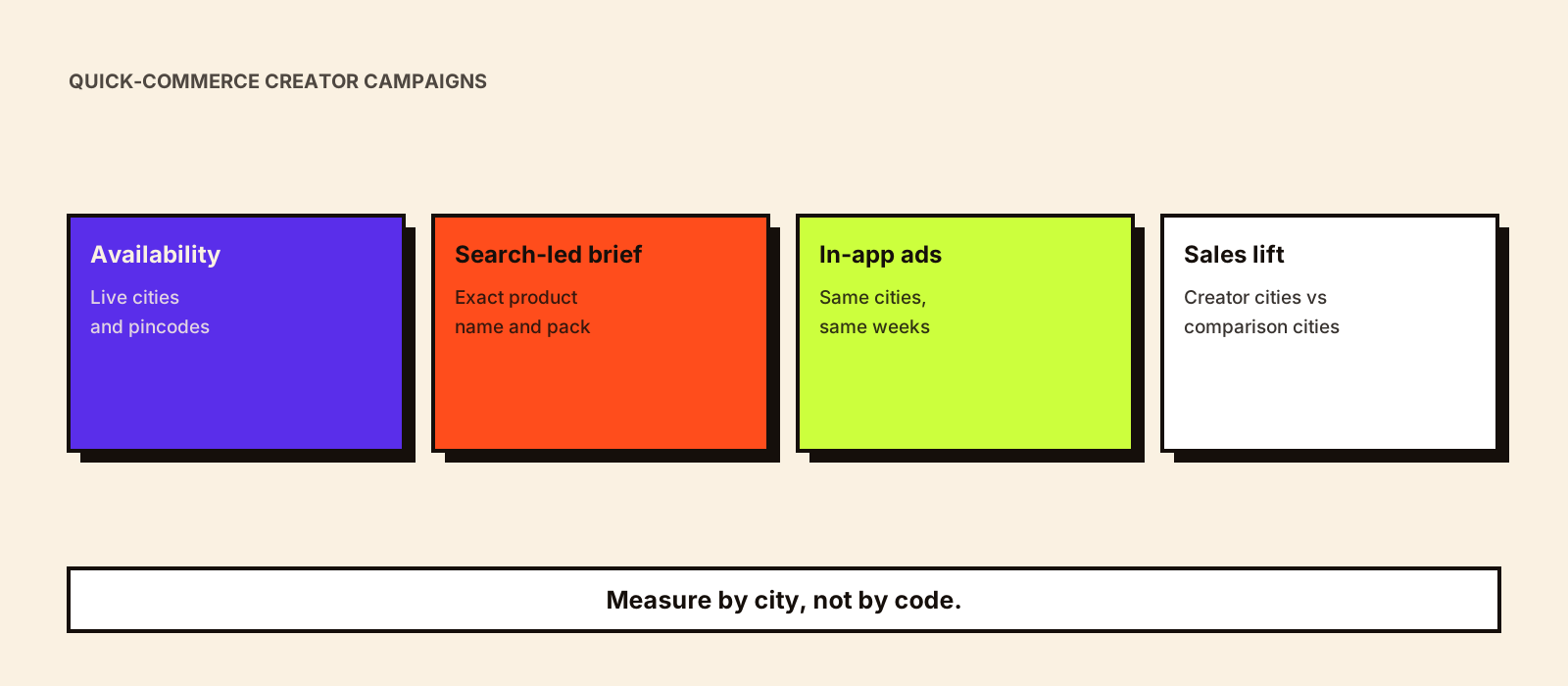
To run influencer marketing for a brand sold on Blinkit, Zepto or Swiggy Instamart, start with availability: only brief creators whose audiences live in cities and pincodes where your product is stocked. Ask creators to show the moment of need and the exact product name to search for, rather than relying on a link. Run your in-app sponsored listings in the same cities and weeks so searchers find you first. Measure with city-level sales data against comparison cities or a baseline period, because codes and links rarely capture app purchases.
Why quick commerce changes the creator plan
| Feature of quick commerce | What it means for creator campaigns |
|---|---|
| Stock depends on local dark stores | A viewer in an unserved pincode can't buy, however good the post. Creator audiences must match where you're stocked |
| Purchases are fast and often unplanned | Content should show a moment of need (a late-night craving, guests arriving, a forgotten essential) more than a long explanation |
| Buyers search inside the app | The product name, pack and category word the viewer will type matter more than a link |
| The brand rarely sees order-level data tied to a creator | Codes and links undercount badly; measurement needs city or time comparisons |
| Apps sell their own ads | Sponsored listings in the app can catch the demand creators create, or let a competitor catch it |
Step 1: Map availability before choosing creators
Get a current list of the cities, and ideally the stores or pincodes, where each product is live on each app, with stock levels for the campaign weeks. Then choose creators by audience location. A creator with most of their audience in a city you aren't stocked in will generate frustration, not sales. This is the same discipline as any regional campaign; see influencer marketing in tier 2 and tier 3 cities for checking where an audience actually lives.
- Ask creators for audience city breakdowns from their insights, not just country.
- Prefer city and neighbourhood creators where you're densely stocked over national creators with scattered audiences.
- Check stock again a few days before posting; out-of-stock during a creator push wastes the spend.
- Avoid launching creator content before the product is live in that city's stores.
Step 2: Brief for search-led buying
In most campaigns the creator's job is to make the viewer want the product now and to tell them exactly what to search for. Put the exact product name, pack size and a clear shot of the packaging in the brief, so viewers recognise it in the app. Let the creator choose how to show it.
| Format | Works for | Example angle (illustrative) |
|---|---|---|
| Moment of need | Snacks, drinks, ice cream, party supplies | 'Friends coming over in 20 minutes' and what's in the basket |
| Basket or haul | Multiple SKUs, new ranges | What a creator orders for a weekend, with your product in it |
| Recipe or use | Ingredients, sauces, mixes | A quick recipe using the product, with the pack shown clearly |
| Comparison or taste test | New flavours, challenger brands | An honest side-by-side, where your product can stand it |
| Routine | Personal care, baby, pet | A daily routine where the product runs out and is reordered |
Be careful with naming the app in content. If you name one platform, viewers on another may not find you, and the platform may have its own rules on brand use of its name. Check with your account manager before creators name or show an app.
Step 3: Line up in-app ads and offers
Quick-commerce apps sell sponsored listings and other in-app ads. Run them in the same cities and weeks as creator content so that someone searching the category after watching a creator finds your product at the top, not a competitor's. If you're running a launch price or bundle, make sure it's live in the app before creators mention it, and don't let creators quote a price that may change by city or store.
Step 4: Measure sales lift, not just clicks
| Method | How it works | Limitations |
|---|---|---|
| City comparison | Compare sales in cities with creator activity against similar cities without it, for the same weeks | Needs comparable cities; other activity can confuse the result |
| Before and after | Compare campaign weeks with the same weeks before, adjusted for seasonality | Festivals, price changes and stock-outs can distort it |
| Staggered rollout | Start creators in some cities first and others later, then compare | Slower, but the most convincing option without platform data |
| Platform reports | Use the sales, search and ad reports the app provides to brands | Availability and detail vary by platform and by account |
| Codes and links | Track own-site or marketplace orders where they exist | Captures only a small share of quick-commerce buying |
Decide the method before the campaign starts, because a staggered rollout or comparison city has to be planned in. Influencer marketing incrementality explains test-and-control approaches in more detail, and tracking influencer sales covers codes and links where they do apply.
A worked example
Hypothetical. A beverage brand is live on quick commerce in six cities. It runs creator content in three of them (Pune, Hyderabad and Ahmedabad) and keeps three similar cities as comparisons. Twelve neighbourhood and food creators post over two weeks with the product name and pack front and centre, while the brand runs sponsored listings in all six cities so the only difference is the creators. Quick-commerce unit sales in the creator cities rise 18% on the previous four weeks, against 4% in the comparison cities. The brand treats the gap of about 14 points as the estimated creator effect, checks for stock-outs in either group, and then decides which cities to expand into.
Common mistakes
- Briefing national creators for a product that's live in only a few cities.
- Judging the campaign on code redemptions when most buying happened in an app.
- Running out of stock in the dark stores during the creator push.
- Letting a competitor's sponsored listing sit above yours on the search a creator just prompted.
- Quoting prices or offers that vary by city.
Checklist
- Live cities, stores or pincodes confirmed for each app, with stock for the campaign weeks.
- Creators chosen by audience city, not just follower count.
- Brief includes the exact product name, pack shot and category search term.
- In-app sponsored listings and any offer live in the same cities and weeks.
- Measurement design chosen upfront: comparison cities, staggered rollout or baseline.
- Disclosure on every post, such as 'Ad' or 'Collaboration' under ASCI's guidelines.
Conclusion
Quick commerce rewards creators who can create an immediate want in the right neighbourhoods. Match creators to where you're stocked, make the product easy to search for, catch the demand with in-app ads and measure by city rather than by code. For high-volume consumer campaigns more generally, see influencer marketing for FMCG brands, or talk to Kudozz about city-by-city creator waves through its social campaigns service.