Festive and Sale-Season Social Media Planning for D2C Brands: A Week-by-Week Plan
A week-by-week festive and sale-season social media plan for D2C brands in India: readiness checks for stock, offers and service capacity, honest offer terms, sale-day operations and the post-sale weeks most brands skip.
It is three weeks before Diwali. The founder wants a 'big festive push', the warehouse has not confirmed how many units of the hero product will be ready, and nobody has written down whether the offer stacks with the welcome code. The social calendar is still a mood board. Most festive social problems start here, before a single post goes out.
Quick answer
Plan festive and sale-season social media six weeks out. Confirm stock, offer terms and customer service capacity first, then run a sequence: build interest with useful festive content, open early access, run the sale days with clear terms and fast replies, and keep posting after the sale for delivery updates, how-to-use content and returns. Never use fake countdowns or false scarcity. Check lunar festival dates every year, because they move.
Build your festive calendar from your customers, not a generic list
A national list of festivals is a starting point, not a plan. A skincare brand selling mostly in Kerala and Tamil Nadu may care more about Onam and Pongal than about a north Indian festival that dominates generic calendars. Look at your own order history by state and month, your marketplace sale participation, and the gifting moments your category genuinely serves.
Many Indian festivals follow lunar or lunisolar calendars, so Diwali, Eid, Holi, Durga Puja and others fall on different Gregorian dates each year. Confirm dates every year from an official holiday list or a reliable panchang before you lock the plan. Do not copy last year's dates.
| Season type | Examples | What changes for social |
|---|---|---|
| Major festivals | Diwali, Durga Puja, Eid, Christmas, Onam, Pongal | Gifting content, regional language posts, delivery cut-off reminders |
| Relationship moments | Raksha Bandhan, Karva Chauth, wedding season | Gift guides, personalisation lead times, bundles |
| Marketplace sale periods | Large platform sale events, described by each marketplace | Pricing consistency between your site and marketplaces, where-to-buy clarity |
| End-of-season sales | Summer and winter clearance | Size and colour availability, final-sale return terms |
| Brand-owned moments | Anniversary sale, member early access | Your own terms and timing, fewer competing messages |
Readiness check: stock, offers and service capacity
Social media amplifies whatever the business is ready for. If stock is thin, the courier partner is already stretched or only one person answers DMs, a successful festive post creates complaints. Run this check with operations, finance and support before the creative work starts.
- Stock: confirmed units for each product you plan to feature, plus what happens when one sells out (hide it, swap it, or post a restock note).
- Offer: the exact discount or bundle, start and end date and time, exclusions, whether it stacks with other codes, and minimum order value if any. Written down and signed off by whoever owns pricing.
- Prices: the same offer, or a clearly explained difference, across your website and marketplaces.
- Delivery: last order date for festive delivery by region, agreed with your logistics team, and a plan for courier delays.
- Returns and exchanges: whether sale items follow normal terms, and where that is written.
- Service capacity: who answers comments and DMs, during which hours, and the reply bank they use.
- Approvals: who signs off creatives and copy, with turnaround times shortened for sale week.
Write offer terms people can actually read
Festive offers attract the most scrutiny of anything you post. The ASCI Code expects claims to be truthful and capable of substantiation, so a 'flat 40% off' must be true for what the post shows. The Central Consumer Protection Authority's Guidelines for Prevention and Regulation of Dark Patterns, issued in November 2023, name practices such as false urgency, drip pricing and bait and switch. A countdown that resets, a 'only 3 left' sticker that is not true, or a fee revealed at checkout all fall into that territory.
[Offer headline, e.g. 'Festive gift sets: [X]% off']

What's included: [products or collection, linked]
When: [start date, time] to [end date, time] IST
Where: [website / app / marketplaces where the same offer applies]
Terms: [exclusions], [does / does not stack with other codes], [minimum order, if any]
Delivery: order by [date] for delivery before [festival] in [regions]. Later orders ship normally.
Returns: [sale items follow our usual return policy / exchange only], details at [link].

Questions? Comment or DM us between [hours].
The week-by-week festive plan
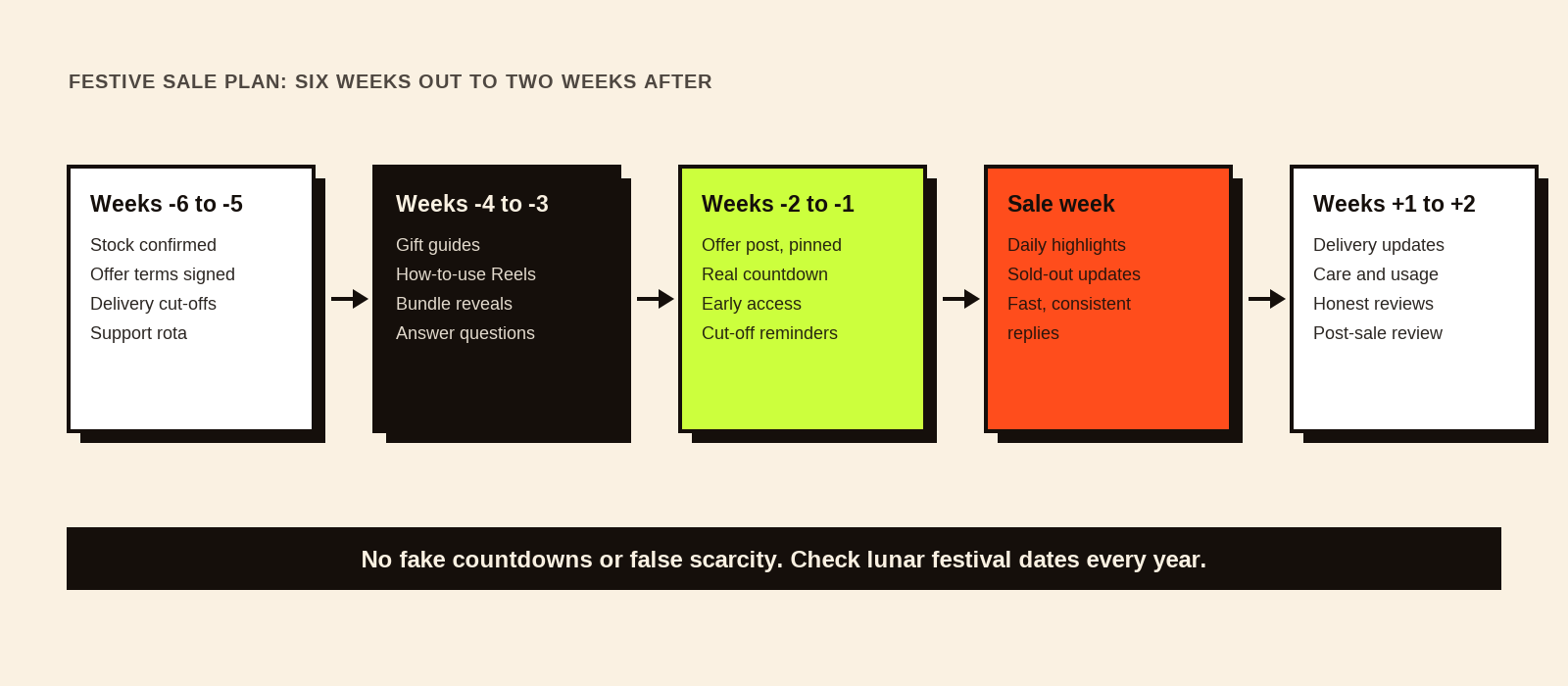
This plan assumes the sale starts in week 0 and that you post four to six times a week on your main platform. Shrink or stretch it to your capacity; the order matters more than the volume. Keep your usual monthly calendar running underneath, as described in our guide to a monthly social media content calendar.
| Week | Goal | Feed and Reels | Stories and community | Owner check |
|---|---|---|---|---|
| Week -6 | Readiness | Normal calendar continues | Collect customer questions from last season | Stock, offer terms, delivery cut-offs agreed |
| Week -5 | Plan and produce | Shoot or source gift and usage content | Ask followers what they are shopping for (poll) | Creative brief and approvals schedule |
| Week -4 | Useful festive content | Gift guides by budget or recipient, how-to-use Reels | Answer gifting questions in Stories | Product pages updated for festive bundles |
| Week -3 | Build interest | Bundle reveals, behind-the-scenes packing | Early access sign-up for email or WhatsApp list, with consent | Reply bank drafted |
| Week -2 | Announce | Offer announcement with full terms, pinned | Countdown sticker set to the real start time | Terms checked against checkout |
| Week -1 | Early access and reminders | Delivery cut-off post by region | Early access Stories, FAQs on sizes and shades | Support rota for sale week confirmed |
| Week 0 | Sale days | Daily highlight post, sold-out updates | Live stock and delivery updates, fast replies | Daily check of stock vs posts |
| Week +1 | Deliver well | Unboxing and how-to-use content | Order status FAQs, delay notices if needed | Complaint themes logged |
| Week +2 | Keep the new customers | Care, refills, styling or recipe ideas | Invite reviews and UGC honestly, with permission | Post-sale review meeting |
Weeks -6 to -3: readiness and useful content
The early weeks earn attention without asking for a sale. Gift guides, 'what to buy for a host who has everything' carousels and short how-to-use Reels are saved and shared, and they give you something to point at when the offer arrives. Use customer questions from last season to decide what to explain.
Weeks -2 to 0: announce, remind, run
Announce once, clearly, with the template above. On Instagram you can pin up to three posts to the top of your profile, so pin the offer post and the delivery cut-off post for the sale period. A countdown sticker in Stories lets people set a reminder and notifies them when it ends, which is useful only if the end time is real.
Weeks +1 and +2: the part most brands skip
After the sale, festive buyers are waiting for parcels and deciding whether you are worth buying from again. Post order status FAQs, how-to-use and care content, and honest delay notices if couriers slow down. Our guide on turning first-time buyers into repeat customers covers this stage in depth, and the guide on communicating stock-outs and delivery delays has templates for the notices.
Running sale days without losing control of the comments
Sale days bring the same ten questions hundreds of times: is the code working, does the offer apply to this product, when will it arrive, can I return it. Prepare answers before the sale and keep them consistent with the pinned terms.
- Check stock against live posts twice a day and edit captions or Stories when a featured product sells out.
- Reply publicly to general questions and move order-specific ones to DMs or your support channel.
- Log repeated problems (a broken code, a wrong price) and escalate them to the person who can fix them, not just the person replying.
- Do not delete genuine complaints. Reply, fix and follow up. Remove only spam, abuse or personal data.
- Keep a short end-of-day note of what was asked and what went wrong for the post-sale review.
Common mistakes in festive social planning
- Locking creative before stock and offer terms are confirmed, then editing live posts all week.
- Using last year's festival dates.
- Different offers on the website and marketplaces with no explanation.
- Countdowns that restart, or 'last few left' claims nobody checked.
- Turning the whole feed into sale banners for a month, so the useful content disappears.
- No support rota for sale days, so DMs pile up and become public complaints.
- Stopping all posting once the sale ends, just when new buyers are paying attention.
Where creators and paid ads fit
This plan covers your brand's own organic accounts. Creator campaigns for festive seasons need longer lead times, briefs and disclosures, which our guide to seasonal influencer marketing in India covers. Paid festive ads are a separate job with their own budget and should use the same offer terms as your organic posts.
Where to start
Open a shared document today with three headings: stock, offer terms and service capacity. Fill them with the people who own each one, then build the week-by-week plan around what is actually confirmed. The posts get easier once the facts are settled.
If you want a team to plan and run the festive calendar on your own accounts, Kudozz's social media management includes content planning, copy and publishing, with community replies within an agreed scope.