How D2C Brands Can Use Social Media to Turn First-Time Buyers Into Repeat Customers
A post-purchase content sequence for D2C brands: what to show customers from delivery to refill, how to send reminders people actually agreed to, and how to build community and customer content with consent.
Your first order from a new customer cost real money to win: content, discounts, maybe a creator or two. The parcel arrives, the customer opens it, and then the brand goes quiet until the next sale announcement. Three months later they've forgotten the name and bought a similar product from whoever showed up in their feed that week.
Quick answer
D2C brands turn first-time buyers into repeat customers on social media by planning content for people who already own the product. Help them start well (unboxing and setup), use it properly (how-to and care content), notice when they'll need more (refill reminders they opted into), and feel part of something (community and consented customer content). Social supports repeat purchase. It works best alongside a good product, honest offers and fast support, not instead of them.
Why repeat purchase is a content problem
Most D2C calendars are built for strangers: hooks, launches, offers. That makes sense for growth, but a customer who already bought has different questions. How do I use this properly? Is this result normal? When will I run out? Is there a version for my partner? If your feed never answers those, the customer goes to a search engine, a marketplace review or a competitor's tutorial.
A repeat customer usually comes back because the first experience went well and the brand stayed useful afterwards. Social media can't fix a poor product or slow delivery. It can make a good product easier to use, keep the brand familiar, and give the customer a reason to reorder from you rather than search again. For the wider D2C content system (pillars, launches, calendar), see our guide to social media management for D2C brands; this article covers only what happens after the first order.
The post-purchase content sequence
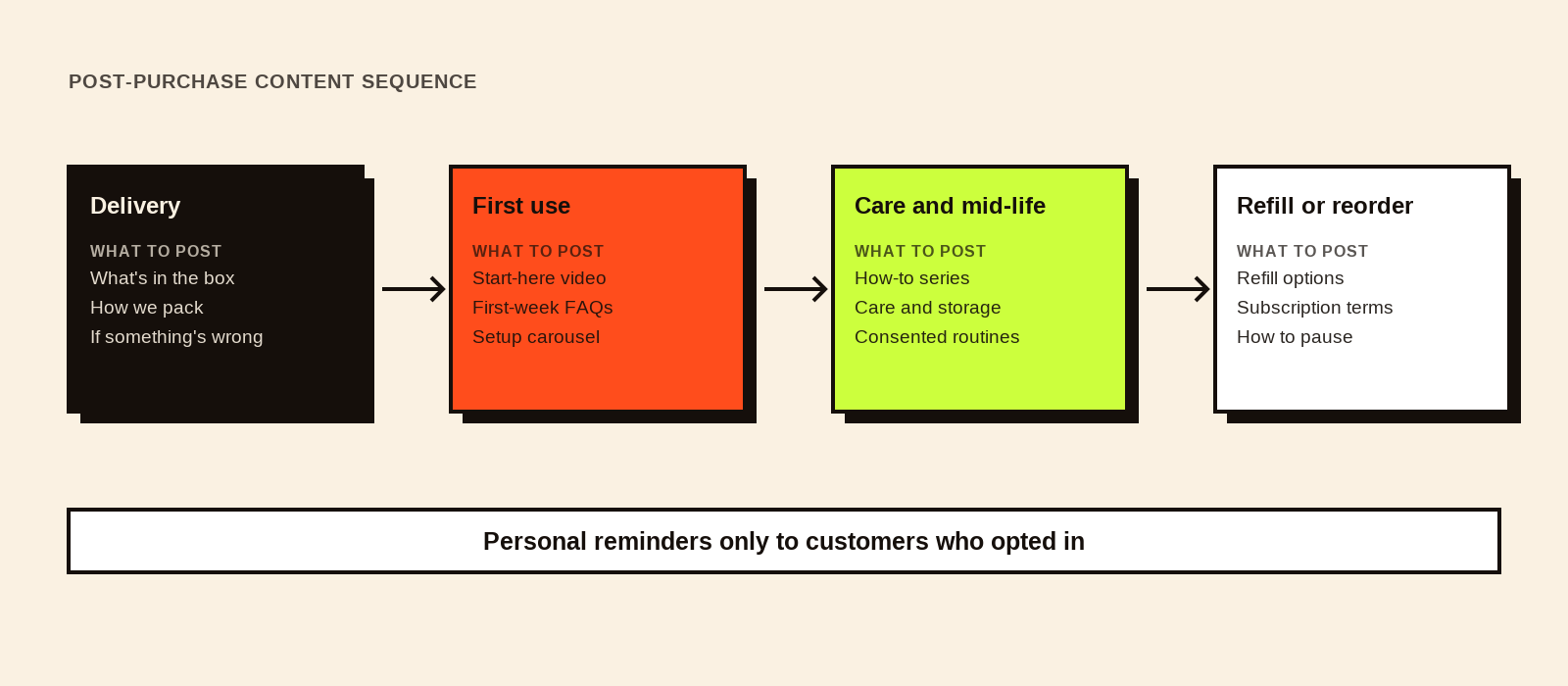
Map the customer's first few months with your product, then decide what content they should see at each point. The table below is a starting sequence for a consumable or replenishable product. Adjust the timing to your own product life: a face serum, a coffee subscription and a pair of running shoes have very different cycles. Use your order data, not guesses, to set the windows.
| Stage | What the customer is thinking | Content to publish | Where it lives |
|---|---|---|---|
| Order to delivery | Did I choose well? When will it come? | What's in the box, how we pack, what happens if something is wrong | Highlights, pinned posts, order page link |
| Unboxing and first use | How do I start? Am I doing it right? | Setup or first-use video, common first-week questions, 'start here' carousel | Reels, carousel, Highlights |
| Settling in (weeks 1 to 4) | Is this normal? How do I get the best out of it? | How-to series, care and storage tips, mistakes to avoid, routines from real customers (with consent) | Feed series, Stories Q&A |
| Mid-life | What else can I do with it? | Use cases, pairings, seasonal care, behind-the-scenes on how it's made | Reels, carousel, YouTube |
| Refill or reorder window | I'm running low. Same again or something new? | Refill formats, subscription terms, how to reorder, what's changed | Stories, opt-in WhatsApp or email, link in bio |
| Long-term customer | Do they still care about me? | Community features, early looks, customer questions answered on camera, feedback requests | Feed posts, Stories, opt-in channels |
Two practical points. First, much of this content is evergreen, so build it once, keep it in Highlights or a pinned post, and refresh it when packaging or formulas change. Second, the same assets should go into the order confirmation email, the thank-you card QR code and the product page, so a new customer finds them without searching your grid.
Stage by stage: what to post
Delivery and unboxing
Show what a correct order looks like: the box, the inserts, any seal or batch number the customer should check, and where to go if something is missing or damaged. This is reassurance content. It cuts 'is this right?' messages and makes the first touch feel organised. Keep it factual and avoid packaging claims (recyclable, plastic-free, tamper-proof) you can't back with evidence.
First use and how-to
A 30 to 60 second 'start here' video and a carousel of the first-week questions do more for repeat purchase than another lifestyle shoot. Film the actual product in real hands, at real speed. If the product needs a routine (skincare, supplements, coffee gear, cookware), show the routine end to end. Our guide to product content that answers customer questions covers the explainer formats in detail.
Care, storage and getting more out of it
Care content extends the product's useful life and builds trust that the brand cares about the purchase, not just the sale. Washing instructions for apparel, seasoning for cast iron, storage for perishables, cleaning for devices. Pull topics from support tickets and DMs: if three people asked this month, it's a post. Keep any claim (lasts longer, stays fresh, safe for sensitive skin) to what the label or your test data supports.
Refills and replenishment
Organic social can remind everyone, in general terms, that refills exist and how to get them: a Story explaining refill packs, a post on the subscription option and how to pause or cancel it, a Highlight called 'Reorder'. Personal, timed reminders ('your 30-day pack is probably running low') belong in channels where the customer has agreed to hear from you, such as WhatsApp or email. That's the next section.
Reminders that respect the customer
A reminder that arrives when someone genuinely needs a refill is helpful. Five reminders in a week, or messages to someone who never agreed to them, are spam. Three rules apply here, and they are rules, not style choices.
WhatsApp's Business Messaging Policy (last updated 23 September 2026, at the time of writing) says businesses may contact people only if they have shared their number and given opt-in permission to receive messages, and that businesses must respect requests to block, stop or opt out, whether those requests are made on WhatsApp or elsewhere. Under India's Digital Personal Data Protection Act, 2023, with the DPDP Rules notified in November 2025 and compliance phased in, the way you collect and use customer phone numbers and order data needs a lawful basis such as consent. Check your specific obligations with counsel.
The third rule is honesty about urgency. The Central Consumer Protection Authority's Guidelines for Prevention and Regulation of Dark Patterns (November 2023) list 13 specified dark patterns, including false urgency, drip pricing and bait and switch. A refill message that says 'only 3 left' when stock is fine is false urgency. A subscription that's easy to start and hard to cancel works against the same principle of honest choice.
Reminder checklist
- The customer opted in to this channel, and you can show when and how.
- The timing is based on the product's real usage cycle, not on your sales target for the week.
- One reminder per cycle, with an easy way to say 'not now' or stop.
- Any offer states its terms: what's included, the end date, and any minimum order.
- Stock, scarcity and price claims are true at the time of sending.
- Subscription messages explain how to pause, skip or cancel as clearly as how to start.
- Opt-out requests are honoured across every channel, not just the one they came in on.
Community and customer content, with consent
Customers who feel noticed tend to stay. Low-cost ways to do that on your own accounts: answer a customer's question on camera (with their permission to show the question), run a monthly 'how you use it' feature, invite long-term customers to vote on a colour or flavour, or show the team reading and acting on feedback. Keep public replies for public-friendly topics and move order issues to support; our guide to community management versus customer support sets out where that line sits.
Reposting customer photos and reviews needs permission every time. A tag is not consent to use someone's image in an ad or on your product page. Ask in writing, say where it will appear and for how long, and keep the record. Never edit a review to sound more positive, and never pay or reward people for reviews without clear disclosure. The rules for using customer stories as evidence are covered in our guide to customer testimonials and UGC, and rights for reuse in UGC content usage rights.
If you want creators involved in retention, such as a creator running a care masterclass or a loyalty-member event, that's a different programme with its own briefs and disclosures. Our guide to influencer marketing for customer retention covers it.
How to tell if it's working
Social metrics alone won't show repeat purchase. Pair them with order data. Useful signals: saves and shares on how-to content (a sign people keep it), fewer repeated 'how do I' questions in DMs, clicks from the 'Reorder' Highlight or link in bio tagged with UTM parameters, repeat-order rate for customers who engaged with post-purchase content compared with those who didn't, and opt-out rates on reminders. Treat the comparison as directional. Customers who engage are often more loyal to begin with, so social content won't be the only reason they return.
Common mistakes
- Treating every post as acquisition content, so existing customers see nothing made for them.
- Sending timed reminders to people who never opted in, or ignoring stop requests.
- Inventing urgency in reorder messages: fake low-stock alerts, countdowns that reset.
- Burying how-to content in the grid where new customers can't find it. Use Highlights and pins.
- Reposting customer content without written permission, or editing reviews.
- Making care or results claims the label and test data don't support.
- Measuring retention content by reach alone instead of reorder signals.
Where to start
Pick your top-selling product and build three things this month: a 'start here' video, a care or how-to carousel from the five most common support questions, and a 'Reorder' Highlight that explains refill options and subscription terms honestly. Put the same assets in your order emails. Then add opt-in reminders only once the consent records are in place.
If you'd rather have a team plan and produce this alongside your regular calendar, Kudozz's community management and content planning work includes post-purchase content within an agreed scope; customer support itself stays with your team.