How D2C Brands Can Create Product Content That Answers Customer Questions Before They Buy
A production guide to D2C product explainers: which format answers which pre-purchase question, how to shoot demos, comparisons, size and ingredient content honestly, and how to reuse it on product pages and marketplaces.
The same five questions arrive in your DMs every week. Will this fit a queen bed? Can I use it with my existing charger? Is the 200 ml enough for a month? Which of the two variants is better for oily skin? Your team types the same answers each time, while the product page says nothing about any of it.
Quick answer
D2C brands should build product content around the questions customers ask just before buying. Map each question to the format that answers it best: demos for 'how does it work', size and fit videos for 'will it suit me', comparisons for 'which one', ingredient or material breakdowns for 'what's in it', and unboxings for 'what will I get'. Produce them as a planned series, check every claim, then reuse the same assets on product pages and marketplaces.
Why explainers earn their place
Brand films and moodboards make people want the product. Explainers make them confident enough to buy it, and they keep working for months. A good size guide video answers the same question on Instagram, the product page, a marketplace listing and in a support reply, which makes it one of the more efficient pieces of content a D2C team can make.
This guide is about the formats and production. If you need a system for collecting the questions in the first place from DMs, reviews, support tickets and sales chats, start with our guide to turning customer questions into social content, then come back here to decide how to film and design the answers.
Map each question to a format
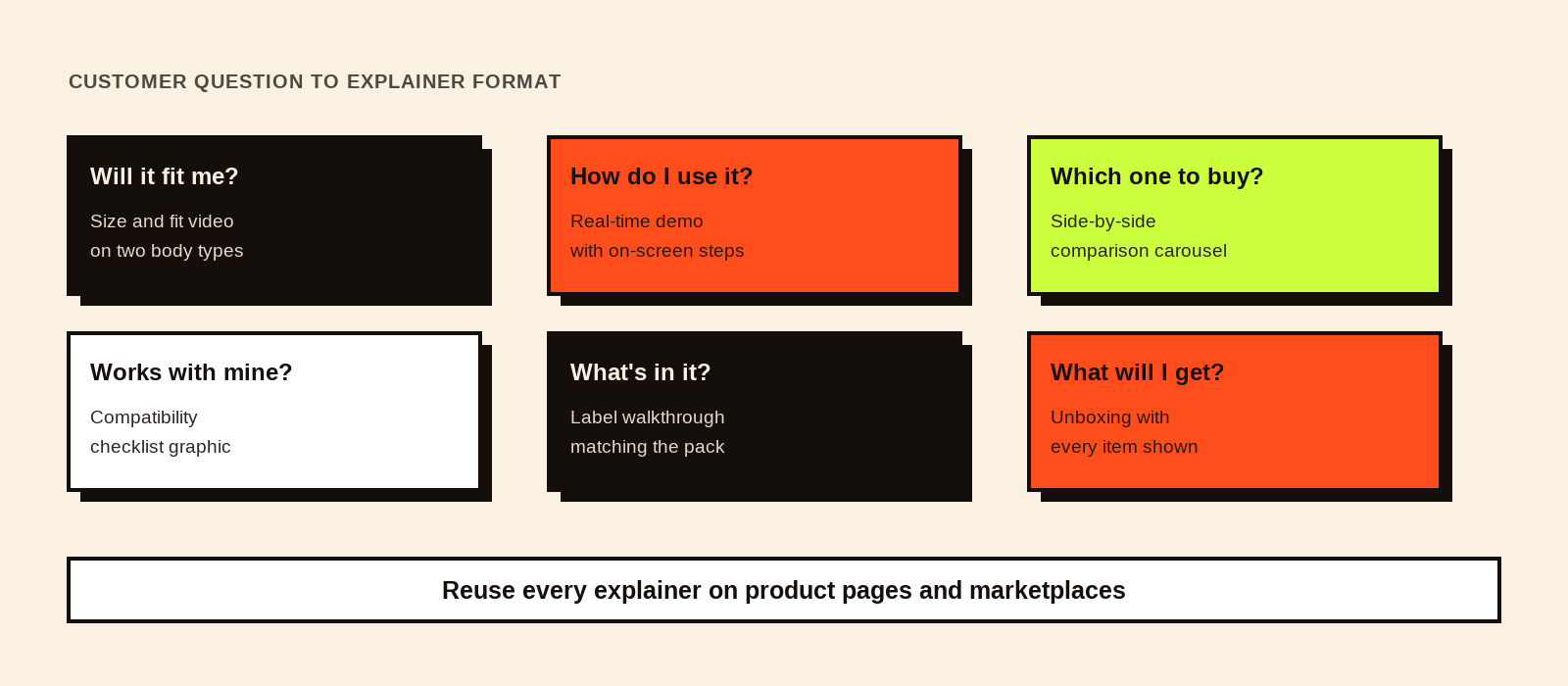
Most pre-purchase questions fall into a handful of types, and each type has a format that answers it fastest. Use this mapping as a planning tool: list your top 20 questions, tag each with a type, and you have a production plan.
| Customer question type | Example (hypothetical) | Best format | Also reuse on |
|---|---|---|---|
| How does it work? | How do I set up the cold brew maker? | Real-time demo Reel or short video, hands and product only | Product page video, marketplace listing video (where allowed) |
| Will it suit me? | Is this kurta true to size? Does this shade suit wheatish skin? | Size and fit video on two or three body types, shade swatches in daylight | Size chart section, Highlights, support replies |
| Will it work with what I have? | Does the cover fit the older phone model? | Compatibility carousel or checklist graphic | Product page FAQ, marketplace bullets |
| Which one should I buy? | What's the difference between the 250 g and 500 g pack? | Side-by-side comparison carousel or video | Collection page, comparison table on site |
| What's in it, and what's it made of? | Is there added sugar? Is it pure cotton? | Label walkthrough, ingredient or material carousel matching the pack exactly | Product page, FAQ, packaging insert |
| What will I actually get? | What's in the gift box? | Unboxing video with every item shown | Product gallery, gifting pages |
| How do I use it day to day? | How long does one pack last? | Use-case series, routines, 'a week with' videos | Blog, email onboarding, Highlights |
| Is it worth the price? | Why is it more expensive than the marketplace option? | Process or materials explainer, honest 'what you're paying for' | About page, product page story section |
Producing each format well
Demos
Film the real product, in real time or with time compressed only where it's obvious. Show the steps a customer finds tricky, not just the satisfying ones. Add on-screen text for each step so it works without sound, and turn on captions. Instagram supports automatic closed captions for Reels, but review them, because product names and Indian-language words are often misheard.
Size, fit and compatibility
These answer the question that drives most returns. Show the product next to a common reference object or on more than one body type, state measurements in centimetres and inches, and say plainly who it won't fit. For compatibility, list the exact models or sizes you've tested. 'Fits most phones' invites returns and complaints.
Comparisons
Comparing your own variants is straightforward and very useful. Comparing against a competitor needs care. The ASCI Code's chapter on fair competition allows comparisons only where it's clear what is being compared, the claims are factual, accurate and capable of substantiation, they're not likely to mislead, and they don't unfairly denigrate the other product. If you can't produce the test data, compare against your own range instead.
Ingredients and materials
Copy wording from the approved label or spec sheet, not from memory or a supplier's brochure. Explain what an ingredient is and why it's there; don't turn it into a health, efficacy or sustainability claim unless your regulatory or legal team has approved that claim with evidence. Food, cosmetics and supplements have their own advertising rules in India, so route those posts through whoever signs off your packaging.
Unboxing
Show the actual retail packaging and every item a customer will receive, including inserts and manuals. Don't film a premium gift version and present it as the standard pack. If packaging changes, re-shoot; an outdated unboxing creates 'this isn't what I saw' complaints.
A copy-ready explainer brief
Use this brief for each explainer so the person filming, the editor and the approver work from the same facts. It fits into whatever workflow you already use; if you don't have one, our guide to a repeatable content workflow sets one up.
Product and variant:
Customer question (exact wording from DMs, reviews or support):
How often it's asked (rough count, last 30 days):
Format: demo / size and fit / compatibility / comparison / ingredients or materials / unboxing / use case
Length or slide count:
Key facts to show (from label, spec sheet or test report only):
Claims to avoid (anything not on the label or backed by evidence):
Who it's NOT for (if relevant):
Shot list:
  1.
  2.
  3.
On-screen text per step:
Caption must answer the question in the first line: yes / no
Link destination (product page URL with UTM):
Reuse plan: product page / marketplace listing / Highlights / support macro / email
Fact check by (product or QA owner):
Final approval by:
Reuse on product pages and marketplaces
Plan reuse from the shoot, not after it. Film a clean version without trending audio or platform-specific stickers so it can go on your website. Capture a horizontal or square cut if your site's product gallery needs it. Keep a master file with captions burnt in and one without.
- Product page: place the explainer next to the question it answers, such as the fit video beside the size selector.
- FAQ section: embed or link the explainer under the matching question.
- Marketplaces: each marketplace has its own rules for images, video and text in listings, so check the seller guidelines before uploading, and keep claims identical to your own site.
- Support: give the team a link library so they reply with the video instead of retyping answers.
- Email and packaging: link the 'start here' or 'how to use' explainer from order emails or a QR code on the insert.
- Other platforms: adapt rather than cross-post; see our guide to content repurposing.
Licensed music in Reels may not transfer to your website or a marketplace, and creator or customer footage needs rights that cover each place you use it. Check before reuse, using our guide to UGC content usage rights for anything you didn't film yourself.
Common mistakes
- Making explainers that look like ads and never quite answer the question.
- Filming only the hero variant, so customers buying other sizes or shades can't see theirs.
- Writing ingredient or material posts from memory instead of the approved label.
- Comparing against competitors without test data you can produce.
- Using trending audio on everything, which makes the asset unusable on product pages.
- Never updating explainers after a formula, size or packaging change.
Explainer production checklist
- Top 20 pre-purchase questions listed and tagged by type.
- One format chosen per question using the mapping table.
- Every fact traced to a label, spec sheet or test report.
- Clean master file kept without trending audio or stickers.
- Captions reviewed for product names and regional words.
- Reuse destinations agreed before filming.
- Review date set for each explainer, and after any product change.
Where to start
Take your best-selling product and its three most-asked questions. Brief and film one explainer per question this month, place each one on the product page beside the question it answers, and give the support team the links. Next month, check whether those questions come up less often and whether the posts get saved and shared more than your usual content.
When you need a steady supply of explainers alongside your regular calendar, a managed social media service with short-form video editing can plan and edit them from footage your team supplies, and UGC content production can add creator-filmed demos where they suit the product.