How to Turn Customer Questions, Reviews and Feedback Into Your Brand's Social Media Content
How to turn FAQs, objections, reviews, support conversations and community comments into content for your own channels: formats that work, a feedback-to-content framework and recurring series.
Your customer care team answers the same five questions every week. Does it work on oily skin? How long does delivery take to Guwahati? Can I return it if the size is wrong? Meanwhile the content team sits in a planning meeting wondering what to post next week. The answers to that meeting are already in the inbox.
Quick answer
Collect recurring customer questions, objections, review themes and comments each month, group them into themes, and give each theme a format and an owner. FAQ series, objection carousels, myth-busting posts, reply-to-comment videos and 'you asked' Stories all work well on a brand's own channels. Use real reviews or testimonials only with permission and without changing their meaning, anonymise anything from support conversations, and never invent customer quotes.
Why customer questions make better content
A question a customer actually asked tells you three things a brainstorm can't: the words people use, the point in the journey where they get stuck, and what stops them from buying. Content built on that is specific by default. It also tends to stay useful for longer, because the same questions come back every month from new customers.
This article is about turning those signals into posts on your own accounts. If you want the sourcing side in depth, including how to prioritise questions by revenue impact and brief creators on them, read our guide on turning customer insights into creator content.
The signals worth collecting
- Pre-purchase questions: sizing, ingredients, compatibility, delivery areas, COD and returns.
- Objections: price, 'will it work for me', 'I tried something like this before'.
- Reviews: recurring praise and recurring complaints, on your site, marketplaces and Google.
- Support conversations: what goes wrong after purchase, such as setup, usage and care.
- Misconceptions: things customers believe about the category that aren't true.
- Community questions: comments under posts and replies to Stories.
A monthly export from your inbox, a quick scan of new reviews and a short note from the support lead is usually enough. You don't need a listening tool to start.
Formats for your own channels
FAQ series
One question per post, answered in the first line and expanded below. Give the series a consistent name and visual treatment so followers recognise it. FAQ posts work well as short Reels with on-screen text, or as single static posts for quick answers.
Objection carousels
Take one objection, such as 'why is this more expensive than the market brand', and answer it slide by slide: what goes into the product, what the customer gets, and who it isn't for. Honesty about who shouldn't buy builds more trust than a hard sell. Our guide to Instagram carousel strategy covers structure in more detail.
Myth-busting posts
State the misconception, then the accurate version, and say how you know. Keep claims within what you can substantiate. If the myth is about health, safety or efficacy, have your regulatory or legal team check the copy before it goes out.
Reply-to-comment videos
When a good question appears under a Reel, answer it with a new video. At the time of writing (November 2026), Instagram's Help Centre describes a way to reply to a comment on your reel with a new reel, which shows the original comment alongside your answer. Ask before featuring a commenter's handle prominently, and skip it for anything personal.
Review-to-post
Turn a recurring review theme into a post, for example 'three things customers say surprised them'. If you quote a specific review, get permission, quote it accurately and keep a record of the original.
'You asked' Stories
Run a questions sticker, then answer a batch of questions in a Story series. Instagram's Help Centre notes that when you share a response to a questions sticker, the responder's photo and username aren't shown. Our guide to Instagram Stories for business covers how this fits between feed posts.
A customer-feedback-to-content framework
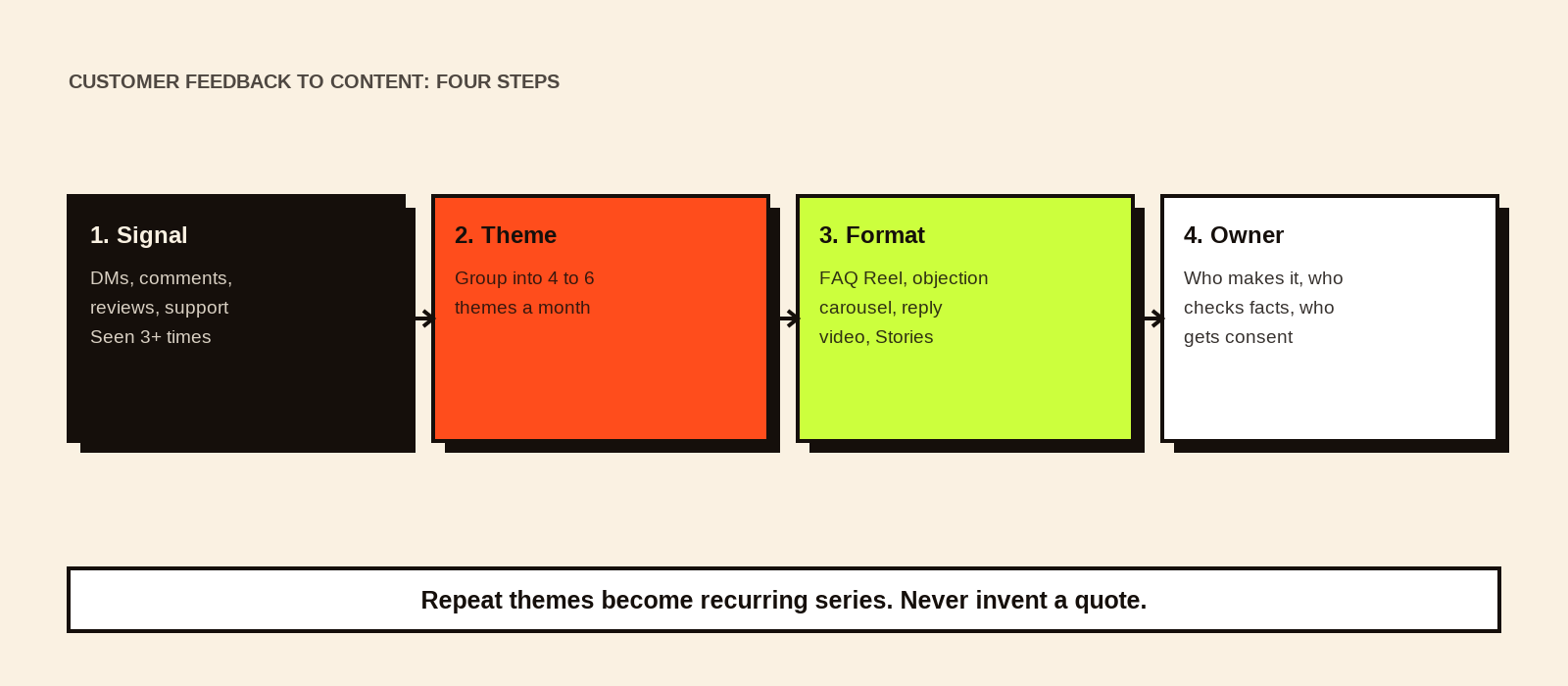
Use one table every month. Each row is a signal you've seen more than once, the theme it points to, the format that suits it and the person responsible. The rows below are illustrative, not a fixed list.
| Signal | Content theme | Best format | Owner |
|---|---|---|---|
| Repeated sizing or fit questions in DMs | How to choose the right size | FAQ Reel plus a saved Story highlight | Content lead, with support lead's input |
| Price objection in comments | What you're paying for | Objection carousel | Content lead, approved by founder or brand head |
| Review praise for one specific benefit | What customers notice first | Review-to-post, quoted with permission | Community manager collects consent |
| Support tickets about setup or usage | How to use it properly | Short tutorial video | Support lead flags, content team produces |
| A category myth in comments | Myth vs fact | Static post or carousel | Content lead, checked by product or legal |
| Good question under a Reel | Answer in public | Reply-to-comment video | Community manager flags, editor produces |
The 'owner' column matters most. Without it, the table becomes a list of good ideas nobody makes. In a managed setup, the agency usually owns production and the brand owns facts, approvals and customer consent.
From feedback to recurring series
One-off answers are useful. Series are easier to plan, quicker to produce and easier for followers to recognise. Once you see the same theme three months in a row, give it a slot in the calendar.
- Group the month's signals into four to six themes, not dozens of separate questions.
- Turn the two or three most persistent themes into named series with a fixed format.
- Give each series a rhythm, such as one FAQ Reel a week or a monthly 'you asked' Story.
- Keep a running answer bank so copy stays consistent across posts, DMs and support replies.
- Retire a series when the questions stop coming, and replace it with the next theme.
Say a hypothetical home-cleaning brand sees three themes for three months: 'is it safe around pets', 'why does it smell different from the old one', and 'can I use it on marble'. That's a ready-made series plan: a monthly safety explainer reviewed by the product team, an objection carousel on fragrance, and a short surface-by-surface usage video.
Reviews and testimonials: permission and accuracy
A review posted on a marketplace or Google is the customer's words in that context. Reusing it as a branded post is a different use. Ask for permission before quoting a named customer, quote accurately, don't trim a mixed review into a glowing one, and keep a screenshot of the original. If the customer received a free product or any incentive, say so. Our guide on using customer testimonials and UGC without losing trust covers permission, evidence and selection rules.
Never write a testimonial yourself, and never stitch quotes from several customers into one. If you want to illustrate a typical question, label it clearly as an example, not a customer quote.
Support conversations: anonymise first
Support chats are the richest source and the most sensitive. Use the theme, not the person. Remove names, order numbers, phone numbers, addresses and anything that could identify someone, and don't screenshot a private conversation for a public post without explicit consent. India's Digital Personal Data Protection Act, 2023 governs how personal data is used, and the government notified the DPDP Rules in November 2025 with a phased compliance period. Check with your legal team how your consent and data-handling processes apply.
It also helps to keep the line between content and support clear. If a public comment is really a complaint, it needs a support response, not a content answer. Our guide to community management vs customer support explains where to draw that line.
Common mistakes
- Answering questions the brand wishes people asked, instead of the ones they actually ask.
- Turning every question into a sales pitch, so the answer is buried under the offer.
- Quoting reviews without permission, or editing them until they say something different.
- Screenshotting support chats or DMs with names and order details still visible.
- Posting an answer once and never updating it when the policy or product changes.
- Letting the content team guess at facts that the product or support team should confirm.
Practical recommendations
- Book a 30-minute monthly call between the support lead and the content lead.
- Keep one shared sheet of signals, using the four columns of the framework table.
- Store review permissions and original screenshots in one folder with dates.
- Pin or highlight your FAQ series so new visitors find answers without asking.
- Track which FAQ posts get saved and shared, and which questions stop appearing in DMs.
If you work with an agency, put this monthly input into its content planning process rather than as an afterthought. Customer-led series fit naturally into social media content planning, and where you want customers or creators to explain answers on camera, UGC content production can supply the footage.
Where to start
Pull last month's DMs, comments and reviews into one sheet and look for anything that came up three times. Pick two themes, give each a format and an owner, and publish them in the next calendar. After three months you'll have a set of series built on what customers actually want to know.