How to Build a Repeatable Social Media Content Production Workflow
A repeatable social media workflow turns a scramble into a monthly rhythm: brief, plan, produce, review, publish and learn. The stages with owners and timings, how to batch, how to plan capacity, templates, publishing and where creator and UGC content fit.
It's the 28th, and the social calendar for next month is a blank spreadsheet. The designer is finishing a sale banner, the one person who edits Reels is on leave, and someone suggests reposting last year's festive content. Teams that post well rarely work harder than this; they work to a repeatable workflow that starts weeks earlier and runs the same way every month.
Quick answer
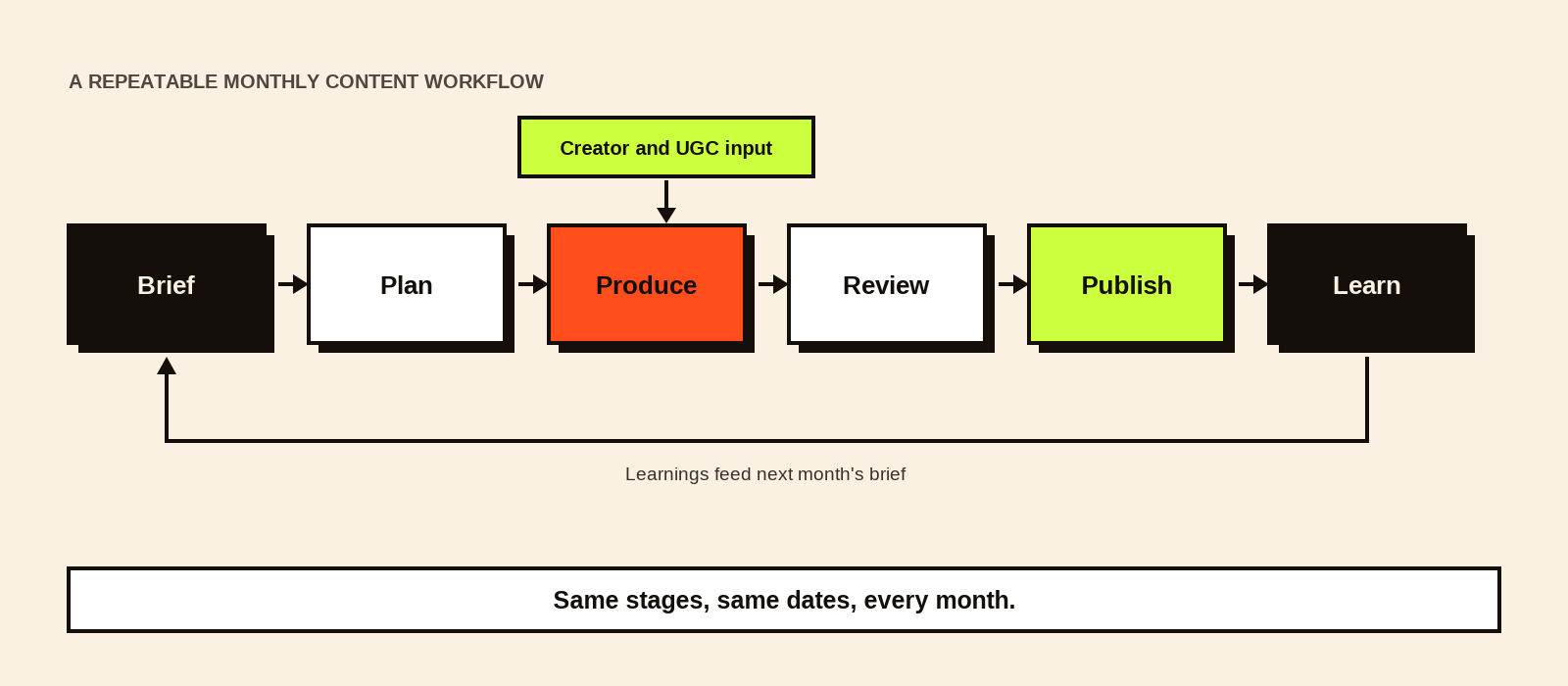
A repeatable social media content workflow runs in six stages every month: brief, plan, produce, review, publish and learn. Each stage has an owner, a fixed input and a fixed output. Plan the calendar two to three weeks before the month starts, produce in batches, approve in batches, schedule ahead, and feed what you learned into the next month's brief. Size the plan to your team's real capacity, not to how much you'd like to post.
The stages from brief to publishing
Without a workflow, every post is a small project: someone has an idea, finds an image, writes a caption, chases an approval and posts it. That works for a few posts a month. Beyond that, quality drops, gaps appear and the team spends more time coordinating than creating. A workflow makes the routine parts automatic so creative energy goes into the content itself.
The timings below assume a monthly calendar planned in the month before. They're a starting point to adapt, not a standard.
| Stage | Owner | Input | Output | Suggested timing |
|---|---|---|---|---|
| 1. Monthly brief | Marketing lead | Business priorities, launches, offers, last month's learnings | One-page brief for the month | Around the 10th of the previous month |
| 2. Plan | Social lead or agency strategist | Brief, content pillars, festive and seasonal dates | Content calendar with topics, formats, dates and hooks | Days 10 to 18 |
| 3. Calendar approval | Named approver | Draft calendar | Approved calendar, with flagged posts sent to legal | Days 18 to 21 |
| 4. Produce | Designer, editor, copywriter | Approved calendar, asset library, templates, footage | Finished creatives, videos and captions | Days 21 onwards, in batches |
| 5. Review | Social lead, then approver | Finished batch | Approved posts ready to schedule | Rolling, at least 7 days before posting |
| 6. Publish | Social lead or agency | Approved posts | Scheduled and published content | Rolling through the month |
| 7. Learn | Social lead with marketing lead | Platform insights, comments, sales or enquiry signals | Notes that feed the next brief | Weekly check, monthly review |
Calendar approval is shown as its own stage because it's where most delays start. The stages, approvers and turnaround times are covered in our guide to the social media content approval process.
Monthly cadence and batching
A monthly cadence that holds up
- Week 1 of the month: publish, monitor, note early signals; finalise any stragglers from the previous batch.
- Week 2: write next month's brief using last month's report; start planning the calendar.
- Week 3: get the calendar approved; start the first production batch; book any shoots.
- Week 4: produce and review the first two weeks of next month's content; schedule it; write this month's report.
Leave about a fifth of the calendar as open slots for reactive posts, product news and anything you learn mid-month. A calendar that's 100% fixed breaks the first time something changes.
Batching: produce in groups, not one at a time
Batching means doing the same kind of task for many posts in one sitting: write all captions for the fortnight together, design all carousels together, edit all Reels together. It cuts down on switching between tools and briefs, and keeps a series looking consistent.
- Batch by format: all static posts, then all carousels, then all video edits.
- Batch by shoot: one product session can supply footage for several weeks of Reels and Stories.
- Batch reviews: send approvers a week or two of content at once, not single posts.
- Batch scheduling: schedule a fortnight at a time once approvals are in.
Capacity planning: how much can your team actually make?
There's no universal number for how many posts a team can produce, because a templated quote post and a scripted Reel with edits take very different time. A simple planning method works better than borrowed benchmarks.
- Time a typical post of each format for one month: brief, design or edit, copy, revisions and scheduling.
- Add up the hours each person actually has for social, after meetings and other work.
- Multiply the formats you want by their time, and compare with the hours available.
- Add a buffer of about 20% for revisions, sick days and reactive work.
- If the plan doesn't fit, cut volume or simplify formats before you cut quality.
Say, hypothetically, a two-person team has 50 hours a month for social. If their timing shows a carousel takes about three hours end to end and an edited Reel about five, then twelve carousels and four Reels use 56 hours before any buffer. That plan is already too big, and the honest choice is fewer posts or simpler formats. The figures are illustrative; your own timings are what matter.
Templates and asset libraries
Templates are what make a workflow repeatable. Build them once and improve them each month.
- Design templates for each recurring series: tips, product features, testimonials, announcements.
- Caption structures for each pillar: hook, body, call to action, hashtags.
- A Reel script template: hook, three beats, ending, on-screen text.
- An asset library organised by product, use case and season, with usage rights noted for anything not made in-house.
- A short brand voice note and a list of approved claims and disclaimers.
Month:
Business priorities this month (max 3):
Launches, offers and key dates:
Content pillars and rough split:
Platforms and posting rhythm:
What we learned last month (3 points):
What to test this month (1 to 2 ideas):
Footage or assets needed, with owner and date:
Posts that need legal or compliance review:
Approver and backup:
Review, revisions and publishing
Review happens in two layers: an internal quality check by the social lead (brand fit, accuracy, spelling, format sizes) before anything reaches the approver, then the approver's sign-off. The internal check catches most small errors so approvers can focus on substance. Allow up to two rounds of revision as standard; anything more points to a problem earlier in the workflow.
For publishing, schedule approved posts in your platform's native scheduler or a social media management tool, and keep a short pre-publish check: date, time, link, tags, alt text and that the offer is still valid. Someone should look at each post shortly after it goes live and check the first comments. Our publishing and scheduling approach describes how this works in a managed set-up.
The post-publish learning loop
The workflow only gets better if what you publish teaches you something. Keep it light: a weekly look at what's working and a monthly review that changes the next brief.
- Weekly: note the posts that clearly did better or worse than usual, and a guess at why.
- Monthly: compare formats and pillars, not single posts. Look at saves, shares, comments and any enquiries or clicks.
- Write three learnings and one test for next month into the brief.
- Retire formats that consistently underperform, and turn strong posts into repeatable series.
- Adapt strong posts for other platforms rather than copying them.
For which numbers to watch, social media KPIs by business goal sets out metrics by objective. For turning a strong post into versions that suit each platform, see repurposing social media content across platforms.
Where creator and UGC content enters the workflow
Creator-made and customer-style videos can fill a calendar with real voices, but they run on a longer timeline: finding creators, shipping product, shooting and approvals can take several weeks. Plan them in the brief a month or more ahead, mark the slots in the calendar as "creator content", and treat them as an input to the produce stage once delivered. Confirm usage rights before any creator content goes on your own accounts or into ads.
The production side, from UGC brief to final files, is covered in the UGC video production workflow. If you'd rather have that content made for you, UGC content production is a separate service from day-to-day social media management.
Common mistakes
- Planning the calendar in the last week of the month.
- Committing to a posting rhythm based on ambition rather than measured capacity.
- Producing one post at a time, so every post goes through the full cycle separately.
- Keeping assets in personal phones and email threads instead of a shared library.
- Publishing and moving on, with no review that changes the next month.
- Treating creator content as a last-minute filler rather than a planned input.
Practical recommendations
- Fix dates for the brief, calendar approval and first batch each month, and keep them.
- Time your formats for one month before you commit to volumes.
- Build three or four templates for your most common post types this month.
- Set up one shared asset library with clear folder names.
- End every month with three learnings written into the next brief.
Where to start
Start with the dates: when the brief is written, when the calendar is approved and when the first batch is due. Then measure your capacity honestly, build a few templates and add a monthly learning step. A workflow you follow every month will do more for your social media than occasional bursts of effort.
If your team doesn't have the hours for this, a monthly content planning and production service can run the same workflow on your behalf, with you approving at the key stages.