How to Build a Monthly Social Media Content Calendar for a Growing Brand
How to build and run a monthly social media content calendar: the fields to include, how to set objectives, pillars, campaign and festive dates, video, approvals and frequency, with a sample 30-day structure.
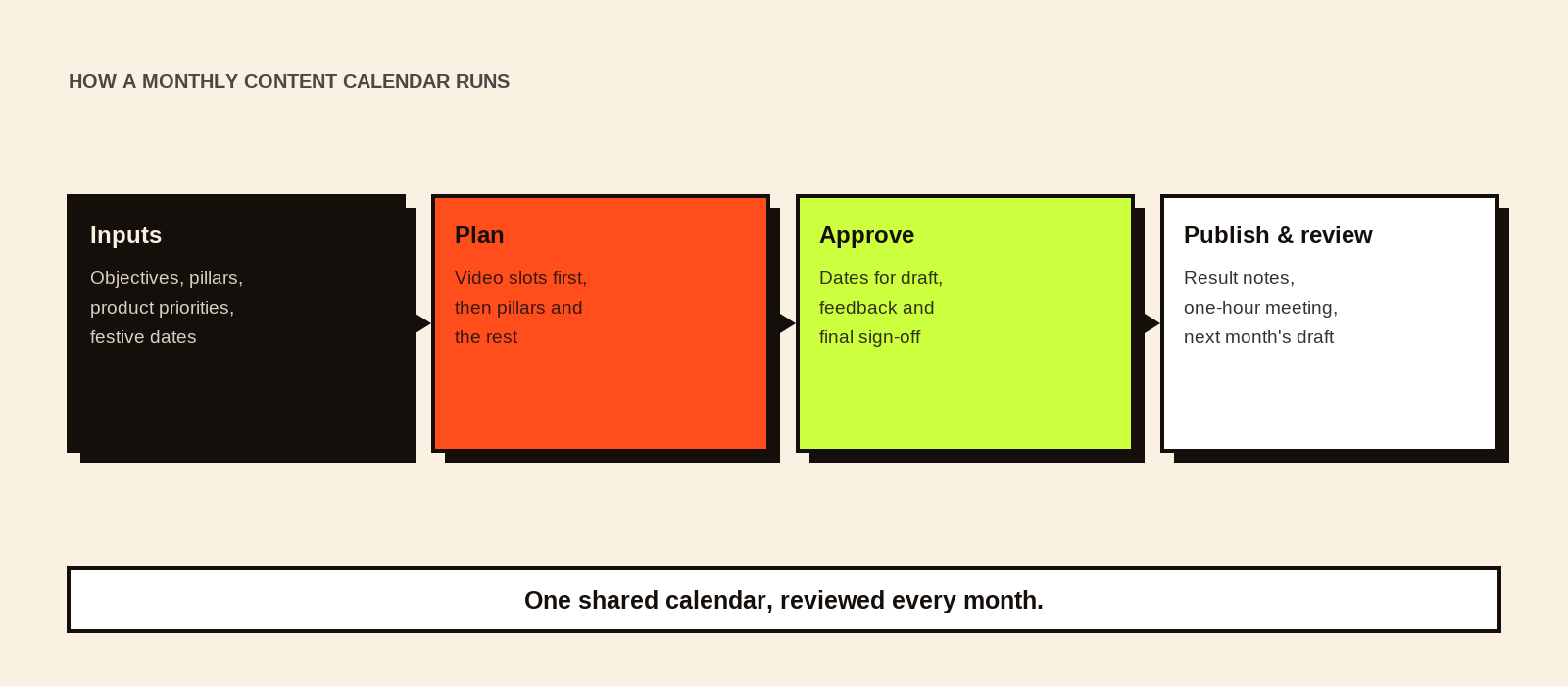
Your brand posts most weeks, but the plan lives in three places: a WhatsApp group, the designer's folder and the marketing head's memory. The Diwali offer got designed on the Friday before. A product the founder wanted pushed never appeared. Nobody can say what's going out next Tuesday. A monthly calendar fixes this, as long as it's built to be used rather than admired.
Quick answer
A monthly social media content calendar is one shared sheet that lists every planned post with its date, platform, format, pillar, objective, copy, asset, owner and approval status. Build it from the month's business objectives, product priorities, campaign and festive dates and your content pillars. Lock it after approval, publish from it, and review it at the end of the month to shape the next one.
The fields your calendar needs
A calendar is a planning tool, not the production process. How briefs, design and editing move from stage to stage is covered in our social media content workflow guide. The calendar's job is to show, at a glance, what goes out, where, when and why. These fields cover it:
| Field | What goes in it | Why it matters |
|---|---|---|
| Date and time | Planned publishing date and slot | Shows gaps and clashes |
| Platform | Instagram, LinkedIn, Facebook, YouTube and so on | One row per platform version, not one row per idea |
| Format | Reel, carousel, static, Story, Short, text post | Lets you see the mix and the production load |
| Content pillar | One of your three to five pillars | Stops one theme taking over |
| Objective | Educate, build trust, launch, drive enquiries, community | Ties the post to the month's goals |
| Campaign or moment | Launch, sale, festival, awareness day | Keeps campaigns visible across the month |
| Product or service | What it features, if anything | Checks that product priorities are covered |
| Hook and copy | First line and caption, or a link to the draft | Gives approvers something to review |
| Asset | Link to design or video file | No hunting for the final version |
| Owner | Who makes it, who approves it | Clear responsibility |
| Status | Idea, in production, in review, approved, scheduled, published | One view of progress |
| Result notes | Two or three numbers and one line after publishing | Feeds the monthly review |
What goes into the plan
Monthly objectives
Write one to three objectives for the month in plain words: 'build interest in the new range before launch on the 18th', 'answer the top five pre-purchase questions', 'get enquiries for the corporate gifting service'. Every post should support one of them, or have a clear reason for being there.
Content pillars
Pillars are the three to five recurring themes your brand talks about, such as product education, customer stories, behind-the-scenes and category expertise. They come from your strategy and rarely change month to month. The calendar's job is to spread posts across them so the feed doesn't drift.
Campaign and festive dates
In India, festive and seasonal moments shape what people buy and what they expect from brands: Diwali, Holi, Raksha Bandhan, Navratri and Durga Puja, Eid, Onam, Pongal and Christmas, plus Republic Day, Independence Day, wedding season and end-of-season sales. Many festival dates follow lunar calendars and change each year, so confirm them annually. Only mark the ones that matter to your customers and regions, and decide early whether each one is a full campaign, a single post or nothing. A greeting post for every festival rarely adds much. Seasonal planning with creators is covered separately in seasonal influencer marketing in India.
Product priorities
Ask the business what needs attention this month: a launch, a bestseller in stock, slow-moving stock, a service with capacity. Social shouldn't become a sales flyer, but a calendar that ignores what the business is trying to sell is easy to cut.
Balancing educational and promotional content
We don't think there's a correct ratio, and we'd be wary of anyone quoting one as a rule. Use reasoning instead. People who don't know your brand yet need reasons to trust it before an offer means anything, so a newer brand needs more education, demonstrations and proof. A brand with an engaged following and a strong launch can lean more promotional for a week or two. Check the balance in your calendar view: if three promotional posts sit back to back, move something. Then watch what happens in comments and saves. If promotional posts are ignored and educational ones are saved, your audience is telling you something.
Planning video in the calendar
Video takes longer than static posts and depends on people and footage, so plan it first. Mark which Reels or Shorts need a shoot, a presenter or creator footage, and set their production dates before the static posts. Group shoots into one or two sessions a month. For a deeper method on filling the month with Reels, see how to plan a month of Instagram Reels. If you need product or UGC-style video made for you, UGC content production can supply footage that the calendar then schedules.
Approval schedule and publishing frequency
Put the approval dates in the calendar itself: when the draft plan is shared, when feedback is due, when final assets are sent and when they're signed off. Most delays come from approvals with no date. Who approves what, and how to keep turnaround short, is covered in the social media content approval process.
On frequency, ignore 'ideal posting frequency' figures you see online. They aren't published by the platforms and don't account for your team or audience. Choose the number of posts your team can make well and approve on time for three months running. Fewer, better posts on a reliable rhythm beat a packed calendar that collapses in week three.
A sample 30-day structure
Here's a hypothetical month for a growing tea brand on Instagram and LinkedIn, with a new gift box launching mid-month and Diwali at the end. It's a structure to copy, not a target volume.
Objectives: build interest in the gift box (launch day 15); answer brewing questions; get corporate gifting enquiries
Pillars: brewing education / sourcing stories / customer moments / gifting

Week 1 (days 1-7): education first
  IG Reel: how to brew loose-leaf masala chai
  IG carousel: five mistakes that make tea bitter
  IG Stories: poll on favourite chai time
  LinkedIn: founder post on sourcing from small estates

Week 2 (days 8-14): build-up
  IG Reel: behind-the-scenes, packing the gift box
  IG carousel: what's inside the box
  IG Stories: countdown sticker for launch
  LinkedIn: corporate gifting service, how it works

Week 3 (days 15-21): launch
  IG Reel: launch day, the gift box in real homes
  IG static: launch offer with clear terms
  IG Stories: Q&A on delivery dates
  LinkedIn: launch announcement with the gifting enquiry link

Week 4 (days 22-30): Diwali and proof
  IG Reel: creator unboxing, reshared with permission
  IG carousel: Diwali delivery cut-off dates
  IG static: Diwali greeting with no offer
  LinkedIn: thank-you note to early corporate customers (with permission)

Approvals: plan shared day -10 / feedback day -7 / final assets day -3
Review: day 30, one-page report and next month's draft
The monthly planning meeting and review
Run one meeting a month, about an hour, with whoever owns social, the approver and someone who knows the product and sales picture. Use this agenda:
- Last month in one page: what went out, what was missed, three best and three weakest posts.
- What we learned: which pillars, formats and hooks worked, with a reason for each.
- This month's objectives and product priorities, from the business.
- Dates: campaigns, festivals, launches and anything that can't move.
- Video and shoot needs, with dates.
- Approval dates and who signs off.
- One thing we'll try differently this month.
Keep the report short and tied to decisions. Which numbers to look at for which goal is explained in social media KPIs by goal.
Common mistakes
- Planning posts before deciding the month's objectives.
- Adding every festival and awareness day because they're on a list.
- Leaving video until last, then dropping it when time runs out.
- No approval dates, so the calendar slips every week.
- Treating the calendar as fixed once approved, with no room for timely posts.
- Never recording results in the calendar, so next month starts from guesswork.
Practical recommendations
- Use one shared sheet or tool everyone can see, not a deck sent as an attachment.
- Plan by the 20th of the previous month and approve by the 25th.
- Fill video slots and campaign dates first, then pillars, then everything else.
- Keep about one slot a week flexible for timely or reactive content.
- Add result notes within a week of publishing, while the context is fresh.
If you'd rather have someone else build and run the calendar, that's what our content planning service does each month, with you approving before anything is published.
Where to start
Copy the fields above into a shared sheet, write next month's objectives, mark the dates that matter to your customers, and plan video first. Set approval dates before anything else is designed. After the month ends, spend an hour on what worked and carry it into the next calendar. The calendar gets better every month you actually review it.