How to Launch a New D2C Product on Social Media: A Step-by-Step Content Plan
A step-by-step organic launch plan for a new D2C product: what must be ready before day one, a 14-day content plan, how to run launch day, an asset brief template and how to judge the launch honestly.
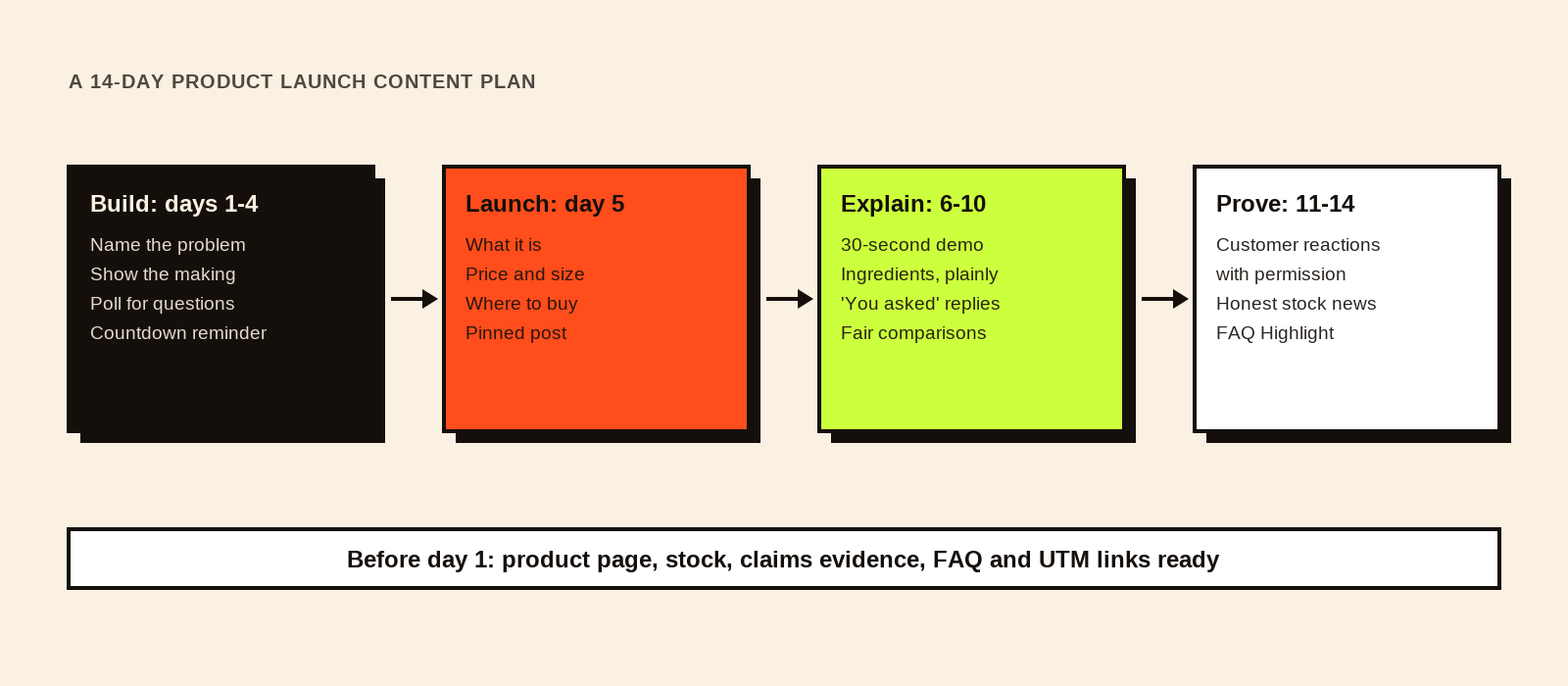
The new product is finally in the warehouse. The founder has posted one teaser that says 'something big is coming', the product page is half written, and the team plans to 'go live on Monday'. On Monday the post goes up, a few loyal followers react, and by Thursday the feed is back to normal. Nothing went wrong, exactly. There just was no plan for days two to fourteen.
Quick answer
A D2C product launch on social media works best as a 14-day sequence, not a single post. Spend a few days building interest around the problem the product solves, launch with a clear post that states price, availability and where to buy, then spend most of the fortnight explaining the product and showing proof. Make sure the product page, stock and support answers are ready before day one.
Before day one: what must already be true
Social posts send people somewhere. If that place is not ready, the launch spends its attention on confusion. Tick these off before the first teaser.
- Product page live (or ready to switch on) with price, sizes or variants, ingredients or materials, delivery and returns.
- Stock confirmed for the launch window, and a decision on what to say if it sells out.
- Every claim in the launch copy checked against evidence. The ASCI Code expects claims to be capable of substantiation, and that includes 'longest-lasting', 'clinically tested' or 'eco-friendly'.
- Launch price and any introductory offer written down with its end date and terms.
- A one-page FAQ for whoever replies to comments and DMs.
- Core assets: product photos, one demo video, close-ups of texture, size or fit, and packaging.
- Tracking links with UTM parameters for every link you will share, so website visits from the launch can be separated in Google Analytics.
Two references help here: the ASCI Code for what counts as a supportable claim, and Google's Analytics help on collecting campaign data with custom URLs for UTM tagging. Name the campaign once, for example 'launch-[product]-[month]', and use it everywhere.
The launch in four stages
| Stage | Days | Job | What the audience should think |
|---|---|---|---|
| Build-up | 1 to 4 | Name the problem, show the making, invite reminders | 'I have this problem and they are working on it' |
| Launch | 5 | Reveal clearly: what it is, price, where to buy | 'I know exactly what this is and how to get it' |
| Explain | 6 to 10 | Demos, use cases, comparisons, answers to questions | 'I understand whether it suits me' |
| Prove | 11 to 14 | First customer reactions with permission, founder notes, restock or next steps | 'Real people are using it' |
The 14-day launch content plan
This plan is written for Instagram as the main platform, with Stories for daily updates. Adapt formats to your own channels. A hypothetical example runs through it: a D2C brand launching a new unscented body lotion.
| Day | Format | Post idea | Purpose |
|---|---|---|---|
| 1 | Carousel | The problem: why people with sensitive skin avoid scented lotions (no medical claims) | Name the need |
| 2 | Reel | Behind the scenes: testing textures in the lab or workshop | Show effort and process |
| 3 | Stories | Poll and questions sticker: what do you look for in a body lotion? | Collect objections early |
| 4 | Stories | Countdown sticker to the real launch time, with reminder | Let interested people opt in |
| 5 | Reel plus pinned post | Launch reveal: product, size, price, where to buy, delivery | Clear announcement |
| 5 | Stories | Launch-day updates, link to product page, answers to first questions | Route interest to the page |
| 6 | Reel | 30-second demo: texture, how much to use, how it absorbs | Product understanding |
| 7 | Carousel | Ingredients explained plainly, what each does, what it does not do | Pre-empt questions |
| 8 | Stories | 'You asked' replies from launch-day comments | Show you listen |
| 9 | Reel | Founder on why we made it and who it is not for | Trust and honesty |
| 10 | Carousel | How it compares with our existing lotion, factual only | Help existing buyers choose |
| 11 | Post | First customer reaction, shared with written permission | Early proof |
| 12 | Reel | Use case: after a shower, travel size, desk drawer | Everyday context |
| 13 | Stories | Stock update, restock date if any, delivery times | Honest availability |
| 14 | Carousel | Launch FAQ roundup, saved to a Highlight | Long-life reference |
For depth on demos, comparisons and explainer formats, see our guide to product content that answers customer questions before they buy. Most launches fall short on the explain stage.
Launch day: run it like an event
On Instagram, a countdown sticker lets followers set a reminder and notifies them when the countdown ends, so set it to the real launch time. Pin the launch post to the top of your profile for the first two weeks; Instagram allows up to three pinned posts at the time of writing (November 2026).
- Post at a time when your team can reply for the next three hours.
- Check the product page, checkout and launch code yourself after posting.
- Reply to every genuine question in the first hours, using the FAQ so answers stay consistent.
- Note every question you could not answer and get the answer by evening.
- Share early Stories updates only with facts: sold-out variants, delivery times, a fixed bug.
A brief template for each launch asset
Each of the 14 days needs a short brief so the designer, editor and copywriter work from the same facts. Keep it to one screen.
Day and stage: [Day 6, Explain]
Format: [Reel, 30 to 45 seconds, vertical]
One message: [How much to use and how it feels]
Who it is for: [People who dislike scented lotions]
Must show: [Texture close-up, pump amount, skin after 1 minute]
Claims allowed (with evidence on file): [list]
Claims not allowed: [no medical or 'cures' language]
Caption elements: [price, size, link in bio or product tag if available]
Link: [product page URL with UTM]
Approver and deadline: [name, date]
How to judge the launch after 14 days
Look at three layers. Content signals: saves, shares, replies and watch time on the explain posts. Intent signals: profile visits, link clicks, DMs asking where to buy, and questions about sizes or ingredients. Sales signals: orders and sessions tagged with your launch UTM. Many buyers see the launch on social and buy later or on a marketplace, so treat social's share of sales as directional. Our guide to social media KPIs explains which metrics fit which goal.
Write a one-page launch review: what people asked, which posts they saved, what confused them, and what you would change. That document is worth more than the launch numbers for the next product.
Mistakes that flatten a launch
- Teasing for a week without saying what the product is, then launching to people who have lost interest.
- A launch post without price, size or where to buy.
- Claims the brand cannot back up, written in excitement on launch day.
- Fake scarcity, such as 'only 50 made' when more are coming. The CCPA's November 2023 dark patterns guidelines name false urgency.
- Going quiet after day five, when the explain stage should begin.
- Not telling the support team the launch date and FAQ.
The CCPA guidelines are summarised in the Department of Consumer Affairs release on dark patterns.
Where creators fit in a launch
This plan covers your own accounts. Creators add reach and independent voices, but they need product early, a clear brief and disclosure, which our guide on using influencers for a product launch explains. If you run both, schedule creator posts in the explain and prove stages so your own feed is ready to answer the questions they bring. Kudozz plans the creator side through its product launch campaigns.
Where to start
Pick a launch date only after the product page, stock and FAQ are ready, then count back four days for the build-up. Write the 14 one-line post ideas before anyone designs anything. If the explain stage feels thin, the product page probably is too.
For brands that want the organic side planned and produced, a managed social media service such as Kudozz's covers launch calendars, Reels editing from supplied footage, copy and publishing.