Influencer Campaign Documentation: What Brands Should Keep on Record
The documents brands should keep for every creator campaign, stage by stage, why each matters (rights, disputes, compliance, learning), a folder structure, naming rules, how campaign files build long-term creator records, and a close-out checklist.
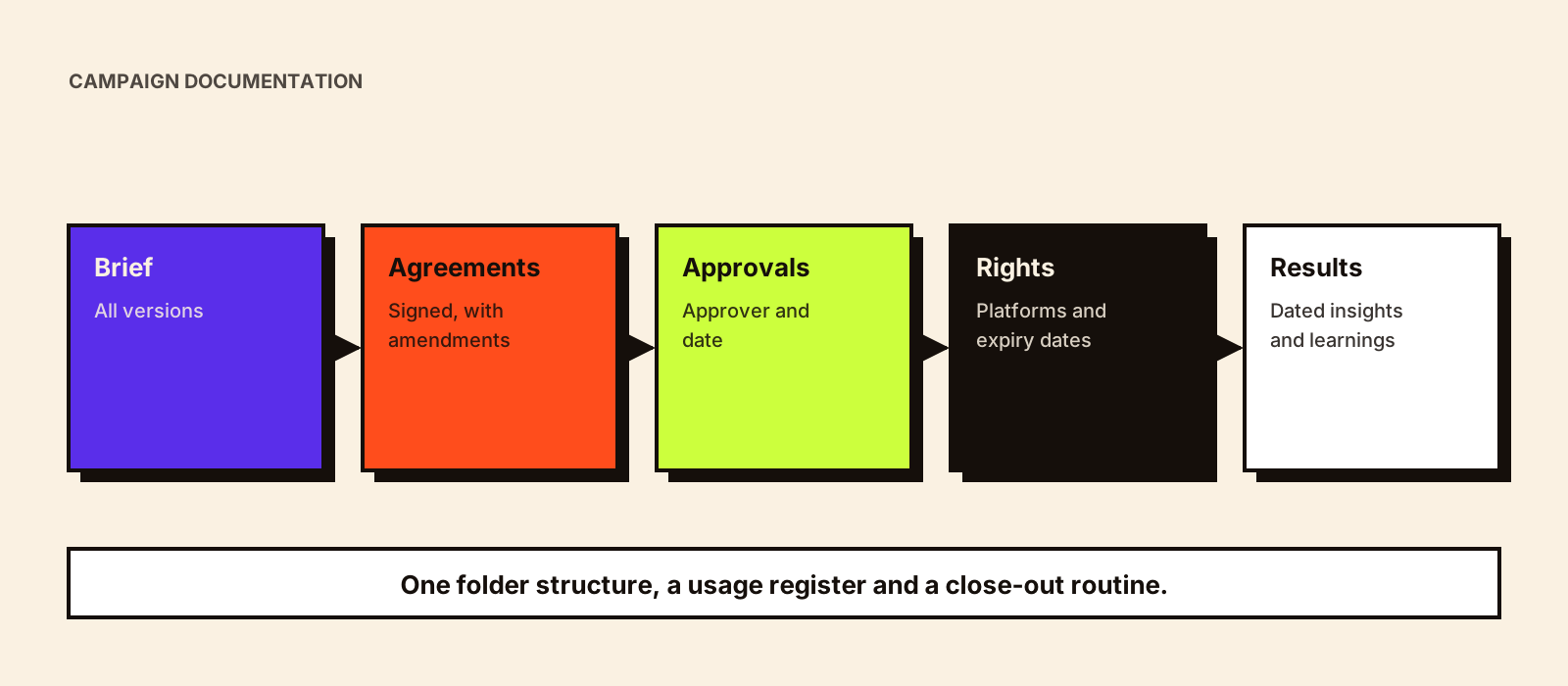
Six months after a campaign, someone asks whether you can run a creator's Reel as an ad. Can you? The answer depends on a usage clause in an agreement that might be in a former colleague's inbox. Or a creator says they were promised a bonus; nobody can find the message. Campaign documentation is unglamorous, and it's what lets you answer these questions in minutes.
Quick answer
Brands should keep, for every creator campaign: the brief and any versions, the shortlist and selection reasons, outreach and proposals, signed agreements, deliverable specifications, drafts with approval records, final content and live links, usage rights and expiry dates, disclosure checks, invoices and payment records, performance data with capture dates, and learnings. Store them in one consistent folder structure linked from the campaign tracker, and copy the parts that matter long-term (results, rights, reliability, rebook decision) to each creator's record.
What to keep, stage by stage
| Stage | Documents | Why it matters |
|---|---|---|
| Planning | Campaign brief (all versions), objective, budget | Shows what was intended and approved |
| Selection | Shortlist with reasons; vetting notes; audience screenshots (dated) | Explains decisions; supports learning |
| Outreach and negotiation | Proposal, key emails, agreed terms summary | Resolves 'what was promised' questions |
| Agreement | Signed contract or agreement; any amendments | Defines obligations, rights and payment |
| Production | Creator brief version sent; kickoff recap; drafts | Shows what was asked and submitted |
| Approval | Feedback rounds; final approval with approver and date | Evidence content was approved as published |
| Publishing | Live links; screenshots of posts with disclosure visible | Compliance evidence if posts are edited or deleted |
| Rights | Usage terms: platforms, duration, expiry date; partnership ad permissions | Prevents using content beyond rights |
| Payment | Invoices; approval; payment confirmation; TDS records where applicable | Financial and tax records |
| Performance | Insights at fixed capture days; tracking data; report | Measurement and future decisions |
| Close-out | Scorecard; learnings; rebook decision | Builds creator history |
Why documentation matters
- Usage rights: knowing exactly what you can do with content, and until when.
- Disputes: resolving disagreements about deliverables, payment or promises quickly and fairly.
- Compliance: showing that disclosure and claims were checked and approved.
- Continuity: letting new team members or partners pick up campaigns.
- Learning: understanding what worked and why, so the next campaign is better.
Influencer usage rights and influencer marketing compliance explain the rights and disclosure records in more detail.
A folder structure you can copy
/2026-10_brand_diwali-campaign
  /01_brief             brief_v1, brief_v2_final, objectives
  /02_selection         shortlist, vetting-notes, audience-screenshots
  /03_agreements        creatorhandle_agreement_signed
  /04_production        kickoff-recaps, product-dispatch
  /05_drafts-approvals  creatorhandle_draft_v1, feedback_r1, approval
  /06_live-content      creatorhandle_reel_final, live-screenshots
  /07_rights            usage-register (platform, duration, expiry)
  /08_finance           invoices, payment-confirmations (finance access)
  /09_performance       insights_d7, insights_d30, tracking-export, report
  /10_closeout          scorecards, learnings, rebook-decisions
- Use the same structure and naming for every campaign.
- Name files with creator handle, item and version (creatorhandle_draft_v2).
- Keep finance documents in a restricted folder or finance's own system.
- Link the folder from the campaign tracker.
From campaign files to creator records
Campaign folders hold everything about one campaign. Long-term creator history needs a different view: everything about one creator across campaigns. At close-out, copy the essentials to each creator's record: campaigns worked on, deliverables, fees (dated), results with capture dates, reliability, rights still in force with expiry dates, notes and the rebook decision. Influencer marketing CRM covers how to structure those records, and creator performance scorecard covers the evaluation.
Close-out checklist
□ Final brief and all agreement amendments filed
□ Final approved versions and live links recorded
□ Screenshots of live posts with disclosure visible
□ Usage register updated: platform, duration, expiry for every asset
□ All invoices and payment confirmations filed (finance)
□ Insights at day 7 and day 30 filed for every creator
□ Report and learnings saved
□ Scorecards completed; rebook decisions recorded
□ Creator records updated
□ Folder linked from tracker; access checked
How long to keep records
Keep agreements, rights records and approvals at least as long as you might use the content, plus a buffer; keep financial records as your finance team's retention policy requires. Remove personal data you no longer need, such as shipping addresses after delivery, in line with data protection obligations.
A usage register
Of all campaign records, the usage register is the one most often missing and most often needed. One row per asset:
Asset (creator, post, link) · Rights type (organic repost / paid ads / website / offline) · Platforms · Start date · Expiry date · Partnership ad permission (yes/until) · Fee paid for usage · Agreement reference · Owner · Reminder 30 days before expiry
Set a reminder before each expiry. If you want to keep using content, renew the rights; if not, stop using it on time. Influencer usage rights explains the rights themselves.
Hypothetical example
Hypothetical: a skincare brand's performance team wants to run a creator's video as an ad nine months after the campaign. Because the usage register shows organic-only rights, the team contacts the creator, agrees a three-month ad-usage fee and updates the register. Without the register, the video might have gone into ads without permission, damaging the relationship and creating legal risk.
Common mistakes
- Approvals given in chat and never recorded.
- No usage register, so nobody knows when rights expire.
- Live posts not screenshotted before creators edit or archive them.
- Documents scattered across personal inboxes.
- Campaign files kept but creator records never updated.
Conclusion
Good campaign documentation is a consistent folder, a usage register and a close-out routine, plus copying the long-term essentials to each creator's record. It protects rights, settles disputes, supports compliance and makes every handover and future campaign easier. For passing campaigns between people and teams, see influencer campaign handover.