LinkedIn for Creators: Build a Personal Brand and Find Professional Opportunities
How Indian creators can use LinkedIn after creator mode: profile setup, formats, a sustainable weekly plan, B2B and speaking opportunities, and the rules on pods and automation.
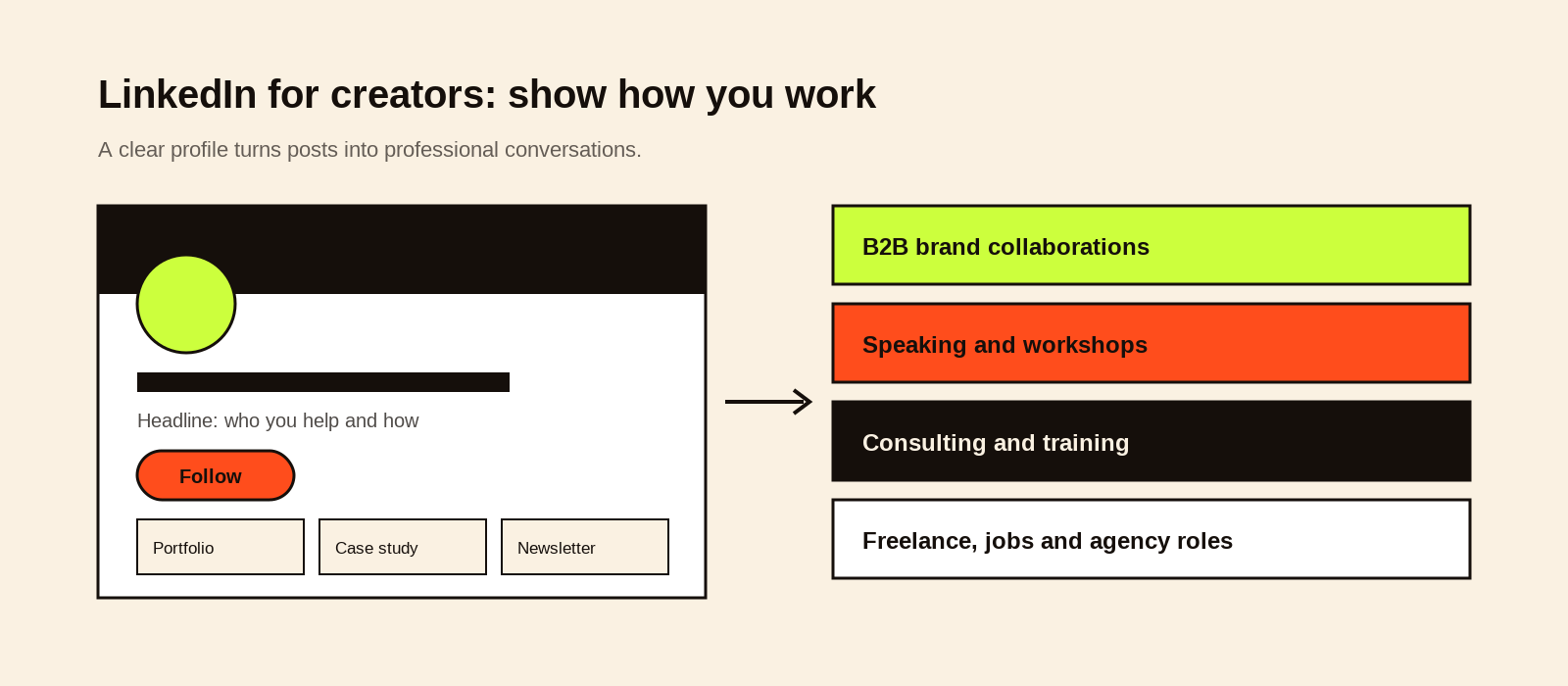
Your Instagram or YouTube shows what you create. LinkedIn shows the people who hire, sponsor and book creators how you work. If you teach, explain finance or tech, design, or run your content like a business, LinkedIn can bring opportunities that rarely arrive through Reels DMs. This guide covers what changed with creator mode, how to set up your profile, what to post and how to keep it manageable.
Quick answer
LinkedIn retired its creator mode toggle in 2024, but the tools it unlocked are still there: Follow as your main profile button, newsletters for all members, and LinkedIn Live for eligible accounts. To use LinkedIn as a creator, write a headline that says who you help and how, pin your best work in Featured, and post two or three times a week in formats you can sustain. Rewrite your Instagram or YouTube ideas for a professional audience rather than cross-posting, and avoid engagement pods and automation tools, which LinkedIn's policies prohibit.
Who LinkedIn suits
- Educators and explainers: teachers, exam-prep and skills creators whose audience includes working professionals.
- B2B and SaaS-adjacent creators: marketing, sales, HR, product and startup content.
- Career creators: interview prep, salary talks, workplace advice.
- Finance, tech and design creators: niches where companies actively look for credible voices.
- Lifestyle, food, travel and beauty creators who want to show the business side: how you plan campaigns, report results and work with brand teams.
That last group is easy to overlook. A Kannada food creator in Mysuru won't find their audience on LinkedIn, but they can reach the brand managers and agency teams who plan creator campaigns. LinkedIn is where your professional reputation lives, which builds on the work in how to build a creator brand.
Creator mode is gone: what replaced it
Many guides still tell you to "turn on creator mode". That advice is out of date. According to LinkedIn Help, LinkedIn removed the creator mode on/off toggle (timing listed as March 2024) and removed profile hashtags beginning in February 2024. For people who had creator mode on, the Connect button changed to Follow and the About section moved to the top of the profile.
- Follow as primary action: LinkedIn says your primary button stays Follow unless you change it, and you can switch it to Connect.
- Sharing tools: if you meet the access criteria, you get tools such as LinkedIn Live, Audio Events and Newsletter.
- Analytics: creator analytics remain in your profile's Analytics section.
Set up your profile for opportunities
- Headline: say who you help and how, not just "Content Creator". For example: "I explain personal finance in Hinglish for first-jobbers | YouTube + Instagram".
- About: three short paragraphs. What you make and for whom, proof (formats, platforms, types of brands you've worked with, talks you've given), and what you're open to (collaborations, speaking, consulting, roles).
- Featured: pin your portfolio or website, a case study of a past collaboration, your newsletter and one strong post or video.
- Primary button: keep Follow if you want an audience; switch to Connect if you mostly want a network of peers and recruiters.
- Experience: list your creator work as a real role with outcomes you can show, not vague titles.
- Contact: add a business email so brand teams don't have to guess.
Your Featured section is only as good as what it links to. If you don't have one yet, build a creator portfolio first, and consider a simple creator website as the home base you control.
Content formats and what each is good for
| Format | Good for | Who can use it |
|---|---|---|
| Text post | Opinions, lessons, behind-the-scenes stories | All members |
| Document / carousel post | Frameworks, checklists, step-by-step guides | All members |
| Video | Explainers, talking-head takes, clips from your YouTube or podcast | All members |
| Newsletter | Long-form, recurring ideas that subscribers get notified about | All members, per LinkedIn Help |
| LinkedIn Live | Q&As, panels, workshops | Eligible accounts only (criteria below) |
LinkedIn Help states that all LinkedIn members can create a newsletter. Pages have extra conditions. For LinkedIn Live, the published criteria are more than 150 followers and/or connections, good standing under the Professional Community Policies, and an account at least 30 days old. LinkedIn evaluates access; you don't apply. If you already write an email newsletter, our guide to a creator newsletter in India explains how to keep your own list as the main asset.
On video: TechCrunch reported in February 2025 that LinkedIn was expanding vertical video tools as video uploads grew. LinkedIn hasn't published an official launch post for a vertical video feed that we could verify, so treat video as worth testing rather than a guaranteed reach boost.
A weekly posting plan you can keep
LinkedIn rewards a steady voice more than volume. If you already create for another platform, plan about two to three hours a week. Here is an illustrative plan:
| Day | Task | Time (illustrative) |
|---|---|---|
| Monday | Text post: one lesson from your work last week | 30 min |
| Wednesday | Document or carousel: a framework adapted from a high-performing Reel or video | 45 min |
| Friday | Short video or behind-the-scenes post about a project or collaboration | 30 min |
| Daily, 15 min | Thoughtful comments on posts by brand marketers, agency people and peers in your niche | 15 min |
| Monthly | Newsletter issue going deeper on one topic | 1-2 hours |
Write comments that add something: a counterpoint, an example from your work, a question. That's how brand and agency teams start to recognise your name. For more on becoming known for ideas rather than just output, see creator thought leadership.
Professional opportunities LinkedIn can lead to
- Brand collaborations with B2B companies: SaaS tools, fintech apps, edtech platforms, and B2B services that want credible creators rather than the biggest follower count.
- Speaking: college fests, industry events, company workshops and webinars.
- Consulting and training: helping brands or teams with content strategy, short-form video or creator programmes.
- Freelance and jobs: content strategist, social media lead, video editor or scriptwriter roles.
- Agency roles: creator management, campaign planning and talent roles at influencer marketing agencies.
If you're weighing full-time roles against independent creator work, our content creator career guide maps the paths. If you're thinking about selling your expertise as a service, see creator consulting services.
LinkedIn's own creator programmes
On 10 June 2026, LinkedIn announced tools for B2B brands working with creators: a Creator Marketplace inside Campaign Manager where brands can find vetted creators by topic (creators opt in and control partnership requests), Thought Leader Ads that let brands promote creator content featuring the brand, and its BrandWorks creative team. The announcement does not name the countries where these are available, and it doesn't mention India. Check your own LinkedIn account and LinkedIn Help for current availability rather than assuming you can opt in.
Top Voices, the blue badge, is invitation-only according to LinkedIn Help. LinkedIn Editorial vets members on an ongoing basis and can remove the badge. You can't apply for it, so don't build your plan around it.
Engagement pods and automation break LinkedIn's rules
LinkedIn's Professional Community Policies say you must not artificially increase engagement with your content or agree with others ahead of time to like or re-share each other's content. That describes engagement pods, including WhatsApp and Telegram groups that swap likes. The LinkedIn User Agreement (effective 3 November 2025) also bans using bots or other unauthorised automated methods to access the service or drive inauthentic engagement, and bans scraping with software, scripts or robots.
- Don't join like-swap or comment-swap groups.
- Don't use tools that auto-comment, auto-connect, auto-message or auto-like for you.
- Scheduling your own posts is different from automating engagement, but check that any third-party tool is permitted.
- Brand teams can usually tell when engagement on a post doesn't match the conversation; honest numbers are worth more.
Repurpose from Instagram and YouTube without copy-paste
Your Reels and videos are a great source of LinkedIn ideas, but a Reel caption dropped onto LinkedIn usually misses. Keep the idea and change the angle:
| Original | LinkedIn version |
|---|---|
| Reel: "3 budgeting mistakes in your first job" | Text post on what you learned making it, and the question your audience asked most |
| YouTube tutorial on editing Reels | Carousel: your five-step editing workflow, with a link to the full video in the comments or Featured |
| Brand collaboration post | Behind-the-scenes post on how you planned the brief and what the brand measured (only share results you're permitted to) |
| Podcast episode | Short clip plus three key takeaways in text |
The full system for one idea across many platforms is in content repurposing for creators. If you also run a podcast, the guide on how to start a podcast covers clipping episodes.
Measuring results
Impressions are the least useful number here. Every month, check your creator analytics and keep a simple log of what actually moves you towards opportunities:
- Profile views and new followers from your target roles (marketers, founders, recruiters, event organisers).
- Inbound messages that turned into real conversations: collaborations, talks, consulting calls, interviews.
- Newsletter subscribers and replies.
- Which posts led to those conversations (ask people what brought them to you).
- Comments from people you'd like to work with, not just total comment counts.
Your LinkedIn work also helps when you apply to creator networks: it's one of the things that shows what agencies ask for when you apply to a creator network, which is evidence that you're reliable to work with.
Conclusion
LinkedIn isn't where most Indian creators grow their audience, but it is where many brand, agency and event decisions get made. Set up a clear headline and Featured section, post two or three times a week in formats you can keep up, rewrite rather than cross-post, and stay away from pods and automation. Then measure conversations, not impressions.