How to Start a Podcast as a Content Creator: Equipment, Formats and First Episodes
A practical podcast starter guide for Indian creators: choosing a format, equipment tiers, recording at home, YouTube and Spotify distribution, and a six-episode launch plan.
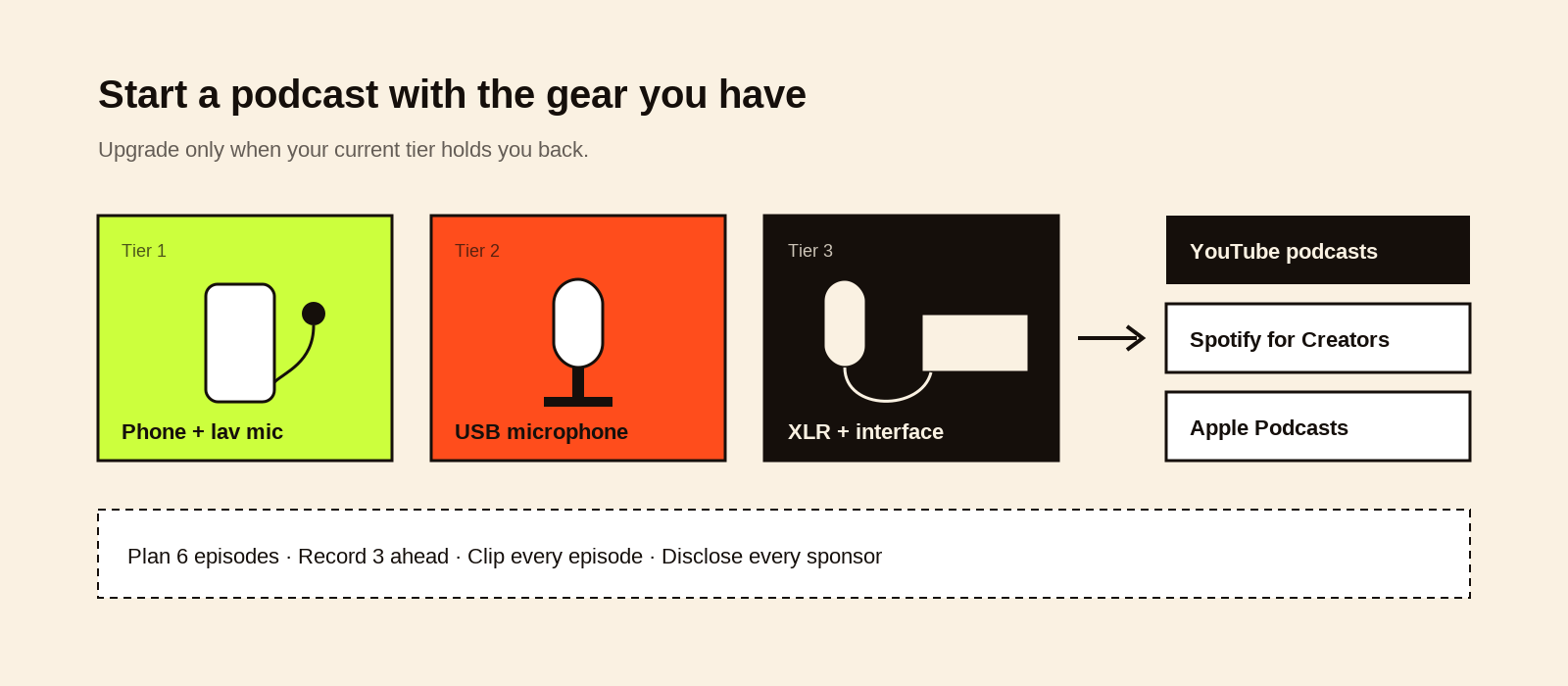
You already make Reels or YouTube videos, and long conversations keep coming up in your comments: "do a full episode on this". A podcast can give those ideas room, but it also adds a weekly production job. This guide helps you decide if it fits, pick a format and gear you can afford, publish in the right places, and plan your first six episodes before you hit record.
Quick answer
To start a podcast as a creator in India, pick one format you can sustain (solo, interview, co-hosted, narrative, Q&A or bilingual), record with what you have (a phone and a clip-on lavalier mic is enough to begin), and treat the room as seriously as the mic. Publish video episodes as a podcast playlist in YouTube Studio, and use a host with an RSS feed for Spotify and Apple Podcasts. Plan six episodes before launch, clip each one for Reels and Shorts, and disclose every paid segment.
Should you start a podcast?
A podcast works best when it extends what your audience already comes to you for. A personal finance creator can go deeper on one money question per episode. A Marathi food creator can sit down with home cooks and small restaurant owners. A podcast that has nothing to do with your existing content means building a second audience from zero, which is a much bigger job.
- Good fit: your best-performing posts raise questions you can't answer in 60 seconds.
- Good fit: you have access to interesting people (experts, peers, local business owners) your audience wants to hear from.
- Good fit: you enjoy talking at length and can keep a conversation on track.
- Wait: you are already struggling to keep up with your current posting schedule.
- Wait: you have no idea what episode 7 would be about.
Video podcast or audio-only?
If your audience already watches you on YouTube or Instagram, a video podcast is usually the natural choice: it lives on the platform where people already find you, and every episode gives you clips for short-form. Audio-only is cheaper and easier to record, and suits narrative or storytelling shows and listeners who tune in while commuting or doing chores. Many creators record video and also publish the audio through an RSS feed, so they don't have to choose.
Podcast formats and which one fits you
| Format | Best for | Effort | Watch out for |
|---|---|---|---|
| Solo | Educators, explainers, opinion creators | Low setup, high prep | Rambling; script an outline, not every word |
| Interview | Creators with access to guests | Medium; guest scheduling takes time | Depends on guests showing up; keep a backlog |
| Co-hosted | Friends, partners, duos with natural chemistry | Medium | Inside jokes that exclude listeners; agree roles and revenue split in writing |
| Narrative / storytelling | History, true stories, local culture | High; research and editing heavy | Hard to sustain weekly; consider seasons |
| Q&A / community | Creators with active comments and DMs | Low to medium | Needs a steady flow of questions; never share a follower's details without consent |
| Bilingual / Hinglish | Creators whose audience mixes languages, such as Hindi-English or Tamil-English | Same as base format | Pick a consistent language mix so titles and descriptions match what listeners hear |
If you are unsure, start with a solo or Q&A format for the first few episodes. You control the schedule, and you learn how you sound on long-form before you have a guest's time on the line.
Podcast equipment: three tiers
Prices change and vary by city and seller, so compare current listings yourself. What matters is matching the tier to your stage. Listeners forgive average video far more easily than echoey or muffled audio.
| Tier | What you need | Good for | Limits |
|---|---|---|---|
| 1. Phone + lavalier | Your phone, a clip-on lav mic (wired or wireless), a stand or tripod | Solo episodes, testing the idea, recording on the move | One lav per person; two people need two mics or a dual-receiver kit |
| 2. USB microphone | A USB mic plugged into a laptop, headphones, a mic arm or desk stand | Solo and remote interviews from a desk | Usually one mic per computer; harder for two people in one room |
| 3. XLR mic + audio interface | XLR microphones, an audio interface or recorder with enough inputs, cables, stands, headphones | In-person co-hosted shows and regular guests | More setup, more to learn, more cost |
For video, the phone camera you already shoot Reels on is fine to start. Add a second phone or camera for a wide shot only once audio is sorted. Buy the next tier when the current one is clearly holding you back, not before episode one.
Room and acoustics on a budget
- Pick the softest room you have: a bedroom with a bed, curtains and a wardrobe beats an empty hall with tiled floors.
- Hang heavy curtains or bedsheets behind and beside you to cut echo. Rugs and cushions help too.
- Turn off ceiling fans and AC while recording if you can; their hum is hard to remove later. Record a few takes and listen back on headphones.
- Record at quieter times of day to avoid traffic, construction, pressure cookers and doorbells. Keep your phone on silent.
- Keep the mic close and consistent: a lav clipped on your chest or a USB mic a hand's width from your mouth.
- Record 30 seconds of silence in the room before you start. Many editors use it to reduce background noise.
Recording remotely
Guests in another city are the norm for interview shows. A normal video call recording will sound like a video call. The more reliable method is a "double-ender": you and your guest each record your own audio (and video) locally, then send the files to you. Remote recording platforms do this automatically, and a phone voice-memo app on the guest's side works as a free backup.
- Send the guest a short tech checklist: headphones on, quiet room, laptop plugged in, notifications off.
- Do a two-minute sound check and clap once at the start so the tracks are easy to line up.
- Ask permission before you record and confirm that the episode and clips will be published.
A simple editing workflow
- Back up the raw files the same day.
- Do a rough cut: remove false starts, long pauses and anything the guest asked you to drop.
- Clean the audio: noise reduction, levels, and a gentle loudness pass so episodes sound consistent.
- Add a short intro and outro. Use only music you have the rights to.
- Mark three to five clip-worthy moments with timestamps while you edit.
- Export, write the title, description and chapters, and add captions.
For intros and background tracks, read the licence terms of every track: "royalty-free" does not always mean free to use on every platform or in sponsored episodes.
Captions make video episodes and clips easier to follow for people watching on mute and for viewers who are deaf or hard of hearing. Check auto-generated captions for names, numbers and Hinglish words before publishing.
Where to publish: YouTube, Spotify and Apple
YouTube podcasts
According to YouTube Help, you can make a podcast in YouTube Studio in two ways: click Create, then New podcast, and choose a new playlist or set an existing playlist as a podcast; or go to Content, then Playlists, open a playlist's menu and set it as a podcast (some Help pages call this "Add podcast features"). You then add a square thumbnail. YouTube says only playlists of full episodes should be podcasts, not clips, and content you don't own isn't eligible.
If you are audio-first, YouTube also accepts podcasts by RSS feed in select countries. As of November 2026, YouTube's list of countries for RSS podcast delivery includes India, and availability depends on the channel owner's location. In Studio, the path is Content, Podcasts, Details, RSS settings, then Connect to RSS feed. YouTube's RSS ingestion page notes that RSS-delivered podcasts appear only on YouTube and YouTube Music.
Spotify for Creators
Spotify for Creators (formerly Spotify for Podcasters, and before that Anchor) is Spotify's hosting and publishing tool. Be clear on one point: the Spotify Partner Program, which pays creators for video podcast consumption by Premium users, is not available in India. As of November 2026, Spotify's Partner Program page lists 56 markets across Europe, North America, Oceania and South America, and no market in Asia. You can still publish on Spotify to reach listeners; just don't plan income around that program. Check Spotify's help pages for current video upload support in your account.
Apple Podcasts
Apple's podcast requirements say you need an Apple Podcasts Connect account to submit a show. Your RSS feed must follow RSS 2.0, be publicly accessible without a password, include the required tags, at least one episode and artwork, and use plain ASCII characters in filenames and URLs. Check Apple's current requirements for artwork size and any costs before you submit.
A common setup: upload video episodes to YouTube as a podcast playlist, and publish audio through one host whose RSS feed you submit to Spotify, Apple Podcasts and other apps. Keep the show name, artwork and description the same everywhere.
Plan your first six episodes
Launching with a plan matters more than launching with perfect gear. Write out six episodes before you publish one, and record at least three so a busy week doesn't break your schedule. Here is an illustrative plan for a hypothetical Hinglish personal finance creator; swap in your own niche. If you already run recurring formats, the same thinking from building a creator content series applies here.
| Episode | Purpose | Illustrative example |
|---|---|---|
| 1 | Why this show exists and who it's for | "Why I'm starting a money podcast for first-jobbers in Tier 2 cities" |
| 2 | Your strongest topic, done in depth | The full version of your most-saved Reel |
| 3 | First guest or second voice | A friend who just filed taxes for the first time |
| 4 | Audience questions | Five DM questions answered properly |
| 5 | A practical walkthrough | Building a monthly budget on screen |
| 6 | Guest with a different view | A small business owner on irregular income |
Episode title:
One-line promise (what the listener walks away with):
Cold open (best 20-30 seconds, recorded or clipped later):
Intro (who you are, what this episode covers, under 60 seconds):
Segment 1:
Segment 2:
Segment 3:
Sponsored segment (if any, with disclosure line):
Takeaway / summary:
Call to action (subscribe, send a question, next episode):
Clip moments to mark (timestamps):
Links and credits for the description:
Inviting guests
Start with people one step ahead of your audience, not celebrities. Local experts, fellow creators in a nearby niche and small business owners often say yes when the request is specific and easy.
Hi [Name],

I'm [Your name], I make [topic] content for [audience] on [platform]. I'm starting a podcast called [Show name] and I'd love to have you on an episode about [specific topic], because [one line on why them].

Format: [video/audio], about [length], recorded [in person in city / remotely]. I'll share questions in advance, and you'll get the clips to post if you want them.

Would a slot in the week of [dates] work? Happy to work around your schedule.

Thanks,
[Name]
[Links to your channel or profile]
Staying consistent without burning out
Choose a cadence you can hold for months: weekly, fortnightly, or in seasons of eight to ten episodes with a break between them. Batch-record two or three episodes in one sitting and keep a buffer. If the podcast is squeezing your main content or your rest, our guide on creator burnout has a practical weekly rhythm you can adapt.
Repurposing episodes into clips
Every episode should feed your short-form channels. Pull the moments you marked while editing, reframe them vertically, add captions, and give each clip its own hook in the first second. Our guide to content repurposing for creators covers the full system, and turning long videos into short-form content goes deeper on picking clips.
Sponsorship basics for podcasters
Brands sponsor podcasts in a few common ways: a host-read segment, a dedicated episode, product integration in the conversation, or a package that bundles the episode with short-form clips. Brands will usually want to see a few episodes, who your listeners are, and how the podcast connects to your other channels. Add a podcast section to your creator media kit with your format, episode length, cadence and native analytics screenshots, and only take sponsors that fit what your listeners come for. When you reach out first, the steps in how to pitch brands as a creator work for podcast sponsors too.
Disclose every paid or gifted segment, out loud in the episode and in the description, and on any clips you post. The ASCI influencer guidelines put disclosure responsibility on both the advertiser and the influencer whenever there is a material connection such as money, free products or perks. Our creator disclosure guide shows wording you can use. For intro and background music, check the licence first; see music and copyright for creators. Publish transcripts or captions with every episode; our accessibility guide shows how.
"This segment is a paid partnership with [Brand]. They paid for this part of the episode, but the opinions are mine."
Conclusion
Start a podcast because your audience wants more depth from you, not because everyone seems to have one. Pick one format, record with the gear you have, fix your room before you upgrade your mic, and publish where your audience already is. Plan six episodes, clip every one, and disclose every sponsor. Then judge it after a full season, not after episode two.