How to Combine UGC, Brand Creatives and Product Videos in One Social Media Strategy
How to plan the mix of UGC, creator videos, brand creatives, product demos, founder-led and educational content in one organic calendar, with sequencing, rights and evaluation by content source.
A brand has a folder of creator videos from last quarter's campaign, a designer making three posts a week, product demo footage from the launch shoot, and a founder who's happy to talk on camera. Each source gets posted when someone remembers it. The feed looks busy, but nobody can explain why a creator video went out on Monday and a sale graphic on Tuesday.
Quick answer
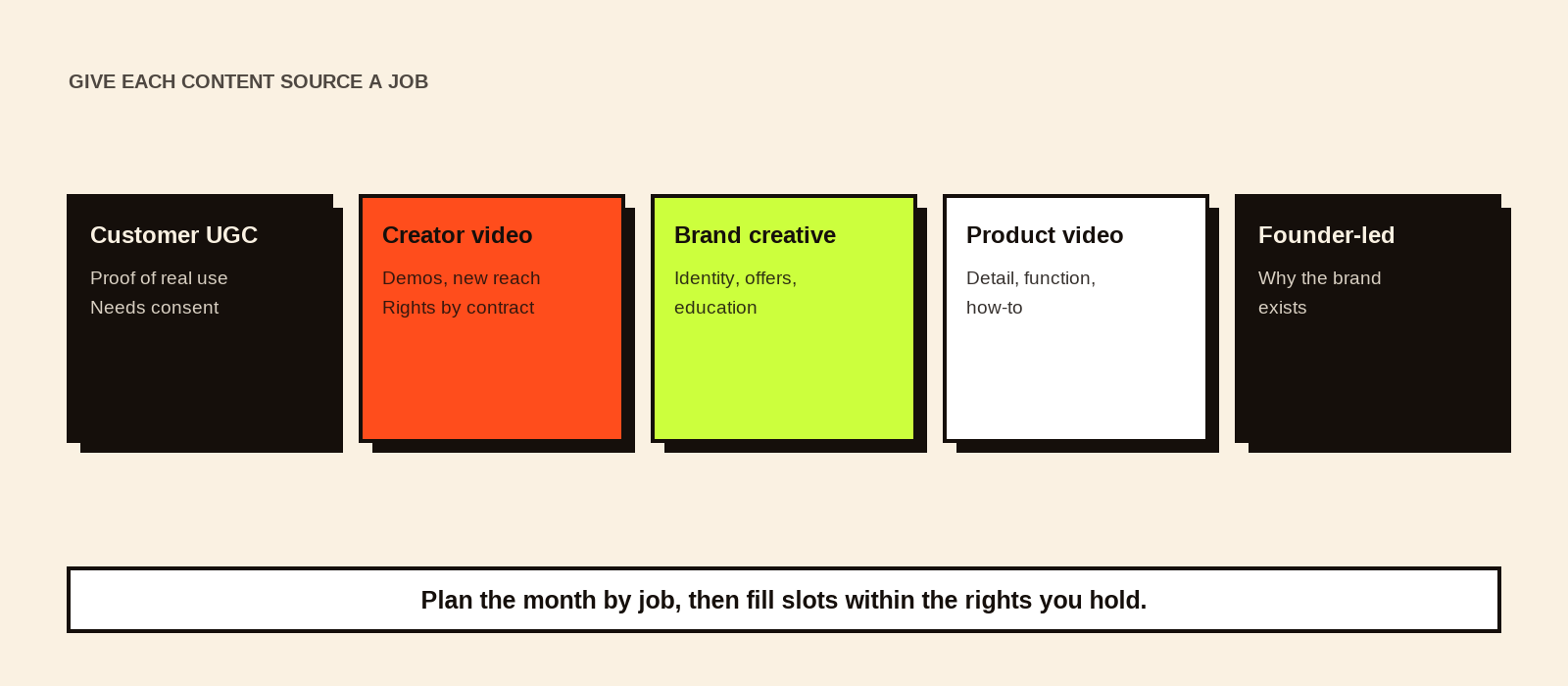
Give each content source a job. UGC and creator videos build trust and show real use, brand creatives carry identity and offers, product videos explain how things work, founder-led content explains why the brand exists, and educational content answers questions. Plan the month by the jobs you need done, then fill each slot from the source that does it best. Use UGC and creator content only within the rights you've secured, with customer consent and proper disclosure.
Plan by job, not by source
Most mix problems start with the question 'how much UGC should we post?' There isn't a universal answer, and any ratio you read online is someone's habit, not a benchmark. A better question is: what does the calendar need to do this month? Introduce a new product, answer objections, keep existing followers engaged, push a sale? Each job has a source that suits it.
This article covers the mix on your organic calendar. For running a UGC programme itself (sourcing, briefing, volume), read our UGC marketing strategy guide.
What each source does best
Customer UGC
Real customers using the product in real homes. It answers 'do people like me actually use this?' better than anything you design. It's also the source you control least: quality varies, and you need consent for every piece you reuse.
Creator videos
Content made by creators under a brief, either posted on their accounts or produced for yours. It combines a human face with planned messaging. On your own channels, it's most useful for demonstrations, honest first impressions and comparisons.
Brand creatives
Designed posts, carousels and graphics made by your team or agency. They carry your visual identity, offers, announcements and structured education. They are the backbone of a recognisable feed, but a feed made only of them can feel like a catalogue.
Product videos
Demos, close-ups, how-to and unboxing footage, filmed by the brand. These show detail and function: texture, fit, setup, size. They're often the content people look for just before buying.
Founder-led and educational content
Founder videos explain the why: the problem the brand set out to fix, sourcing decisions, what's changing. Educational content answers category questions, whoever presents it. Both build trust over time rather than driving immediate action.
Content mix planning table
Use this as a planning reference. The 'rights needed' column is the one teams most often skip.
| Source | Main role | Best formats | Rights needed |
|---|---|---|---|
| Customer UGC | Social proof, real use | Reposted Reels or photos with credit, Story shares | Written consent from the customer for the specific use; consent from anyone else shown |
| Creator videos | Demonstration, relatable explanation | Reels, collab posts, cut-downs | Usage rights in the contract covering your channels, duration and any edits; paid ads covered separately |
| Brand creatives | Identity, offers, structured education | Static posts, carousels, Stories | Licences for fonts, stock images and music used |
| Product videos | Detail and function | Short demos, how-to Reels, close-ups | Licensed music; releases from anyone who appears |
| Founder-led | Purpose, values, updates | Talking-head Reels, LinkedIn posts | Internal sign-off; check claims |
| Educational | Answer questions, build authority | Carousels, FAQ Reels | Sources for any facts or data used |
Sequencing across the funnel
Followers don't see your feed in order, so think of sequencing as which sources lead at which stage, not a fixed post order.
- Discovery: creator videos and short, hook-led product videos, because they show the product in use quickly.
- Consideration: educational carousels, product demos and objection answers, because people are comparing.
- Decision: customer UGC and reviews (with permission), plus clear offer creatives with accurate terms.
- After purchase: how-to videos, care tips and customer features, which reduce support load and invite more UGC.
- Throughout: founder-led content at a lighter rhythm, to keep the brand's reasons visible.
Here's a hypothetical example. A kitchenware brand launching a new pan might open with a creator cooking with it, follow with a product close-up on the coating, run a carousel comparing it with the brand's older range, then share customer videos once real buyers post, with their permission.
How the sources complement each other
The sources work best when they reinforce the same message in different voices. If a brand creative says 'easy to clean', a product video should show the cleaning and a customer video should mention it without being prompted. When the sources contradict each other, for example polished brand visuals and UGC showing a different-looking product, trust drops.
Short video is a large part of most mixes now, and our guide to building an Instagram Reels strategy around products, customers and brand story covers how to plan Reels across these sources. To slot the mix into dates, use the approach in our monthly social media content calendar guide.
Distribution in organic social
Where a piece lives affects how far it travels. At the time of writing (November 2026), Instagram's Help Centre says that when an account accepts an invitation to collaborate on a post, its username is added and the post is shared with its followers. That makes collab posts useful for creator content you've agreed to share. Instagram's creator FAQ also says it is less likely to recommend reposts of content already on Instagram, or content with noticeable watermarks, so export clean files and re-edit rather than reposting the same clip.
When you take one asset across platforms, adapt it for each. Our guide to repurposing social media content for different platforms covers that in detail.
Permissions and usage rights
This is the part that goes wrong most often. UGC and creator content cannot be reused commercially on your channels or in ads without the permissions that cover that use. A customer tagging you is not consent to republish. A creator posting about you is not a licence to run their video as an ad. Get consent in writing, say where and for how long you'll use the content, and keep the record. Our guide to UGC content usage rights explains what agreements should cover.
Disclosure carries over too. If the creator was paid or received a free product, the content is branded content. Meta's Branded Content Policies require the paid partnership label on branded content, and ASCI's guidelines for influencer advertising require a clear, upfront disclosure where there's a material connection. Keep the label and disclosure intact when the content appears on your account.
Evaluating performance by content source
Tag every post in your calendar with its source and its job, then review monthly. Compare each source against the metric that matches its job, not against each other on a single number. A creator video judged on reach and a founder video judged on saves and comments are both doing their work.
- Discovery jobs: reach to non-followers, views and watch time where the platform reports them.
- Consideration jobs: saves, shares, profile visits and link clicks.
- Decision jobs: website or marketplace visits from social, and enquiries where tracking is set up.
- Retention jobs: comments from existing customers, Story replies and repeat UGC.
Treat differences with caution. Sample sizes are small in a single month, and topic, hook and timing often matter more than the source. Look for patterns over a quarter before shifting the mix.
Common mistakes
- Copying a ratio from a blog post instead of planning by the jobs the calendar needs.
- Reposting customer content because it tagged the brand, without asking.
- Running creator videos as ads when the contract only covered organic use.
- Removing or hiding the paid partnership label when sharing creator content.
- Letting polished brand creatives and UGC show the product differently.
- Judging all sources on the same metric.
Practical recommendations
- List the three or four jobs for next month before choosing any content.
- Keep a content library with the rights status of every UGC and creator asset.
- Brief creators and customers on the one message the month is reinforcing.
- Add a 'source' and 'job' column to your calendar and report against both.
- Review the mix quarterly, and change one thing at a time.
If creator partnerships and your own feed are run by different teams, they rarely line up. Kudozz's approach is to plan social media management alongside influencer marketing, with creator discovery and UGC content production feeding one calendar.
Where to start
Audit what you already have: list your creator, UGC, product and brand assets, and mark the rights status of each. Then plan one month by job, filling each slot from the source that suits it, and review what each source did at the end of the month.