How to Promote a New Café or Restaurant Opening on Social Media
A practical social media plan for a new café or restaurant opening in India: the set-up checklist, a 21-day pre- and post-opening calendar, an honest soft launch, opening-day coverage and the first wave of reviews.
The fit-out is a week behind, the espresso machine arrives tomorrow, and someone suggests announcing the opening date on Instagram 'to create buzz'. Three weeks later the date has moved twice, the comments are full of 'so when are you actually opening?', and the first Google review complains about a 40-minute wait on day one. New restaurants rarely lack excitement. They lack a plan that matches what the kitchen can actually deliver.
Quick answer
Social media marketing for a restaurant opening works best as a short, sequenced plan: set up accounts and your Google Business Profile before announcing anything, announce the date only when it is firm, spend two weeks showing the people, space and menu, run an honest soft launch, cover opening day live, and then spend the first week answering questions and reviews quickly. The 21-day calendar below gives a day-by-day starting point.
Before day one of the plan: the set-up checklist
Do this before the calendar starts. An announcement that sends people to an empty profile or a wrong map pin wastes the moment.
- Instagram professional account with a clear name, the area in the bio, and the planned opening month.
- Contact options that someone will actually answer: phone, WhatsApp or DMs, with a named person on the inbox from day one.
- Google Business Profile created with the right address and pin, and the opening date added (see below).
- Menu with prices ready as a clean image or link, even if it is a short launch menu.
- Booking or walk-in policy decided, and the link or number ready.
- Ten to fifteen answers drafted for predictable questions: hours, parking, veg or Jain options, kids, pets, alcohol, reservations.
- A shot list for the build-up content and a person responsible for capturing it every day.
- Agreement from staff who will appear on camera.
Google Business Profile has a feature built for this. At the time of writing (November 2026), its Help Centre says you can add an opening date up to one year ahead; once the business is verified, the profile appears on Google 90 days before that date. Before opening you can post updates and add photos, but users can't post reviews or photos until the business is officially open, and after opening the profile shows a 'Recently opened' tag for 90 days.
For profile structure and turning visitors into enquiries, see our Instagram profile optimisation guide.
The 21-day opening calendar
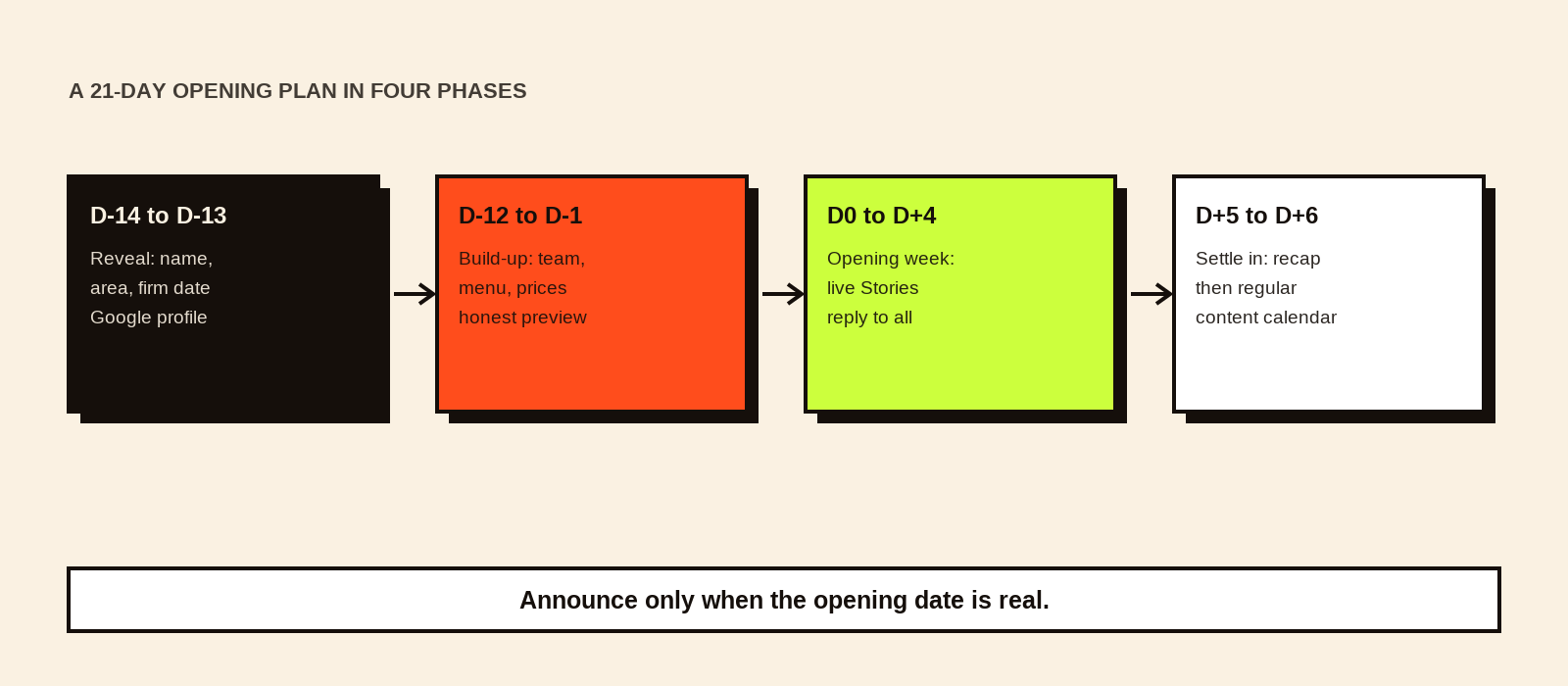
This calendar runs from fourteen days before opening (D-14) to six days after (D+6). It assumes one feed post or Reel most days and Stories daily; scale it down if you are a small team, but keep the order. Move the whole calendar if the date moves, and don't announce a date until fit-out, licences and staffing are confirmed.
| Day | Phase | Feed post or Reel | Stories and other channels | Operational dependency |
|---|---|---|---|---|
| D-14 | Reveal | Announcement: name, area, opening date, one line on what you serve | Google Business Profile post; Story with a reminder or countdown sticker | Date confirmed in writing by the fit-out team |
| D-13 | Reveal | Reel: the space before and during fit-out | Poll: what are you most curious about? | Site access for filming safely |
| D-12 | Build-up | The founder or chef: why this place, why this neighbourhood | Answer questions from the poll | Founder available to film |
| D-11 | Build-up | Carousel: the launch menu with prices | Menu saved to a Highlight | Prices final |
| D-10 | Build-up | Reel: one signature dish being made | Behind-the-scenes kitchen clip | Trial cooking under way |
| D-9 | Build-up | Meet the team: two or three people, with consent | Staff training moments | Staff agreement recorded |
| D-8 | Build-up | Practical post: hours, location, parking, booking or walk-in | Directions Story; Google profile hours updated | Hours final |
| D-7 | Build-up | Reel: drinks or desserts | Quiz sticker on the menu | Bar or dessert station ready |
| D-6 | Soft launch | Friends and family preview (clearly described as a preview) | Stories from the preview with guests' permission | Kitchen running full menu |
| D-5 | Soft launch | What we learned and are fixing before opening | Answer DMs and questions | Fix list owned by manager |
| D-4 | Build-up | Neighbourhood post: nearby partners or suppliers you work with (only if true and agreed) | Collab post with a local partner if agreed | Partner approval |
| D-3 | Build-up | Opening offer post, if any, with full terms | Pinned post set; WhatsApp note to opted-in contacts | Offer terms signed off by owner |
| D-2 | Build-up | Reel: final set-up, signage going up | Reminder Story | Signage installed |
| D-1 | Build-up | 'Tomorrow' post with hours and what to expect | FAQs answered in Stories | Inbox staffed for opening day |
| D0 | Opening | Opening day photo or Reel, posted early | Live Stories through the day; queue or wait-time updates if needed | Shooter and inbox owner on shift |
| D+1 | Opening week | Thank-you post with real moments (guests who agreed) | Reshare tagged Stories with permission | Permission log |
| D+2 | Opening week | Most-ordered dishes so far | Reply to early comments and reviews | POS item data |
| D+3 | Opening week | Honest update: what changed after feedback | Stories Q&A | Manager input |
| D+4 | Opening week | Reel: a busy service from the kitchen side | Team shout-outs | Kitchen agreement to film |
| D+5 | Settle in | Guest photo or review shared with permission | Google post refreshed with new photos | Permission recorded |
| D+6 | Settle in | First-week recap and what's next (regular hours, next menu) | Switch to your regular content calendar | Week-one debrief |
Instagram's Stories help pages describe a countdown sticker that followers can opt into for a reminder; check the current sticker options in the app before planning around one. After D+6, move into a normal rhythm, and use our café content ideas library to fill the weeks that follow.
Running an honest soft launch
A friends-and-family preview is useful for the kitchen and for content, but how you present it matters. Describe it as a preview, not as a queue of strangers. If you invite local food creators, that is a creator campaign with its own disclosure rules, and our store opening influencer campaign guide covers that side so this plan can stay focused on your own channels.
Don't ask preview guests to leave Google reviews in return for the free meal. Google's Maps user-generated content policy prohibits businesses from offering incentives, including discounts and free goods or services, in exchange for any review, and treats content based on a conflict of interest, such as reviews from employees or people with close ties to the business, as not allowed. You can ask genuine customers for honest reviews once you're open, without steering what they write.
Opening day: a simple coverage plan
- One person owns content capture and is not also serving tables.
- Post the opening photo or Reel early in the day so people who planned to come see it.
- Stories every couple of hours: the first guests (with permission), the kitchen, the queue if there is one.
- If waits are long or a dish sells out, say so in Stories. It saves frustrated walk-ins and angry comments later.
- One person owns the inbox and replies to DMs and comments within the day.
- Capture plenty of extra footage; you will use it for weeks.
Opening offers without dark patterns
An opening offer is optional. If you run one, write the terms in full: what is included, which days, dine-in or delivery, and any limits. Don't invent scarcity ('first 50 guests only') unless you will actually count and stop at 50, and don't run a countdown that quietly resets. The Central Consumer Protection Authority's dark patterns guidelines of November 2023 name false urgency among the practices they specify. Claims about the food itself should meet the ASCI Code's substantiation standard.
The first wave of comments and reviews
Opening week brings the most comments you will get for a while, and some will be complaints about waits, missing dishes or a bill. Reply to all of them. Thank people, acknowledge problems plainly, and move specifics to DMs or a phone call. Our guide to managing restaurant comments, reviews and complaints has reply examples for each scenario and an escalation table.
What to measure in the first month
| Measure | Where to find it | Why it matters |
|---|---|---|
| Covers and orders per day | POS and booking system | The real outcome of the opening |
| Calls, direction requests and website taps | Google Business Profile performance and Instagram insights | Shows how many people were moved to act |
| Questions in DMs and comments | Inbox log | Reveals what your content isn't answering |
| 'How did you hear about us' | Ask at the table or on the bill | Separates social from walk-past and word of mouth |
| Repeat visits | Booking names, loyalty programme if any | Opening buzz fades; repeat guests matter more |
Common mistakes
- Announcing a date before fit-out and licences are certain, then moving it publicly.
- Sending people to a profile with no menu, hours or working contact.
- Inviting preview guests in exchange for reviews.
- Nobody watching the inbox on opening day.
- Hiding problems instead of posting an honest wait-time or sold-out update.
- Stopping all content after opening week.
Where to start
Finish the set-up checklist, add your opening date to Google Business Profile, and copy the 21-day calendar into a shared sheet with an owner for each day. The plan moves with your date, so the only rule is not to announce until the date is real.
If you want help with the launch push, social campaign planning covers the opening as a single campaign, and the regular content and community work that follows sits within what an agency like Kudozz includes in social media management.