Social Media Marketing for Restaurants and Cafés: How to Build a Local Digital Presence
How restaurants and cafés can run their own social accounts to build a local following: phone-friendly food content, menu highlights, team stories, customer content with permission, local discovery, events, reviews and complaint handling.
A couple is deciding where to eat on Saturday night. One of them searches the area on Instagram, the other checks Google Maps. Your café has great reviews, but the last Instagram post is from Diwali and the photos on your Google profile are three years old. For a restaurant, social media is often the shop window people look through before they ever walk past the real one.
Quick answer
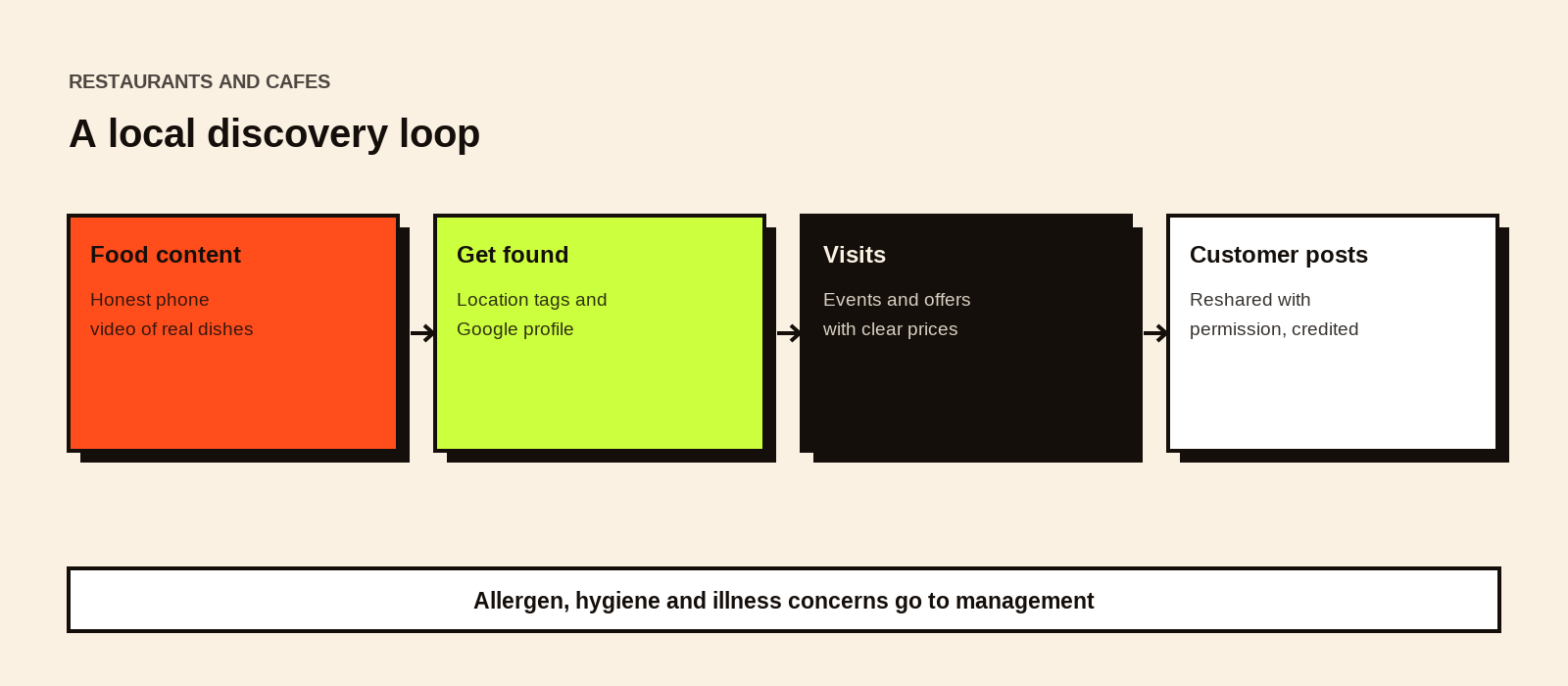
Social media marketing for restaurants is about local discovery and repeat visits. Post appetising, honest food content shot on a phone, highlight menu items, introduce the people behind the food, and reshare customer content only with permission and credit. Use location tags and keep your Google Business Profile current. Announce events and offers with accurate prices, and pass complaints about allergens, hygiene or illness to management straight away.
What social media does for a restaurant
Most of your customers live, work or travel near you, so the goal is not national reach. It is being the place people nearby remember and recommend when they decide where to eat. Social media helps with three jobs: showing what the food and space are really like, giving people a reason to visit this week, and keeping regulars connected between visits.
That shapes what you post. A beautiful flat lay helps, but so does a ten-second clip of the evening rush, the new seasonal special or the owner explaining why the filter coffee is made a particular way. People are deciding whether they'd enjoy being there, and the more real the content, the easier that is.
Food photography and video on a phone
You don't need a studio. Most restaurant content can be shot on a phone if you get a few basics right, and a regular, honest stream of phone content usually does more than an occasional professional shoot.
- Shoot near a window in daylight, and avoid overhead tube lights and mixed lighting.
- Clean the lens and wipe plate rims before every shot.
- Capture motion: the pour, the cheese pull, the tadka, the steam, the slice.
- Shoot the dish as it is served to customers, at the same portion size.
- Film short clips during service so content reflects real conditions.
- Keep colour edits light so the dish looks the way it will on the table.
Honesty matters here as much as in any category. If the dish in the Reel is bigger, brighter or more elaborately garnished than what arrives, the gap shows up in reviews. Shoot what you serve.
Content pillars for restaurants and cafés
| Pillar | Examples | Practical note |
|---|---|---|
| Menu highlights | Signature dishes, new items, seasonal specials, 'what to order first time' | Keep descriptions accurate, including spice level and portion |
| Chef and team stories | The chef's background, a recipe story, the barista's latte art, kitchen prep | Only feature staff who are happy to appear |
| Behind the scenes | Morning prep, sourcing, baking, the evening rush | Show real conditions; customers notice staging |
| Customer content | Reposted photos, tagged Stories, regulars' favourite orders | Permission and credit every time |
| Events and offers | Live music, set menus, festive specials, tasting nights | Clear dates, prices and what's included |
| Local and community | Neighbourhood, nearby events, collaborations with local businesses | Tag partners and locations accurately |
| Seasonal content | Monsoon menus, festive sweets, summer coolers, Christmas bakes | Plan around kitchen lead times |
Local discovery: location tags and Google Business Profile
Tag your location on posts and Reels. Instagram's Help Centre explains how to add a location before sharing a post or afterwards, and that locations come from existing places rather than being created in the app. Check that your venue's location appears correctly, and encourage customers to tag it when they post.
Google Business Profile isn't a social network, but it's closely related and often the first thing a nearby customer sees. At the time of writing (November 2026), Google's help pages say you can publish posts on your profile as updates, offers or events, and schedule them. Customers can also post their own photo updates through Google Maps; you can't stop them, but you can reply and report photos that break Google's policies. Reuse your best social content there and keep hours, menus and photos current.
If you run more than one outlet, give each location accurate tags, opening hours and local content while keeping the brand consistent. Managing social media for multiple locations covers the central versus local account decision in detail.
Customer content and reviews: permission first
Customer photos and reviews are some of the most convincing content a restaurant can share, and they belong to the customer. Before resharing a customer's photo, video or review to your feed, ask, credit them by name or handle, and keep a record of the permission. Resharing a Story where someone tagged you is a lighter case, but asking still costs nothing.
Share reviews as they were written: don't trim them in a way that changes their meaning, and never write or pay for reviews. Customer testimonials and UGC sets out the wider rules for using customer content honestly.
Events, offers and seasonal campaigns
Events and offers give people a reason to visit now. Announce them with enough notice, and repeat them in Stories closer to the date. Be precise: the price, whether taxes and service charges are extra, the days and times the offer runs, and any conditions. Unclear pricing causes arguments at the table and complaints online.
Seasonal campaigns work best when they come from the kitchen rather than the calendar alone: a monsoon chai and snacks menu, festive sweets boxes, a Christmas bake, summer coolers. Plan the content when the menu is planned so you have time to shoot it. For multi-week pushes with creators or a launch, our social campaigns service brings the planning together, and restaurant and café influencer marketing covers working with local food creators.
Community management: complaints and food safety concerns
Restaurant comment sections bring compliments, booking questions, delivery complaints and, occasionally, serious concerns. Answer routine questions quickly with accurate information on hours, reservations and menu items. Anything about allergens, hygiene, foreign objects or someone feeling unwell after eating goes to management immediately, without a public debate. Acknowledge, apologise for the experience, ask for details privately and let management lead.
We're sorry to hear this and we take it seriously. Could you please message us your visit date, time and contact number? Our manager will get in touch with you directly.
Never answer an allergen question with a guess. If someone asks whether a dish contains nuts or gluten, the answer should come from the kitchen, and the reply should invite them to confirm with staff when ordering. For incidents that spread beyond one complaint, see how to build a social media crisis response plan.
Common mistakes
- Posting only during festivals and launches, then going silent for weeks.
- Using photos that look nothing like the dish customers receive.
- Leaving Google Business Profile hours and photos out of date.
- Reposting customer photos without asking or crediting.
- Advertising offers without saying what's included or when they end.
- Arguing with a complaint in public, or answering allergen questions without checking.
Practical recommendations
- Set a simple weekly rhythm, such as one menu post, one team or behind-the-scenes clip and regular Stories.
- Have someone on staff capture short clips during service each week.
- Update Google Business Profile whenever the menu, hours or photos change.
- Keep a permissions log for every customer photo or review you reshare.
- Write an escalation rule for allergen, hygiene and illness concerns, with a named manager.
When the kitchen keeps you too busy to run the accounts, a managed social media service can handle planning, design, Reels editing, publishing and comment replies within an agreed scope, with the team on site supplying footage.
Where to start
Update your Google Business Profile and Instagram bio this week so hours, location and menu are right. Then commit to a small, steady rhythm of honest phone content from the kitchen and the floor. Local customers notice consistency, and they reward places that look the same online as they do when they walk in.