How to Manage Social Media for Multiple Locations Without Losing Brand Consistency
How company-owned retail chains, restaurants, clinics and hotel groups can run social media across many locations: account structures, Facebook store Pages, central versus local content, a planning grid, escalation and reporting by location.
A restaurant group opens its fourth outlet, and the new store manager sets up an Instagram account on his own phone. Within a month there are three versions of the logo online, two different prices for the same thali, and a Google review from an angry customer that nobody has answered. Nothing went wrong on purpose. There was just no plan for how social media works once the business is in more than one place.
Quick answer
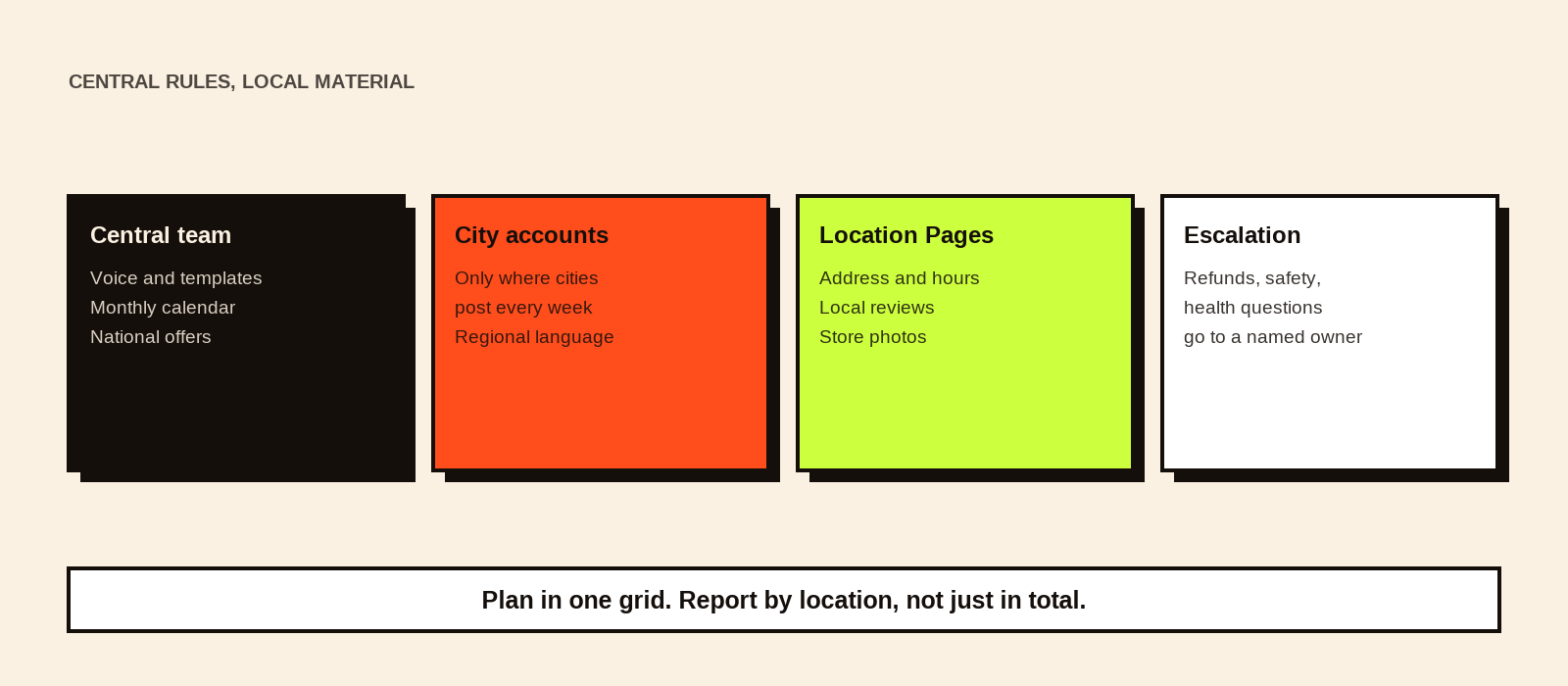
Keep brand-level decisions central: account structure, visual templates, voice, offers and the monthly calendar. Let each location supply local material, such as staff, events, menus and photos, through a simple request process. Choose between one national account, national plus city accounts, or a main Page with location Pages based on how different your locations really are. Agree who answers local comments, what gets escalated, and report results by location, not just in total.
This is for businesses that own all their locations: retail chains, restaurant and café groups, clinic and diagnostic chains, salons and hotel groups. The company controls every outlet, so it can set rules directly. If your locations are run by franchisees, the same ideas apply but ownership and permissions get more complicated; social media management for franchise businesses covers that operating model.
Choose an account structure
There are three common set-ups. Many brands use a mix: one national Instagram account, a Facebook main Page with location Pages, and a Google Business Profile for every outlet.
| Structure | Works best for | Pros | Cons |
|---|---|---|---|
| One national account per platform | Chains where every location sells the same thing at the same price | One voice, one follower base, easiest to staff and approve | Local news, events and city offers get crowded out or ignored |
| National account plus city or regional accounts | Restaurants, hotels and clinics where cities differ in menu, events or language | Room for local relevance and regional language | More accounts to staff; small accounts can look abandoned; follower base splits |
| Main Page with location Pages (Facebook) | Any business with physical outlets that people search for by address | Each outlet gets its own address, hours and reviews; central control remains | Facebook only; still needs someone to keep each Page's details current |
A rule of thumb: only open a separate city account if that city will reliably produce content every week. A city account with six posts in a year does more damage than none, because it's what people find when they search for you locally.
Platform features for multi-location businesses
Facebook store Pages
At the time of writing (November 2026), Meta's Business Help Centre describes a 'stores' set-up for businesses with multiple physical locations. Setting up stores creates a Page structure: a main Page plus a separate store Page for each physical location. According to Meta's help pages:
- Store details are managed from Store Locations in Meta's business tools, where you can add stores manually, and you need admin or editor rights on the main Page.
- Store Pages share the main Page's name, with a location descriptor (by default the city) to tell them apart.
- A map of locations can appear on the main Page so customers can find their nearest outlet.
- Posts from the main Page can be published to store Pages. By default, that automatic sharing stops for a store Page once it publishes its own post.
- Meta also has a separate 'Global Pages' structure, which is meant for different regions or languages, not for physical outlets.
Some of these help articles note that they apply to the classic Pages experience, and Meta changes its business tools often, so check the current flow in Meta Business Suite before you plan around a specific feature. We couldn't find an equivalent store-Page structure for Instagram in Meta's help documentation at the time of writing, so treat Instagram account structure as a decision you make yourself.
Google Business Profile, a related channel
Google Business Profile isn't a social network, but for multi-location businesses it's often where local customers look first: hours, directions, photos and reviews. It sits close enough to social that the two teams should coordinate. At the time of writing, Google's help pages say:
- Businesses with 10 or more profiles for the same business can request bulk verification through Business Profile Manager. Agencies holding more than one business in one account can't bulk verify.
- Business groups let you organise many profiles; when the group's main owner is verified, eligible profiles in the group are verified too.
- Both owners and managers of a profile can reply to reviews. Only owners can add or remove users.
The details are in Google's bulk verification guide and the owners and managers page. Social media management doesn't automatically include Google profile upkeep, so agree who keeps hours, holiday closures and photos current.
Central versus local content
The most workable model is a hub and spokes. The central team (or agency) owns everything that must look and sound the same. Locations own the raw material only they have.
| Content | Created by | Approved by | Notes |
|---|---|---|---|
| Brand campaigns, launches, national offers | Central team | Brand head | Published nationally and shared to location Pages |
| Templates for local posts (events, new staff, timings) | Central team | Brand head, once | Locations fill in blanks; no free design |
| Local photos, staff stories, events | Location manager supplies material | Central team edits and approves | Shot on phone is fine if a short guide is followed |
| City-specific offers | Location or regional manager proposes | Central marketing and finance | Must not contradict a national offer |
| Regional language posts | Central team with a native speaker | Regional manager | Same visual template, translated copy |
| Replies to comments and reviews | Central team or trained location staff | Escalation rules decide | Saved replies in brand voice |
A shared voice guide stops twelve location managers writing twelve ways. How to create a social media brand voice that stays consistent includes a one-page template you can give each location.
A location content planning grid
Plan the month in a grid: national content in the first column, then one column per city or location. Here's an example for a hypothetical café chain with outlets in Pune, Mumbai and Ahmedabad.
| Week | National (all accounts) | Pune | Mumbai | Ahmedabad |
|---|---|---|---|---|
| 1 | New monsoon menu launch Reel | Barista intro (template) | Live music night poster | Gujarati-language menu carousel |
| 2 | Behind-the-scenes: how we roast | College-area student offer | Staff story: head chef | Weekend brunch photos |
| 3 | Customer FAQ carousel | Local community event photos | Monsoon timings update | Navratri hours and décor |
| 4 | Month's best reviews (with permission) | Repost of local creator visit | New outlet countdown | Festive pre-order post |
Each location knows two weeks ahead what it needs to supply, and the central team can see at a glance if a city has gone quiet. Festivals are the obvious reason to plan by location: Navratri, Onam, Durga Puja and Pongal don't land the same way in every city.
Brand consistency checklist
- Every account uses the same logo file, profile photo rules and bio format (brand name, location, hours or link).
- Account handles follow one naming pattern, such as @brand and @brand.pune.
- A shared folder of approved templates, fonts and colour codes; locations don't design from scratch.
- One voice guide, with saved replies for common questions.
- Prices, offers and timings checked against the central offer sheet before posting.
- Admin access held by the company, never only on a store manager's personal account.
- A quarterly sweep of every account: outdated bios, broken links, old offers still pinned.
Local community management and escalation
Local comments and reviews are where consistency breaks most often. A store manager under pressure replies defensively, or nobody replies at all. Agree three things up front.
- Who answers what: routine questions (timings, parking, menu) can be handled centrally from saved replies; location-specific facts get checked with the outlet first.
- What escalates, and to whom: refunds, hygiene or safety complaints, medical questions at a clinic, staff behaviour and anything that mentions legal action go to a named person, not a public reply thread.
- How fast: an agreed response window for working hours, and what happens on weekends and holidays.
Community management and customer support are different jobs, and multi-location brands feel the difference sharply. Community management vs customer support explains where to draw that line. Agency community management usually covers comments within agreed hours and scope, with sensitive queries passed to your team.
Reporting by location
A single national number hides the location that has gone quiet and the one that's doing something worth copying. Report in two layers.
| Layer | What to show | Who it's for |
|---|---|---|
| National | Reach, engagement and follower trends for brand accounts; best-performing content types | Founders and marketing head |
| By location | Posts published versus plan, response time to comments and reviews, local post performance, review rating trend | Regional and store managers |
| Exceptions | Locations below plan, unanswered reviews, repeated complaint themes | Operations, so they can fix the cause |
Only report what the platforms actually make available for each account type. If you want footfall or bookings linked to social, that needs tracking set up on your side, such as location-specific booking links or codes.
Practical recommendations by business type
- Restaurants and cafés: national account for brand and menu launches, local Pages or accounts only where outlets differ in menu or events.
- Retail chains: usually one national Instagram account plus Facebook store Pages and a Google profile per store. Store openings and local events go through templates.
- Clinics and diagnostic chains: keep posting central, because health claims need careful review, and route every patient question to a private channel.
- Hotels and hospitality groups: a group account plus one account per property often makes sense, because each property has its own story, but share templates and a voice guide across all of them.
Local creator visits are a good source of material for location accounts; restaurant influencer marketing covers how to plan them.
Common mistakes
- Letting each new outlet create its own accounts on personal phones and emails.
- Opening city accounts nobody has time to feed.
- Running a national offer on Instagram while a local Page still shows last month's price.
- Treating reviews as someone else's job because they're on Google, not Instagram.
- Reporting only totals, so struggling locations stay invisible.
- Translating national posts word for word instead of adapting them for the region.
Where to start
List every account, Page and profile that exists today, including the ones staff set up on their own, and who has admin access to each. Decide which to keep, merge or close, then set up the planning grid for next month with one column per location.
A managed social media service can run the central layer and the calendar for you, but the location teams still need to supply local material and own their escalations.