Social Media Management for IT Companies: What to Post When Your Product Is Difficult to Explain
How IT services firms and technical product companies can explain complex work on social media: turning features into simple hooks, demos and explainers, engineering content without client secrets, honest trust signals and a weekly production process.
Your company migrates legacy applications to the cloud, runs round-the-clock security monitoring and employs engineers who could explain zero-downtime deployments in their sleep. Your social feed says 'end-to-end digital transformation solutions' over a stock image of a glowing circuit board. Prospects scroll past, because nothing tells them what you actually do for a company like theirs.
Quick answer
Social media management for IT companies works when it translates technical capability into problems and outcomes a buyer recognises. Turn each feature or service into a simple hook, show it through short demos, explainer videos and carousels, share engineering work without exposing client information, and back trust claims with certifications and partner statuses you actually hold. LinkedIn is usually the base, with YouTube for longer explainers, run on a repeatable weekly production process.
Who this guide is for
This guide covers IT services and technical product companies: software development firms, managed IT and cloud providers, cybersecurity companies, system integrators and makers of technical tools sold to IT teams. If you sell subscription software with trials and self-serve sign-ups, our guide to social media management for SaaS companies covers product-led content and customer stories in more depth.
Turn technical features into simple hooks
Buyers of IT services are often not the engineers who will use them. A founder, finance head or operations manager needs to understand why something matters before they care how it works. Run every feature or service through four questions before you write a post:
- What does it do, in one sentence a non-engineer would understand?
- Who notices when it's missing, and in which moment of their working week?
- What goes wrong without it, described as a situation rather than a statistic?
- What can we show as proof: a demo, a diagram, a real process?
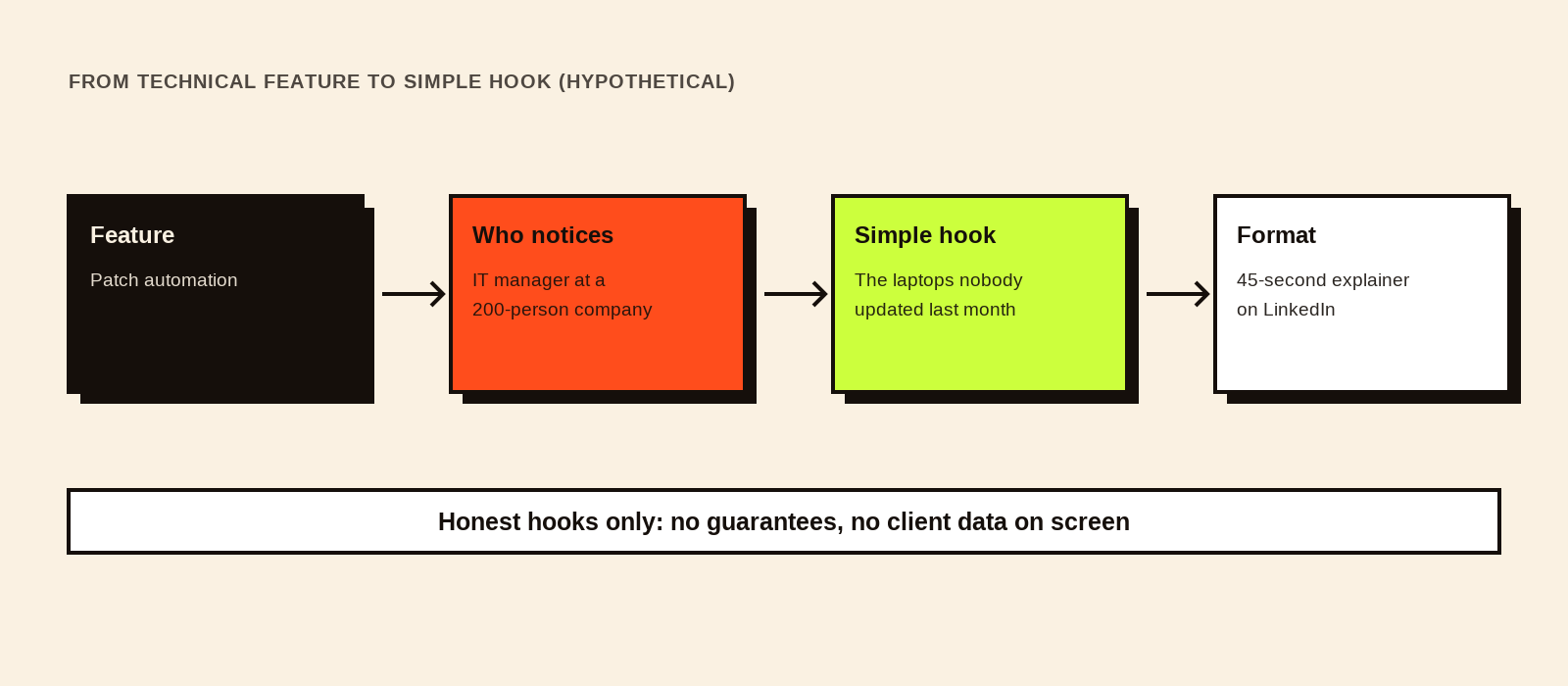
The answers usually give you the hook. Here's how that looks for a range of IT services. These are hypothetical examples to show the method, not claims about any real company.
| Technical feature or service | Who cares | Simple hook | Best format |
|---|---|---|---|
| Automated patch management | IT manager at a 200-person company | What happens to the laptops nobody updated last month? | Short explainer video |
| Zero-downtime deployment | Head of technology at an online retailer | How to ship an update in the middle of a sale without taking the site down | Diagram carousel |
| Role-based access control | Compliance or HR head | Why the intern shouldn't be able to open the payroll folder | Short screen demo |
| Backup and disaster recovery | Founder or finance head | If the office server failed tonight, how long until invoices go out again? | Text post with a simple diagram |
| System integration via APIs | Operations head | Stop retyping orders from one system into another | Before-and-after screen recording |
| Security monitoring | Business owner | Who notices an unusual login at 3 a.m.? | Short video with your security lead |
| Cloud cost review | Finance team | Three line items in a cloud bill worth questioning | Carousel or document post |
Hooks must stay honest. Explaining a risk is fine; implying that your service prevents every breach, outage or failure is not. Avoid fear-heavy copy, guarantees and words like 'unhackable' or '100% secure'. Buyers in IT know those claims can't be true, and they remember who made them.
Formats that make technical work visible
Demos
Record short demos on a test environment with dummy data, focused on one task from start to finish. State what setup or licence the feature needs. A two-minute recording of a real workflow is more persuasive than a polished animation of an interface that doesn't exist.
Explainer videos
An engineer at a whiteboard explaining one concept in plain language often works better than a produced video. Longer explainers and webinar recordings suit YouTube, where people search for them; shorter cuts can then run on LinkedIn and other platforms.
Carousels and document posts
Architecture diagrams, checklists and step-by-step guides work well as carousels or document posts, one idea per slide. Simplify diagrams for social: a buyer needs to see the flow, not every component. LinkedIn lets Pages attach PDF, PowerPoint and Word documents to posts, according to its Help Centre at the time of writing.
Engineering behind the scenes, without client secrets
Content from your engineering team (how you plan a migration, review code, run an incident drill) shows buyers how you work. It also carries real risk, because IT teams handle other companies' systems and data. Contracts and NDAs may restrict even mentioning that a client relationship exists.
Checklist: before engineering content goes out
- No client names, logos, domains or project codenames without the client's written approval.
- No real dashboards, tickets, logs, IP addresses, hostnames or email addresses; recreate screens with dummy data.
- No code from client projects; use sample code your company owns.
- Check whiteboards, sticky notes and second monitors in the background of every photo and video.
- Security posts reviewed by your security lead, with no details of vulnerabilities in any client's systems.
- Incident stories only about your own systems, shared after the issue is fully resolved.
- Consent from every employee who appears.
Trust signals: certifications, partnerships and security claims
IT buyers, especially larger ones, check credentials during procurement. Post only certifications and attestations you currently hold, such as an ISO/IEC 27001 certificate or a SOC 2 report, and describe their scope accurately: which entity, location or service they cover. A certificate for one office or service line shouldn't be presented as covering the whole company.
Technology partner statuses work the same way. Use the exact tier name the vendor currently lists for you, follow the vendor's rules on partner logos, and update posts when a status changes. Integration claims ('works with' a named platform) should reflect what is live today, not what's on the roadmap.
Thought leadership and recruitment
Your engineers and architects are your most credible voices. Give willing team members a light routine: a monthly interview, help drafting from their own ideas, and final approval of anything posted under their name. Topics can include lessons from projects (anonymised), opinions on tools and practices, conference talks and explanations of new standards.
The same content supports hiring, because good engineers want to work with people they can learn from. For a full recruitment content plan, see our guide to social media employer branding. Working with external tech creators and practitioners is a different job; influencer marketing for B2B technology brands covers how those partnerships work.
Choosing platforms
| Platform | Typical role for an IT company | Watch out for |
|---|---|---|
| The base for buyers, partners and experienced hires | Turning the page into a feed of announcements | |
| YouTube | Demos, webinars, tutorials and longer explainers | Starting a channel you can't feed regularly |
| X | Developer and security conversations, if your audience is active there | Fast-moving threads that need quick, careful replies |
| Culture and campus hiring | Expecting buyer enquiries from culture posts |
Most IT companies do better running two platforms well than four badly. Our guide on how to choose social media platforms for your business model walks through the decision.
A repeatable weekly production process
Technical content stalls when it depends on engineers finding spare time. A fixed weekly rhythm keeps it moving with small, predictable asks.
| Step | What happens | Who |
|---|---|---|
| 1. Pick | Choose two or three topics from the question bank and feature list | Marketing |
| 2. Capture | A 20-minute call or screen recording with one engineer | Marketing and one engineer |
| 3. Draft | Write posts, design carousels, cut demo clips | Marketing or agency |
| 4. Check | Technical accuracy, client data and security review | The engineer, plus the security lead where needed |
| 5. Publish and reply | Schedule posts and answer technical comments with the expert's help | Marketing, engineer on call for replies |
Topic:
Feature or service:
Who this post is for (role, company size):
The problem in their words:
The simple hook:
Proof we can show (demo, diagram, process):
What must not appear (client names, data, code):
Format and platform:
Technical reviewer:
Security review needed? Yes / No
Common mistakes
- Describing services in jargon a buyer can't connect to their problem.
- Stock images of code, servers and glowing networks instead of real work.
- Showing client screens, logos or data without written approval.
- Claiming certifications or partner tiers you don't currently hold, or overstating their scope.
- Fear-based security posts and promises no one can keep.
- Relying on engineers to write posts in their spare time.
If your engineers can spare a few short calls a month but nobody can turn them into a calendar, Kudozz's managed content service for technical brands covers planning, writing, design, editing of the footage you supply, and publishing.
Where to start
List your five main services, run each through the four translation questions, and write one simple hook for each. Book one engineer call a week and publish what comes out of it. Within a month you'll have a feed that explains what you do, in words your buyers use.