Social Media for Recruitment and Employer Branding: How Companies Can Attract Better Talent
How a company can use its own social accounts to show candidates what working there is really like: culture content, employee stories with consent, leadership posts, job content, approvals and a sample monthly calendar.
A hiring manager posts a sales role on Monday. By Friday there are two hundred applications, most of them a poor fit, and the three people the team actually wanted asked a friend what the company is like instead of applying. The company page, meanwhile, shows a festival greeting from October and a product launch from August. Candidates who look you up before applying find nothing that answers their real questions.
Quick answer
Social media employer branding means using your company's own accounts to show candidates what working there is actually like: the work, the people, how leaders communicate, how hiring works and how people grow. It supports job ads rather than replacing them. Plan a monthly calendar around real employee stories (with written, revocable consent), team and leadership content, hiring-process explainers and answers to candidate questions, and get HR sign-off before anything goes live.
Employer branding vs recruitment advertising
The two get mixed up, and that is usually why employer-brand content feels like a stream of 'We're hiring!' tiles. Recruitment advertising fills a specific role now. Employer branding builds a reputation that makes the next fifty roles easier to fill. You need both, but they are planned, measured and approved differently.
| Employer branding | Recruitment advertising | |
|---|---|---|
| Goal | Make the right people want to work with you | Fill a named role by a date |
| Timeframe | Ongoing, built month after month | A campaign that ends when the role is filled |
| Audience | Future candidates, current employees, alumni | People who match this role today |
| Typical content | Team stories, work in progress, leadership views, hiring-process explainers | Job posts, hiring-drive creatives, campus or walk-in announcements |
| Signals to watch | Quality of applicants, candidate questions, careers page visits over time | Applications per role, time to shortlist |
| Main owner | HR or talent lead with marketing | Recruiter and hiring manager |
This guide covers the company's own channels. If you want outside creators to talk about working with you, that is a different programme, covered in our guide to employer branding influencer marketing. If you want employees to post from their personal profiles as voices for the company, read our guide to employee influencer marketing. The calendar below works alongside both.
Start with the questions candidates ask
The best employer-brand content answers questions candidates already have. Ask your recruiters what comes up in screening calls, ask interview panels what candidates ask at the end, and look at why offers were declined. You'll usually find the same handful of questions:
- What will my first three months actually involve?
- Who will I work with, and what is my manager like?
- How are promotions and pay reviews decided?
- Is the role on-site, hybrid or remote, and how strict is that?
- How many interview rounds are there, and how long does it take to hear back?
Each question can become a post, a short video or a carousel. The method is the same one brands use for customer questions, which we explain in turning customer questions into social media content. Only answer what HR has agreed to say publicly: if your company doesn't publish salary bands, don't let a caption hint at one.
Five content streams that show the workplace honestly
Culture content that is specific
'We value collaboration' says nothing. A ninety-second video of how a design review actually runs, or a carousel showing how the support team hands over between shifts, says a lot. Show real routines, real rooms and real work. Skip stock photos and staged high-fives.
Employee stories
Short profiles of people in the roles you hire for most: what they do on a normal day, what they found hard in the first month, what they've learned. Rotate across teams, levels and locations, and let people speak in their own words rather than in a polished script. Consent rules for these are covered in the next section.
Leadership communication
Candidates want to know how the people at the top think. A founder explaining why the company changed its hybrid policy, or a department head walking through how the team sets goals, is more useful than a quote card. Keep it in the leader's own voice.
Job and hiring-process content
Job posts work better when they describe the work, not just the requirements. Add explainers on the hiring process itself: the rounds, what each one tests, how long decisions take and how to prepare.
Recruitment campaigns
Campus hiring, a new office opening or a large hiring drive deserve a short, focused campaign: a launch post, role explainers, a 'meet the team' series and reminders before the application window closes. Plan it as a block inside the calendar so it doesn't crowd out the ongoing stories. If paid promotion is part of the plan, budget and run it separately from organic management.
Employee stories need consent you can prove
An employee's name, face, voice, role and story are personal data. India's Digital Personal Data Protection Act, 2023 and the DPDP Rules notified in November 2025 set out how organisations handle it. The PIB backgrounder on the Rules says consent must be clear, informed and easy to understand, and that individuals may withdraw it at any time. The Rules apply in phases over eighteen months, so check your current obligations with your legal or compliance team.
There is also a practical issue: employees may feel they can't say no to their employer. Make participation genuinely optional, keep the request away from performance conversations, and make it as easy to withdraw as it was to agree. A simple consent record should cover:
- Written consent before filming or photographing, naming the person and the content
- Where it will appear (which accounts, the careers page, paid promotion) and for how long
- A plain statement that they can withdraw at any time, and who to tell
- What happens on withdrawal: you stop new use and remove posts you control, with any practical limits explained upfront
- A separate check that the background shows no client names, screens, documents or colleagues who haven't agreed
- A review when someone leaves the company, so alumni content is used only with fresh agreement
Which platforms suit employer branding
Pick platforms based on where the people you hire spend time, not where your marketing team is most active. For most companies hiring professionals, LinkedIn comes first. For campus, frontline or creative roles, Instagram and YouTube often carry more weight.
| Platform | Best employer-brand use | Notes (at the time of writing, November 2026) |
|---|---|---|
| LinkedIn company page | Team stories, leadership posts, job posts, hiring-process explainers | Career Pages, a paid add-on, add a Life tab and a Jobs tab to your page |
| LinkedIn Life tab | Culture, leaders, photos, employee perspectives and testimonials in one place | Only on pages with Career Pages; employee perspectives use LinkedIn articles, not posts |
| Office and site life, campus hiring, short day-in-the-life Reels | Works well for younger and creative talent; keep it consistent with the main brand | |
| YouTube | Longer role explainers, panel discussions, campus talks | Useful for roles that need more explaining; titles should match what candidates search |
LinkedIn's help centre describes Career Pages as adding a Life tab and a Jobs tab to a page, and lists the Life tab's sections: company leaders, culture highlights, company photos, employee perspectives and employee testimonials. Its help on employee perspectives says only LinkedIn articles by employees can be shared there, not posts, and that the section needs two to three articles to show. Check the current versions before you plan around them. For the day-to-day running of the page itself, see our guide to LinkedIn company page management.
A sample monthly employer-brand calendar
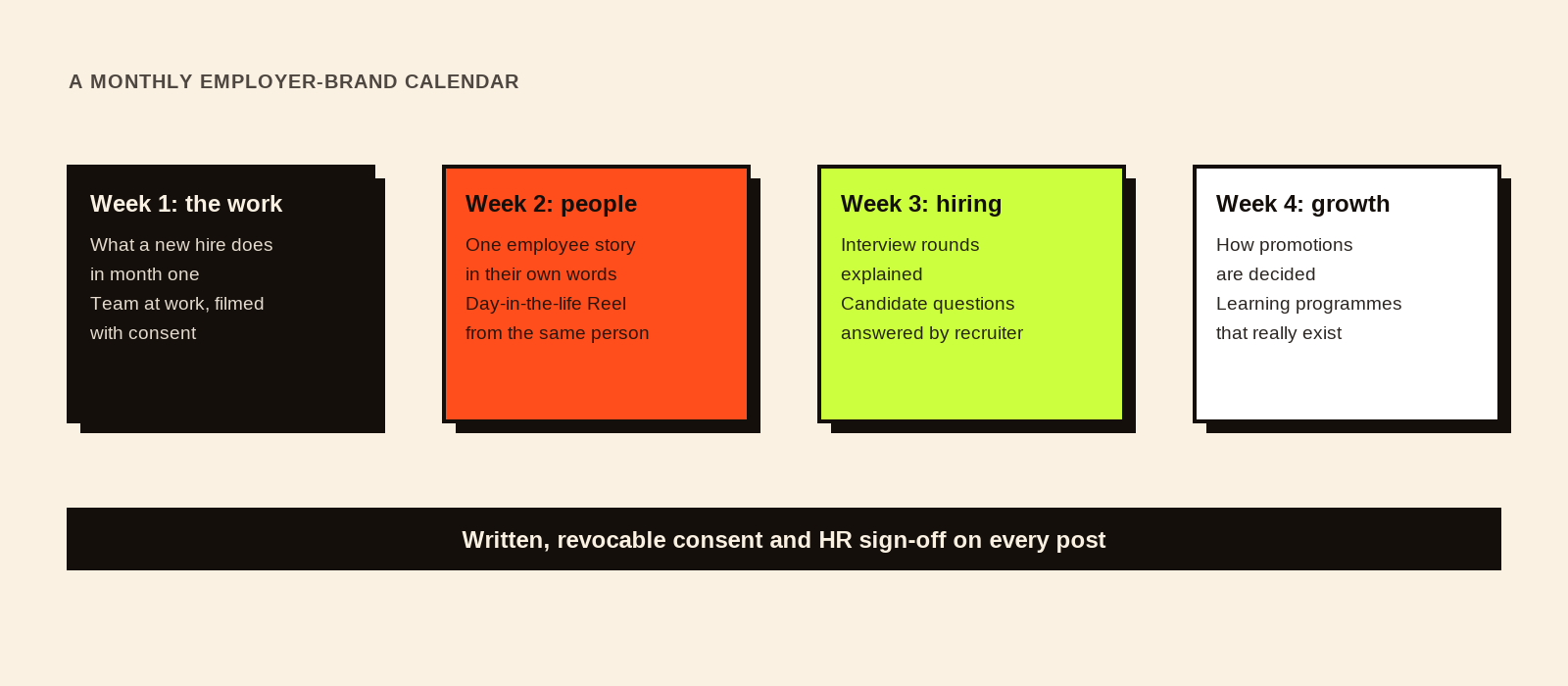
This is a hypothetical month for a company hiring engineers and sales staff, posting on LinkedIn and Instagram. Treat it as a starting structure, not a posting target. Two good employer-brand posts a week will do more than five thin ones.
| Week | Theme | Sign-off | ||
|---|---|---|---|---|
| 1 | The work | Carousel: what a new sales hire does in month one | Reel: a sprint review, filmed with the team's consent | Team lead, HR |
| 2 | The people | Employee story in their own words | Day-in-the-life Reel from the same person | Employee, HR |
| 3 | How we hire | Post: our interview rounds and what each one tests; open roles | Stories: candidate questions answered by a recruiter | Recruiter, hiring manager |
| 4 | Growth and leadership | Leader's post on how promotions are decided | Carousel: learning programmes that actually exist | Leader, HR |
Fit these slots into your main brand calendar rather than a separate one. Our guide to building a monthly social media content calendar explains the fields and the planning meeting.
Approvals: who signs off what
Employer-brand content touches people, pay and policy, so it needs more than a marketing review. Agree the approver for each content type once, and write it into the calendar.
| Content type | Drafted by | Approved by |
|---|---|---|
| Employee story | Social or HR team | The employee, then HR |
| Leadership post | Comms or social team | The leader, in their own words |
| Job post | Recruiter | Hiring manager and recruiter |
| Benefits, policies or pay | HR | HR head; legal if wording is contractual |
| Awards or certifications | Social team | HR, with the award name, year and source on file |
| Hiring campaign | Social team | Talent lead; legal for any contest or eligibility terms |
Mention only awards and certifications you actually hold, with the issuing body and year, and remove them when they lapse. For setting up stages and turnaround times, see the social media content approval process.
How to measure employer-brand engagement
There's no universal 'good' engagement rate for employer branding. Compare your own numbers month to month, and watch signals that connect to hiring:
- Visits to the careers page from social links, tracked with consistent link tags
- Applications by source, if your applicant tracking system records it
- Recruiter judgement of applicant quality from social-sourced candidates
- Questions candidates mention in interviews ('I saw your post about...')
- Comments and messages from people in the roles you hire for
- Offer-acceptance reasons and decline reasons, reviewed each quarter
Treat these as directional. Candidates see your company in many places before applying, and no single post can claim a hire. Our guide to social media KPIs explains how to pick a small set of measures for a goal and report them honestly.
Common mistakes
- Posting only job openings, so the page reads like a job board
- Featuring the same three photogenic employees every month
- Filming people without written consent, or treating consent as permanent
- Showing perks that only some teams get as if everyone gets them
- Claiming 'best place to work' without a real, current award to back it
- Letting employer content contradict what recruiters say in interviews
Where to start
Start with ten real candidate questions, three employees who are happy to take part with written consent, and one leader willing to explain how the team works. That is enough for the first month. Review what candidates mention in interviews, and let that shape the next calendar.
Monthly social media planning from Kudozz covers strategy, content planning, creative and publishing for brands that want help running this calendar; hiring decisions, consent records and HR approvals stay with your team.