Facebook Page Management for Businesses: A Practical Strategy for Consistent Growth
How to set up, run and report on a Facebook business Page: Page optimisation, content planning, Reels, community and local communication, Groups, publishing in Meta Business Suite and the metrics worth tracking.
Your Facebook Page was set up years ago. The cover photo shows an old offer, the opening hours predate your move, and the last post went out three months back. Customers still find the Page, message it and leave comments nobody answers. A neglected Page quietly tells people the business isn't paying attention.
Quick answer
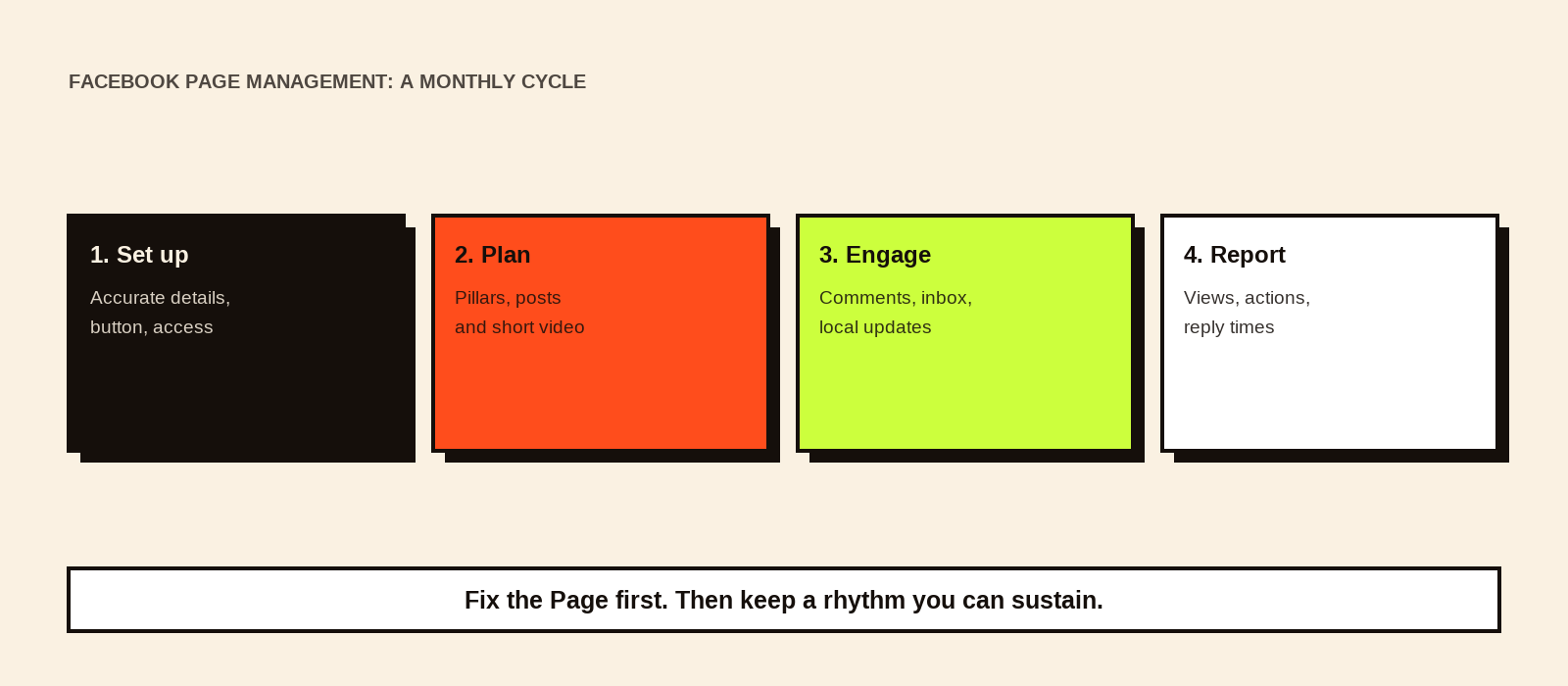
Facebook Page management for businesses means keeping the Page accurate, publishing a steady mix of useful posts and short videos, replying to comments and messages within agreed hours, and reviewing performance every month. Start by fixing the basics: name, category, contact details, action button and who has access. Then plan content around what your customers ask and need, schedule it in Meta Business Suite, and judge results on views, interactions, messages and clicks rather than Page follows alone.
Where Facebook fits for a business
Many customers use Facebook to check that a business is real: recent posts, opening hours, reviews and a way to message. It tends to suit local services, retail, restaurants, education, events and community-led brands.
It may not be a priority if your buyers are mostly on LinkedIn, if your category is driven by short-video discovery on Instagram or YouTube, or if your team can only sustain one platform properly. In that case, keep the Page accurate and responsive and put the main effort elsewhere. We cover that decision in how to choose social media platforms for your business, so this guide assumes you've decided Facebook deserves real attention.
Set up and optimise the Page
Facebook moved business Pages to what Meta called the new Pages experience, announced in January 2021. It replaced Page likes with followers as the main audience count and let owners give people access by task, such as content, messages, insights or ads, instead of one level of control for everything. Facebook's Help Centre now describes Page access as either full control or partial (task-based) access, and a Page must keep at least one person with full control.
Keep full control with two people on your payroll, give an agency only the tasks it needs, then work through the Page.
- Page name that matches your brand name on signage, invoices and your website.
- The most accurate category, so the Page appears for the right searches.
- A profile picture that reads clearly at small sizes, usually your logo.
- A cover image that shows what you do today, not last year's campaign.
- A short bio that says what you offer, where, and for whom.
- Phone number, email, website, address and service area, checked for accuracy.
- Opening hours, including how you'll handle holidays and festival closures.
- An action button that matches the one thing you want visitors to do, such as send a message, call or visit your website.
- A pinned or recent post that answers the most common question new visitors have.
On the action button: Facebook's help article on adding an action button to your Page describes adding or editing it from the Page's options menu, and Meta notes a Page has one call-to-action button at a time. Menu labels change, so follow the current help page rather than an old screenshot.
Plan content around what Facebook does well
Facebook rewards Pages that give people a reason to stop, comment or share. For most businesses that means practical, local and human content rather than polished brand announcements. A simple set of content pillars keeps the calendar balanced.
| Content pillar | What it does | Example (hypothetical) |
|---|---|---|
| Useful answers | Solves a question customers ask often | A clinic explains what to bring to a first appointment |
| Product or service in use | Shows what people actually get | A furniture store shows one sofa in three room sizes |
| Behind the scenes | Builds trust in the people and process | A bakery shows the 6am prep shift |
| Local and community | Connects the business to its area | A gym shares a neighbourhood run it's hosting |
| Offers and updates | Drives action at the right time | Festival hours and a limited-time service bundle |
| Customer stories | Social proof, only with permission | A customer's review shared with their written consent |
Put these into a monthly calendar so posting doesn't depend on someone remembering; our guide to building a monthly social media content calendar walks through it. If the same ideas go to Instagram too, adapt them rather than cross-posting identical captions.
Reels and video
Short vertical video is part of Facebook's feed through Reels, and Meta now reports a single 'views' figure across Reels, videos and photo posts. You don't need a separate production budget: short clips of a product in use or a staff member answering one question often beat an expensive brand film. Meta's guidance for creators also warns that reposting other people's content without meaningful changes is treated as unoriginal, so use your own footage.
Community interactions and local communication
On Facebook, comments and messages often matter more than the posts themselves. A customer asking 'are you open on Sunday?' under a post is a sale you can lose in an hour. Meta Business Suite's Inbox brings Facebook Page messages, Messenger, Instagram Direct messages and comments into one view, which makes it easier to assign and track replies.
- Agree reply hours and a target response time that your team can actually keep.
- Write saved replies for the ten most common questions, then personalise each one.
- Move order issues, refunds and complaints to your support process, not a comment thread.
- Hide spam and abuse according to a written rule, and never delete fair criticism.
- Post local updates quickly: closures, power cuts, weather delays, new timings.
Where routine engagement ends and customer service begins is a decision worth writing down; we cover it in community management vs customer support. If you run several outlets, Meta's store Pages structure lets a main Page sit above location Pages, and our guide to social media management for multiple locations explains when to use it.
When a Facebook Group makes sense
Facebook's Help Centre confirms that a Page can create a Group and post in it as the Page, and that existing Groups can be linked to a Page. A Group suits businesses with a genuine shared interest among customers: a fitness studio's members, parents at a learning centre, owners of a product that needs tips and troubleshooting, or a hobby brand.
Don't start a Group just for a second feed of promotions. Groups need rules, moderators and weekly conversation starters. Without that time, a well-run Page beats an empty Group.
Publishing with Meta Business Suite
At the time of writing (November 2026), Meta Business Suite lets you create a post and schedule it for your Facebook Page, and its calendar (Planner) shows scheduled posts and Stories by date, with drafts you can save and reschedule. You can also schedule from the Business Suite mobile app. If a scheduled post fails, Meta's help pages suggest checking the scheduled list for errors and publishing it manually.
Scheduling saves time, but someone should still check the first hour after each post goes live, when questions arrive. A third-party scheduler is fine if it connects through proper Page access, not a shared login.
Reporting: what to measure each month
In November 2024 Meta introduced 'views' as its main reach-style metric across Facebook and Instagram, replacing plays for reels and video and impressions for photo and text posts. Views count repeat views, so they aren't the number of people reached. Report a small set of measures and explain them.
| Question | What to look at | Why it matters |
|---|---|---|
| Are people seeing us? | Views, and the trend across months | Shows whether distribution is growing or shrinking |
| Is the content working? | Reactions, comments and shares per post | Separates useful posts from filler |
| Are people taking action? | Messages, calls, link clicks, direction requests | Closest link to enquiries and visits |
| Are we responsive? | Reply time and unanswered messages | Directly affects customer trust |
| Is the audience growing? | Net follows | Useful context, not the main goal |
Insights labels change, so match your report to your dashboard. For choosing which measures fit which goal, see social media KPIs by business goal.
Common mistakes
- Letting the Page's hours, phone number or address go out of date.
- Giving an agency full control when content and messages access would do.
- Copying Instagram captions word for word, hashtags and all.
- Posting offers only, so the Page reads like a noticeboard.
- Ignoring messages because nobody owns the inbox.
- Starting a Group without anyone to moderate it.
- Reporting follower counts without saying what they mean for the business.
Practical recommendations
- Do a one-time Page clean-up before planning any content.
- Pick three or four content pillars and keep them for at least a quarter.
- Include a short video in most weeks, made from your own footage.
- Name one person responsible for the inbox and agree reply hours.
- Review the month's posts against messages and clicks, not views alone.
If Facebook is one of several platforms you run, the operations side is covered in how to manage multiple social media accounts. For reference, here is how Kudozz plans platforms within a managed social media service, and if you also run creator campaigns that need Facebook support, multi-creator social campaigns are scoped separately.
Where to start
Fix the Page before you post more. Accurate details, a clear action button, sensible access and an owned inbox do more for most businesses than a burst of new content. Then commit to a rhythm you can sustain, with a short monthly review of what customers responded to.