How to Manage Multiple Social Media Accounts for One Brand Without Spreading Your Team Thin
How to run several social media platforms for one brand: tier platforms by priority, plan team capacity, coordinate one calendar, choose scheduling and inbox tools, adapt content, report and manage access.
Your brand is on Instagram, Facebook, LinkedIn, YouTube and X, and one marketing executive handles all five alongside email and the website. Instagram gets fresh work. LinkedIn gets the same post a day later. YouTube hasn't had a video since March. Comments sit unanswered on Facebook because nobody checks it. This is what happens when every account is treated as equally important with half the people needed.
Quick answer
To manage multiple social media accounts for one brand, rank each platform as primary, secondary or maintenance and give it effort to match. Assign clear roles for planning, creation, publishing, community and reporting, and check that capacity covers the plan. Run every platform from one calendar, use a scheduling tool and a unified inbox, adapt content to each platform, and report each platform's own metrics in one cross-platform summary. Control access with roles, not shared passwords.
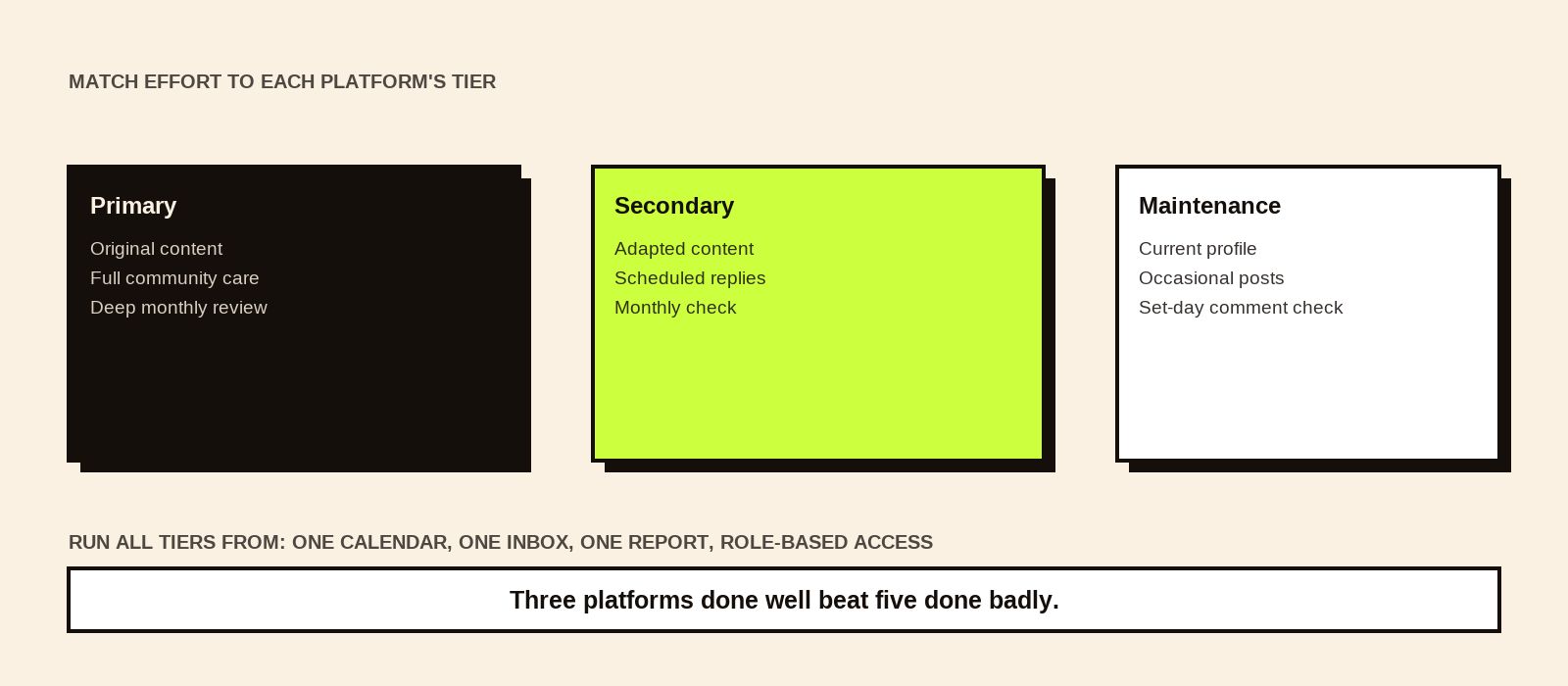
Tier your platforms: primary, secondary, maintenance
Which platforms you should be on at all is a separate decision, covered in how to choose social media platforms for your business. This guide assumes you've chosen them, and now need to run them without burning out. The answer is to stop treating them equally.
Audiences use each platform differently. People often scroll Instagram for discovery and visual inspiration, search YouTube for answers and longer explanations, read LinkedIn in a work frame of mind, and use Facebook for local groups and community. Your customers may behave differently, so check your own insights. Then give each platform a tier:
| Tier | What it means | Effort | Hypothetical example (B2B software brand) |
|---|---|---|---|
| Primary | Where your customers are most active and the business goal is clearest | Original content, full community management, monthly deep review | |
| Secondary | Useful but not central; supports the primary platform | Adapted content, scheduled replies, monthly check | YouTube for product walkthroughs |
| Maintenance | You need a presence, but it isn't a growth channel now | Updated profile, occasional adapted posts, comments checked on set days | Instagram and Facebook |
Review tiers every quarter. A maintenance platform can move up if your customers shift, and a primary platform can move down if it stops serving the goal.
Team roles and capacity
Running several platforms involves five jobs, whether one person or six do them. Name who does each:
- Planning: owns the calendar, objectives and platform tiers.
- Creation: design, video editing and copywriting for each platform.
- Publishing: schedules, checks formatting and confirms posts went live.
- Community: replies to comments and messages within agreed hours, and escalates.
- Reporting: pulls numbers per platform and writes the monthly summary.
Then check capacity honestly. List the posts, videos and community hours each platform needs per month and estimate the time each takes. If the total is more than your team has, drop a platform to maintenance before quality drops everywhere. Where the line falls between community replies and customer support is covered in community management vs customer support.
One calendar, one publishing workflow
Keep every platform in a single calendar with a platform column, so a launch shows up on all of them at once and nobody posts a sale on Facebook a day after it ended on Instagram. Plan around the primary platform first, then add secondary and maintenance versions. The fields and monthly rhythm are set out in how to build a monthly social media content calendar.
Agree a publishing routine: the same approval deadline for all platforms, one person who checks scheduled posts each morning, and a rule that time-sensitive posts (offers, launches, closures) go out on all relevant platforms in the same window. For launches that run across platforms with creators and a fixed date, plan them as a campaign. That's what social campaigns are designed for.
Scheduling and unified-inbox tools
Tools fall into a few categories. You don't need all of them, and we don't rank vendors here because the right choice depends on your platforms, team size and budget.
- Native tools from the platforms: free, and usually the first to support new formats.
- Third-party scheduling tools: one calendar for several platforms, with drafts, approvals and team roles.
- Unified inboxes: comments and messages from several platforms in one queue, with assignment.
- Analytics and reporting tools: pull metrics from several platforms into one view.
- Shared asset libraries: one place for final designs, videos and brand files.
For Facebook and Instagram, Meta Business Suite is the native option. At the time of writing (November 2026), Meta describes it as a way to manage business activity on Facebook, Messenger and Instagram from one place, including creating or scheduling posts and stories and responding to messages. Check what each tool supports for every platform you run before you commit: features for newer formats sometimes arrive in native apps first.
Adapt content and keep one voice
Posting the identical post everywhere saves time and wastes reach. Adapt the strongest idea to how each platform is used. A short matrix for one hypothetical product video:
| Platform | How to adapt | What changes |
|---|---|---|
| Vertical Reel, hook on screen in the first seconds, short caption | Pace and on-screen text | |
| YouTube | Short version as a Short; a longer walkthrough as a video with a searchable title | Length and title |
| Native video or a text post with the key insight, framed for a work audience | Angle and copy | |
| Same video with a caption suited to community or local audiences | Caption and context |
The format changes; the brand shouldn't. Write down how your brand sounds and what it never says, then adjust formality per platform within those limits. Social media brand voice covers how to set that up, and social media content repurposing goes deeper on turning one asset into several platform-native versions.
Platform metrics and one cross-platform report
Each platform measures things differently and names metrics differently, so don't add up 'views' across platforms as if they meant the same thing. Report each platform on its own metrics, then write a one-page cross-platform summary: what each platform was for this month, whether it did that job, and what changes next month. Leadership reads the summary; the platform pages are there for detail. Presenting it well is covered in social media reporting for founders.
Access management
With several accounts and several people, shared passwords become a risk quickly. Use each platform's role-based access instead. Meta lets a business portfolio give partner businesses access to its assets, and LinkedIn Pages have separate admin roles; at the time of writing these are Super admin, Content admin and Analyst. Keep a simple access register:
- Every account, the email it's registered to and who owns it (always someone on your payroll).
- Who has access, at what role, and since when.
- Two-factor authentication switched on for every admin.
- Access removed the same week someone leaves or an agency contract ends.
- A quarterly check that the list matches reality.
Common mistakes
- Giving every platform equal effort until all of them are mediocre.
- Cross-posting identical content, with hashtags and tags that don't work on the other platform.
- Separate calendars per platform, so campaigns go out on different days.
- Checking comments on the primary platform only.
- Adding views across platforms into one number.
- Shared logins that nobody remembers to change when people leave.
Practical recommendations
- Tier your platforms this month and write the tier next to each in the calendar.
- Estimate monthly hours per platform and compare them with what your team has.
- Pick one scheduling tool and one inbox your whole team uses.
- Set fixed days to check maintenance platforms for comments and messages.
- Start an access register and fix shared passwords first.
If you'd rather hand over the day-to-day running of several platforms, our social media management across platforms is planned in exactly these tiers, with each platform given its own job.
Where to start
Rank your platforms, then match effort to rank. Put everything in one calendar, one inbox and one report, adapt rather than copy, and control access with roles. Doing three platforms well is usually worth more to a brand than doing five badly.