Influencer Campaign Management Software: A Guide for Growing Marketing Teams
When a growing team outgrows spreadsheets, what campaign management software should handle (pipeline, briefs, approvals, deadlines, go-live checks, insights, payments), how to roll it out and how it fits with your other tools.
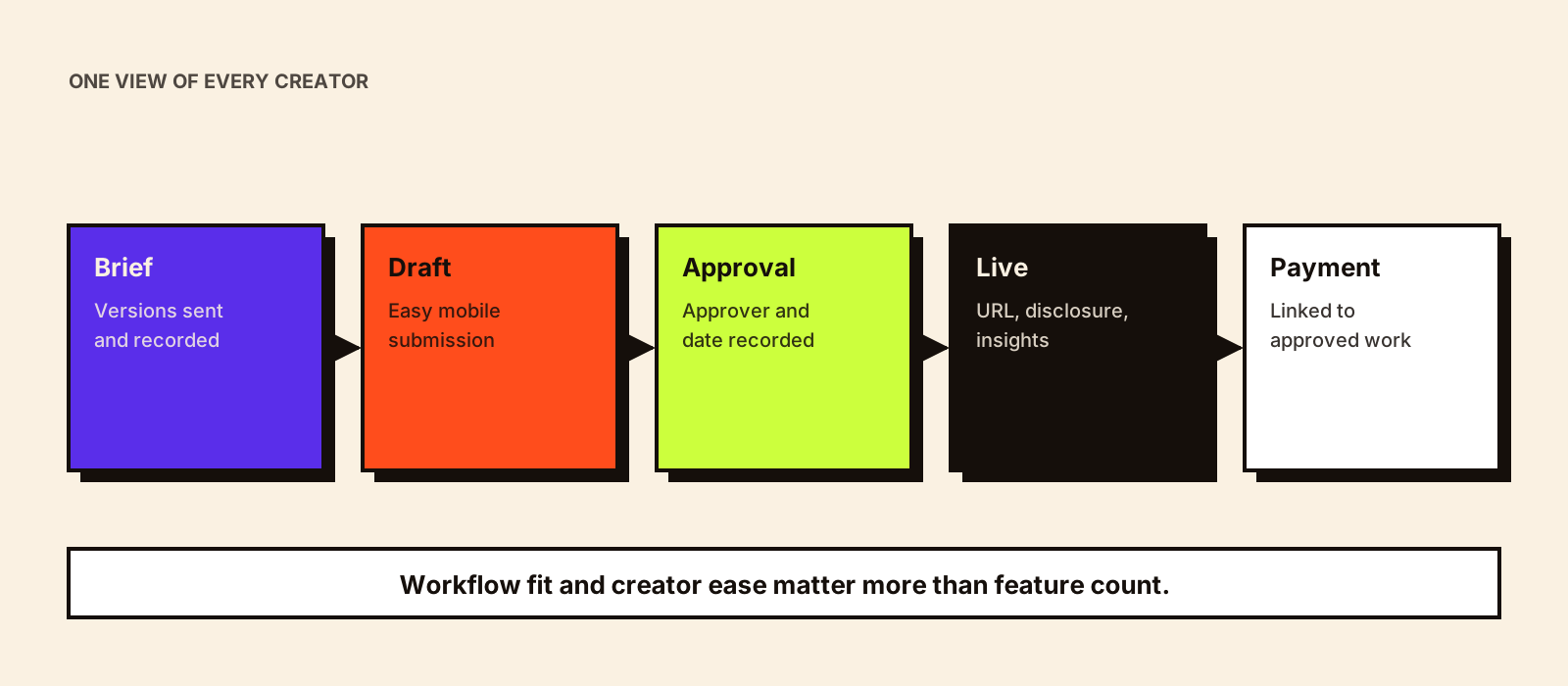
Campaign management software is the part of the influencer stack that handles the work after creators say yes: contracts, briefs, drafts, revisions, approvals, go-live, insights and payment. For a team running one campaign at a time, a good spreadsheet does this fine. For a growing team running several campaigns with dozens of creators, the spreadsheet starts to fail in predictable ways.
Quick answer
Influencer campaign management software tracks every creator in every campaign through a defined pipeline, holds briefs, drafts and approvals in one place, alerts the team to deadlines, records live content and performance and links approvals to payments. Growing teams need it when several people work on campaigns at once, approvals regularly stall, or nobody can answer 'where is each creator right now?' without asking around. Choose software that matches your workflow and approval process, makes it easy for creators to submit work, and exports cleanly.
Signs you've outgrown spreadsheets
- More than one person updates the tracker and versions conflict.
- Drafts, feedback and approvals live in email, WhatsApp and comments on shared files.
- You discover missed deadlines after they're missed.
- Insights screenshots arrive in different formats and get lost.
- Payments are delayed because nobody's sure if content was approved.
- At the end of a campaign, building the report takes days.
- When a team member is on leave, their campaigns stall.
Core features
| Feature | What it should do | Test it by |
|---|---|---|
| Campaign pipeline | Show each creator's status in each campaign, with owner and next deadline | Setting up your real statuses, not the vendor's defaults |
| Brief management | Store brief versions; send creator-specific briefs; track who received what | Sending two brief versions and checking the record |
| Draft submission | Let creators upload or link drafts without complex logins | Asking a creator to submit a test draft |
| Review and approval | Comment on drafts, request changes, record approver and date | Running a two-round revision |
| Deadline alerts | Remind team and creators before deadlines; escalate overdue items | Setting a deadline and letting it pass |
| Go-live tracking | Record live URLs; prompt a disclosure and link check | Adding a live post |
| Insights collection | Request and store performance data with dates | Submitting screenshots and connected-account data |
| Payment linkage | Make payment depend on approval and insights; export to finance | Checking a payment can't be approved for unapproved content |
| Multi-campaign view | See workload and deadlines across campaigns | Running two campaigns in the trial |
| Permissions | Control who can approve, see fees or export | Logging in as different roles |
Workflow fit matters more than features
Two tools with the same feature list can work very differently. Before comparing, write down your actual campaign workflow: who briefs, who reviews, how many approval layers, which approvals need legal or medical review, how creators submit work and how payments are approved. Then check whether each tool can follow that workflow without workarounds. How influencer campaign management works sets out a typical 13-step process you can adapt.
Approval layers deserve particular attention. Brands in regulated categories (health, finance, food claims) often need two or three reviewers. The software should support sequential approvals without the draft getting stuck. Influencer marketing governance covers approval design.
Make it easy for creators
A system the team loves and creators avoid fails quietly: drafts keep arriving on WhatsApp and someone has to copy them across. Check the creator side during your trial:
- Can creators submit drafts and insights from a phone without a long signup?
- Are briefs readable on mobile?
- Can creators see feedback clearly, and reply?
- Can managers submit on behalf of creators?
- Do creators get clear payment status updates?
How it fits with your other tools
| Other tool | Connection needed |
|---|---|
| Influencer CRM / database | Creator records shared, campaign history written back |
| Email and messaging | Conversations logged against creator and campaign |
| Contracts and e-signature | Signed contract triggers 'contracted' status |
| Analytics and tracking | Tracking links per creator; results pulled into the campaign |
| Finance | Approved payments exported with invoice details |
| Reporting dashboard | Campaign data flows into the dashboard |
Some influencer marketing software bundles campaign management with discovery and CRM. Separate tools can work well too, as long as creator records aren't duplicated. Influencer campaign automation explains the triggers worth building, and influencer marketing dashboard covers the reporting end.
Rolling it out
WEEK 1: Map current workflow and statuses. Agree fields and naming.
WEEK 2: Configure the tool. Import active creators. Set permissions.
WEEK 3: Run one small live campaign in the tool alongside the old tracker.
WEEK 4: Fix what didn't work. Write a one-page 'how we use it' guide.
WEEK 5: Move all new campaigns into the tool. Stop updating the old tracker.
WEEK 6: Review: are approvals faster? Are deadlines visible? Do creators submit through it?
Questions to ask vendors
- Can we define our own statuses, fields and approval steps?
- What does the creator see, and do they need an account?
- How are insights collected for Instagram and YouTube, and which require creator account connections?
- How do payments work for Indian creators, or what do you export for our finance team?
- What's the pricing basis (seats, creators, campaigns) and how does it grow?
- How do we export campaigns, creators, drafts and approvals if we leave?
Influencer software or a general project tool?
| General project or database tool | Influencer campaign software | |
|---|---|---|
| Setup | You design statuses, fields and automations | Ready-made influencer workflow |
| Flexibility | High | Within the vendor's model |
| Creator-facing features | Forms and shared links | Creator portals, draft submission, payments |
| Performance data | Manual or via connectors | Often pulls platform data for connected creators |
| Cost | Usually lower | Usually higher |
| Best for | Teams comfortable building their own process | Teams wanting an influencer-specific workflow quickly |
Both work. What matters is that the tool follows your process and that creator records aren't duplicated across systems.
Approvals in regulated categories
Health, wellness, finance, food and children's products often need claims reviewed by legal, medical or compliance specialists before content goes live. The software should support a sequential approval path (campaign manager, then brand, then compliance), show which version each reviewer approved and prevent a draft from being marked live before final approval. Influencer marketing compliance covers what reviewers should check.
What to measure after 90 days
| Measure | Before | After 90 days |
|---|---|---|
| Average time from draft to approval | [baseline] | [result] |
| Deadlines missed per campaign | [baseline] | [result] |
| Share of drafts submitted through the tool | n/a | [result] |
| Hours to build the end-of-campaign report | [baseline] | [result] |
| Payments delayed by approval confusion | [baseline] | [result] |
Record the baseline before rollout. Without it, nobody can say whether the software made a difference.
Common mistakes
- Configuring the tool around vendor defaults instead of your workflow.
- Forgetting the creator experience.
- Running old and new trackers in parallel indefinitely.
- No single owner for the tool and its data.
- Expecting software to fix unclear briefs or slow decision-makers.
Before choosing software, define your statuses and columns; influencer campaign tracker covers what the tracker needs to hold.
Conclusion
Campaign management software pays off when it gives a growing team one view of every creator's status, keeps briefs, drafts and approvals together, catches deadlines before they're missed and ties payments to approved work. Pick for workflow fit and creator ease, roll out on one live campaign first and retire the old tracker once it works. For the wider buying checklist, see influencer marketing software.