Instagram Management for Businesses: What Should a Professional Monthly Strategy Include?
What a professional monthly Instagram strategy covers for a business: objectives, profile, content pillars, the role of each format, planning, publishing, community management, reporting and a monthly checklist.
Your Instagram account posts four or five times a week. Some posts are product shots, some are festive greetings, and every few weeks someone remembers to make a Reel. Comments get answered when the person who runs the account has time. Nobody can say what the account is meant to do for the business, so nobody can say whether it's working.
Quick answer
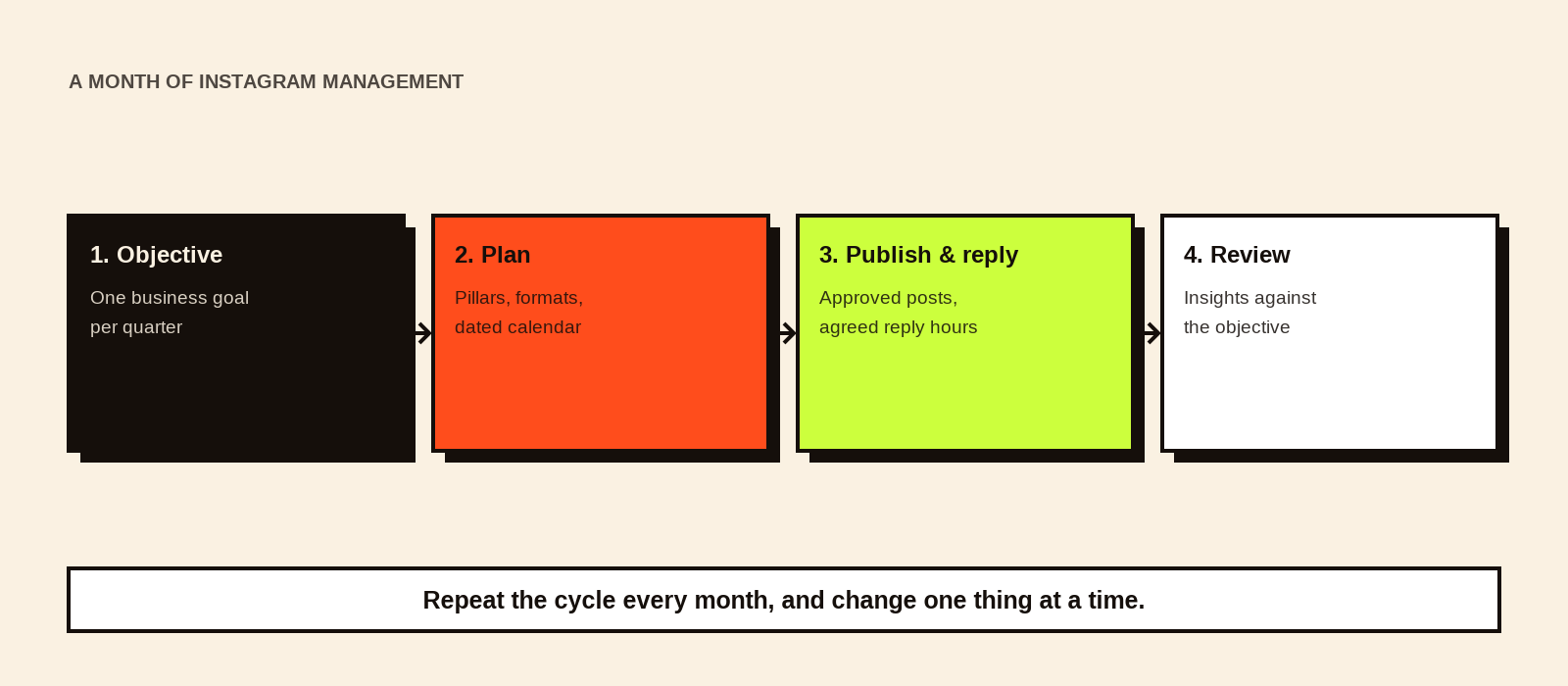
A professional monthly Instagram strategy starts with one or two business objectives, then sets content pillars and gives each format a job: Reels for reach, carousels for depth, Stories for ongoing contact, static posts for clear announcements. It includes a dated monthly calendar, an approval cycle, scheduled publishing, community management within agreed hours, and a monthly review of Instagram Insights that changes next month's plan.
Set account objectives before anything else
Instagram can do several jobs for a business, but rarely all of them at once. Pick one primary objective and at most one secondary one for the quarter. The objective decides the content mix, the call to action and what you measure.
| Objective | What the content has to do | What to watch in Insights |
|---|---|---|
| Awareness in a new city or segment | Reach people who don't follow you yet | Views, reach and the share of views from non-followers |
| Trust before purchase | Answer doubts, show proof, explain the product | Saves, shares, comments with real questions |
| Enquiries or bookings | Move interested people to a DM, form or website | Profile activity, link taps, DMs with intent |
| Launch support | Build anticipation, then explain the new product | Story replies, countdown reminders, profile visits in launch week |
| Retention and community | Give existing customers reasons to come back | Story views from followers, replies, repeat commenters |
Get the profile ready to receive visitors
Every good post sends some people to your profile, so the profile has to explain what you do, for whom and what to do next. Check the name field, the bio, the links, pinned posts, Highlights and contact options at least once a quarter. We cover this in detail in how to turn Instagram profile visitors into enquiries.
Build three to five content pillars
Content pillars are the recurring themes the account comes back to. They stop the calendar from becoming a list of whatever product needs a push this week. Three to five is enough for most businesses. More than that and nothing gets repeated often enough for people to recognise it.
- Education: what the customer needs to know to use or choose the product well.
- Product and proof: features, use cases, reviews and customer content you have permission to share.
- Behind the brand: the people, process, sourcing or workspace.
- Community and conversation: questions from customers, polls, replies to comments.
- Moments: launches, offers, festive and seasonal content tied to the business calendar.
Write each pillar down with a one-line purpose and two or three example post ideas, and check it sounds like the brand. If the voice keeps drifting between designers and writers, settle it first with a short brand voice document.
Give each format a role
Treat formats as tools with different jobs rather than boxes to fill. The roles below are a practitioner view of how formats usually work together, not platform rules.
| Format | Usual role | Typical use for a business |
|---|---|---|
| Reels | Reach and discovery, including people who don't follow you | Product demos, quick tips, customer stories, founder explainers |
| Carousels | Depth and reference value people save | How-to guides, comparisons, checklists, myth vs fact |
| Stories | Ongoing contact with people who already follow you | Updates, polls, FAQs, behind the scenes, launch countdowns |
| Static posts | Clear, single-message announcements | New product, offer, opening hours, event, milestone |
Each format has its own guide in this series: a Reels strategy built around products and customers, how to use Instagram Stories between posts, and how to plan carousels that educate. Before planning reach-focused Reels, read Instagram's own help page on which reels it may show less often. At the time of writing (November 2026), it lists reels that are blurry or muted, have borders or watermarks, are mostly text or aren't original, among others.
Run the month on a fixed planning cycle
Consistency on Instagram comes from a calendar that is planned and approved before the month starts, not from posting when there's time. A simple cycle for a brand with one approver looks like this:
- Week 3 of the previous month: review last month's Insights, list launches, offers and dates, and agree themes.
- Week 4: share the full calendar with post ideas, formats, captions in draft and the footage needed.
- Before the month starts: designs and edits ready for the first two weeks, approved in one batch.
- Mid-month: the second batch is approved, with space kept for one or two timely posts.
- Through the month: Stories planned weekly, because they depend more on what's happening now.
If you need the template itself, see how to build a monthly social media content calendar. It also covers the planning meeting and how approvals fit into the month.
Publishing
Approved posts and Reels should be scheduled with the final caption, cover image, alt text where relevant, location and any collaborator or product tags already set. Someone should check each post on a phone after it goes live, because crops, cover frames and line breaks don't always come out as planned.
Community management within agreed hours
Comments and DMs are where Instagram turns into a conversation with buyers. A monthly plan should state who replies, during which hours, how quickly, and which messages go to your team: order problems, refunds, medical or legal questions, complaints and press enquiries. Keep a short library of approved replies for common questions so answers stay consistent. Agree in advance where community management ends and customer support begins.
Reporting with Instagram Insights
Instagram Insights is available to professional accounts. At the time of writing (November 2026), Instagram Help describes views, reach, interactions (likes, comments, saves and shares on posts and Reels) and profile activity such as profile visits and link taps. Meta announced in November 2024 that views would replace plays and impressions as the main count across Facebook and Instagram, so older reports may use different names. Metric names change, so check the current Insights screens before you fix a report template.
A useful monthly report answers three questions: which content did its job against the objective, what we learned about the audience, and what changes next month. Pick the metrics by objective using social media KPIs by business goal.
What a monthly management scope should include
Whether the work is in-house or with an agency, write the monthly scope down. Vague scopes are where most Instagram disappointments start.
| Line | What to specify |
|---|---|
| Strategy | Objectives, pillars and a quarterly review |
| Calendar | Delivery date, revision rounds, approval turnaround |
| Reels | Number per month, who supplies footage, scripting and editing |
| Carousels and static posts | Number per month, slide counts, design templates |
| Stories | Number of Story days or frames per week, stickers, Highlights upkeep |
| Copy | Captions, hooks, alt text, languages |
| Community management | Hours, days, response time, comments vs DMs, escalation list |
| Reporting | Monthly report, review call, metrics tied to the objective |
| Scoped separately | Shoots, paid ads and ad budgets, influencer fees, customer support, crisis communication |
Monthly Instagram strategy checklist
- Primary objective for the month written down, with the metric that shows progress.
- Profile checked: bio, links, pinned posts and Highlights match current offers.
- Calendar covers every pillar at least once and every planned launch or offer.
- Each Reel, carousel and static post has a stated purpose and call to action.
- Stories planned week by week, with at least one interactive sticker each week.
- Footage, product samples and claims checked before design starts.
- All content approved before scheduling, with one named approver.
- Reply hours and escalation list shared with whoever handles comments and DMs.
- Insights pulled for the month and compared with the previous month.
- Three changes agreed for next month based on what the numbers and comments showed.
Common mistakes
- Posting the same content type every day because it is quick to make.
- Treating Stories as an afterthought, so followers only hear from you when you sell.
- Copying trends that don't fit the brand just to chase views.
- Judging the month on follower count alone.
- Leaving DMs unread for days while posting continues on schedule.
- Changing the plan every week, so nothing runs long enough to learn from.
Practical recommendations
- Commit to a posting rhythm your team can approve every month, then hold it for a quarter.
- Plan Reels as series rather than one-offs, so ideas and edits get faster.
- Turn the questions in your DMs into carousels and Story FAQs.
- Review the profile whenever offers, prices or locations change.
- Keep a running list of what worked, and reuse winning formats with new topics.
For a reference point, here is what a managed Instagram and social media service from Kudozz covers and scopes separately, and how we work with brands more broadly.
Where to start
Write down one objective, three to five pillars and a role for each format, then plan next month's calendar against them. Run that cycle for three months before judging it. A strategy you can repeat every month will do more for the account than a burst of activity followed by silence.