Social Media Marketing for Cloud Kitchens: Building Visibility Without a Physical Storefront
How cloud kitchens and delivery-only brands can use social media to be found, chosen and reordered: the delivery journey, brand identity across virtual brands, packaging as content, reviews, and a sample weekly content plan.
A cloud kitchen in Pune runs three brands out of one kitchen: a biryani brand, a bowls brand and a late-night dessert brand. None of them has a shopfront, a sign or a dining room. Customers meet them as a thumbnail on a delivery app, among dozens of others, and decide in seconds. Social media is one of the few places these brands can show who they are before someone scrolls past.
Quick answer
Social media marketing for cloud kitchens replaces the storefront you don't have. Give each brand a clear identity, show the food and the kitchen honestly, make it easy to find you on the delivery apps you're listed on, and treat the unboxing moment as content. Follow a weekly plan that mixes menu, process, customer and reorder posts, and handle reviews and complaints through a clear routine rather than in public arguments.
What social media does when there's no storefront
A restaurant with a dining room gets walk-ins, signage and word of mouth from the people at the next table. A cloud kitchen gets none of that. Its whole brand experience is the app listing, the packaging and the food. Social media adds three things the app can't: personality (who cooks this, and why), proof (what the food looks like when it arrives, from real customers with permission), and a reason to come back (new items, timing, offers with clear terms).
For dine-in restaurants and cafés, local discovery and the space itself carry much of the load; our guide to social media marketing for restaurants and cafés covers that. Cloud kitchens have to do all of it through the screen.
Map the delivery journey first
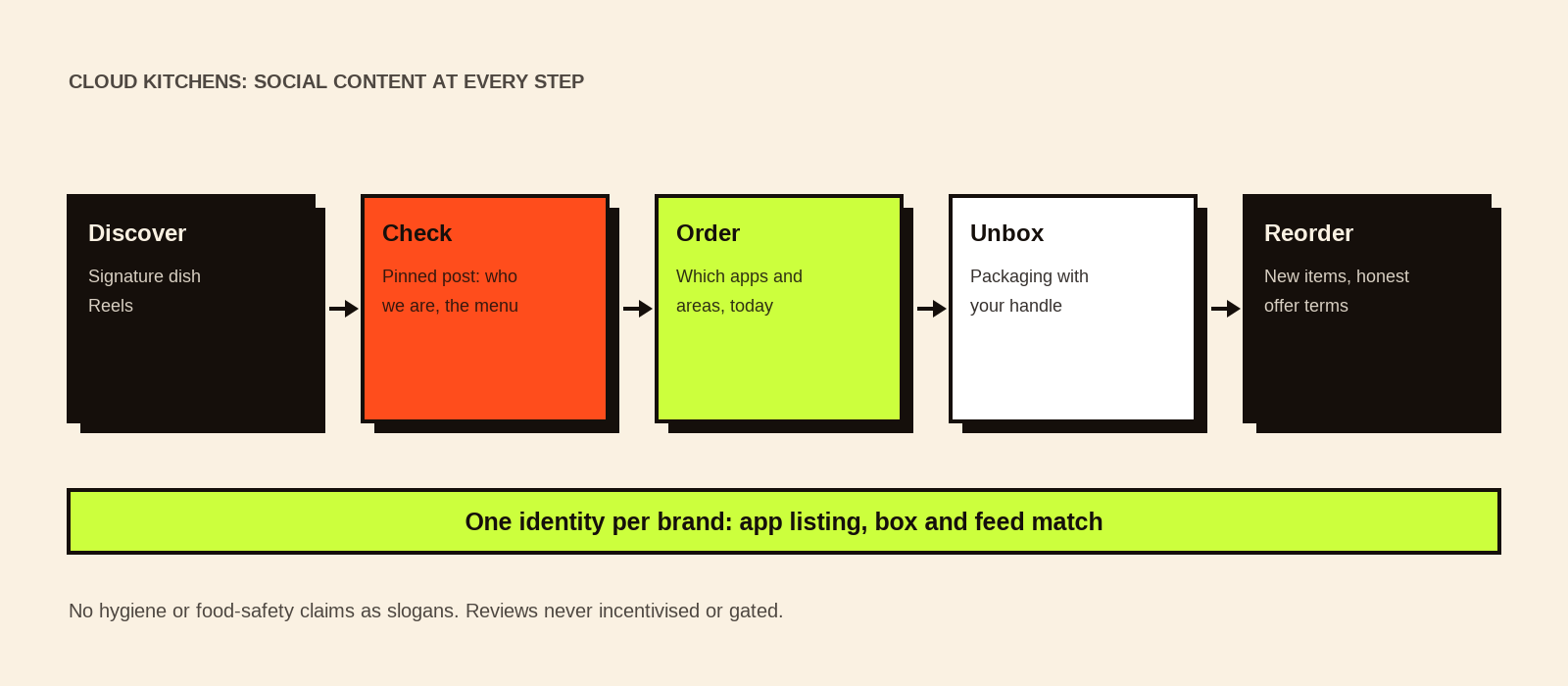
Delivery app features, ranking and promotions differ by platform and change often, so describe the journey in general terms and check what each app you're on currently offers. The table below maps where social content helps at each step.
| Journey step | What the customer is thinking | Social content that helps | Watch out for |
|---|---|---|---|
| Discover | 'I'm hungry, what's new around me?' | Reels of signature dishes, local food conversations, collaborations | Claims like 'best in the city' |
| Check | 'Is this brand real? Is it any good?' | A pinned post: who you are, kitchen, menu highlights, which apps you're on | Outdated menus and prices |
| Order | 'Which app, and what do I order?' | 'What to order first' carousel, bio link or highlight listing apps and areas served | Listing areas you don't deliver to |
| Unbox | 'Did it arrive as I hoped?' | Packaging that's easy to photograph, a card asking customers to tag you | Over-styled photos that don't match reality |
| Reorder | 'Should I order again?' | New items, combos, timing posts, replies to feedback | Fake urgency and unclear offer terms |
Brand identity across virtual brands
Running several brands from one kitchen raises a real question: one account or several? There's no single answer. Separate accounts make sense when brands target different customers or occasions (a family biryani brand and a late-night dessert brand rarely share a mood). A parent account can make sense when the kitchen itself is the story, for example a chef-led group. Whichever you choose, be honest: don't present one kitchen's brands as independent restaurants that compete with each other, and don't post reviews of one brand from another brand's account.
- Give each brand a distinct name, colour, tone and hero dish, and keep them consistent across the app listing, packaging and social.
- Write a one-page identity sheet per brand: who it's for, when they order, three words for the tone, what it never says.
- Decide which brands get an active account and which get a simple holding profile. Not every virtual brand needs daily content.
- Share production where it's efficient: one kitchen shoot can produce clips for several brands.
Running several accounts with one small team is an operations problem as much as a creative one. Our guide to managing multiple social media accounts covers tiering accounts by priority, capacity and scheduling.
Packaging as your shopfront
For a delivery-only brand, the box is the only physical thing a customer touches. Design it so it photographs well, carries your handle, and makes it obvious how to tag you. A small insert card can do a lot: a thank-you, the social handle, how to reheat if relevant, and a polite request to share feedback. Don't print claims on inserts that you couldn't support in a post.
- Make the handle easy to read on the lid or seal, not hidden on the base.
- Post an 'unboxing' Reel of your own packaging so customers know what to expect.
- If packaging changes, explain why (for example, a sturdier container for curries) without making environmental claims you can't substantiate. ASCI's guidelines for environmental and green claims (effective 15 February 2024) expect claims like 'eco-friendly' to be backed by strong evidence.
- Ask customers to tag you, then reshare with credit. Don't reshare posts that show other people without checking.
Our creative design work covers packaging-to-post templates, so every unboxing shot looks like the same brand.
Showing the kitchen honestly
Customers are curious about where delivery food is made, and kitchen content can build real trust. It only works if it's honest. Film what the kitchen genuinely looks like during service, not a staged deep-clean. Avoid hygiene, food-safety or certification claims unless you can substantiate them, and note that FSSAI's Advertising and Claims Regulations, 2018 (regulation 4(9)) say the FSSAI logo and licence number must not be used for claims or promotion beyond the mandatory label declaration. So 'FSSAI approved kitchen' badges are a poor idea.
- Show the chef and team, with their consent, and let them explain one dish each.
- Show prep that's specific to your food: the dough being folded, the spice blend being ground.
- Don't film in a way that shows staff personal details, phone screens or order slips with customer information.
Resource: a sample weekly content plan
This plan is for one active brand with a small team. Times assume a dinner-led brand; shift posts towards your own order peaks, which you'll know from your app reports. Adapt it for each additional brand, or rotate brands through the week if capacity is tight. Our guide to a monthly social media content calendar shows how to roll a weekly plan into a month.
| Day | Feed post | Stories | Purpose |
|---|---|---|---|
| Monday | Carousel: 'What to order first' (three dishes, who each is for, prices as listed) | Week's menu changes | Help first-time orderers choose |
| Tuesday | None | Kitchen prep clip, poll on a dish | Keep presence, gather opinions |
| Wednesday | Reel: a signature dish from raw ingredients to packed box | Behind the counter | Discovery and craft |
| Thursday | Single post: customer photo of their order, reshared with permission | Reshare tagged Stories | Proof from real customers |
| Friday | Reel: weekend combo, with terms if it's an offer | Which apps and areas, today | Drive weekend orders honestly |
| Saturday | None | Live-feeling updates: what's selling, what's sold out | Real-time relevance |
| Sunday | Carousel: answers to this week's DMs and comments | Thank-you and next week's teaser | Reorder and community |
BRAND: ____________  WEEK OF: ____________
Apps live this week: ____________  Delivery areas: ____________
Menu changes / sold-out items: ____________
Offers (with full terms and end date): ____________

MON  Carousel: ____________   Stories: ____________
TUE  Stories: ____________
WED  Reel: ____________        Stories: ____________
THU  Customer post (permission recorded? Y/N): ____________
FRI  Reel: ____________        Stories: ____________
SAT  Stories: ____________
SUN  Carousel (FAQ): ____________

Claims check done by: ________  Footage needed from kitchen by: ________
Ratings, reviews and complaints
Cloud kitchens live and die by ratings, which makes the temptation to game them strong. Don't. Google's Maps user-generated content policy prohibits offering incentives for reviews, discouraging negative reviews and selectively asking only happy customers, and delivery apps have their own review rules, which you should check. Never ask friends or staff to post reviews, and never delete or hide genuine criticism.
When a complaint appears on social (a missing item, a late delivery, a cold dish), acknowledge it publicly, move the details to DMs, and fix it through the app's support route if the order was placed there. Illness or food-safety complaints should be escalated to the owner immediately, not argued in comments. Our sister guide to handling restaurant comments, reviews and complaints has response scenarios, and our guide to community management versus customer support explains where social replies end and support begins.
Common mistakes
- Posting only stock-style food photos that could belong to any kitchen.
- Letting the app listing, packaging and Instagram tell three different brand stories.
- Promising delivery areas or times you can't control.
- Running 'flat discount' posts without saying which app, which items, or when they end.
- Creating separate accounts for every virtual brand, then abandoning most of them.
- Using food-safety or hygiene claims as marketing lines.
Where to start
Pick your strongest brand, write its one-page identity sheet, pin a 'who we are and where to order' post, and run the weekly plan for a month. Ask a few customers each week how they found you, and compare what they say with your app order reports. Then decide whether a second brand deserves its own active account.
Creator collaborations for food brands are covered in our guide to influencer marketing for food brands.